


I want to streamline planning and progress management
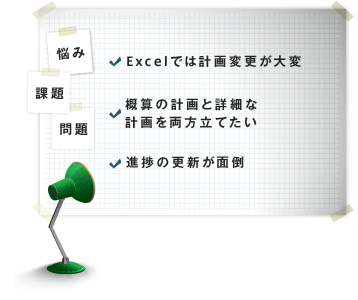
TimeTracker supports step-by-step planning detailing, performance-based progress-management and visibility, with the flexibility and ease of use of Excel.
Planning and progress management functions for "starting" and "continuing"It can be used according to the actual situation in the field without changing the way you work as much as possible.
Easy-to-use project planning function
-
You can start a project right away.
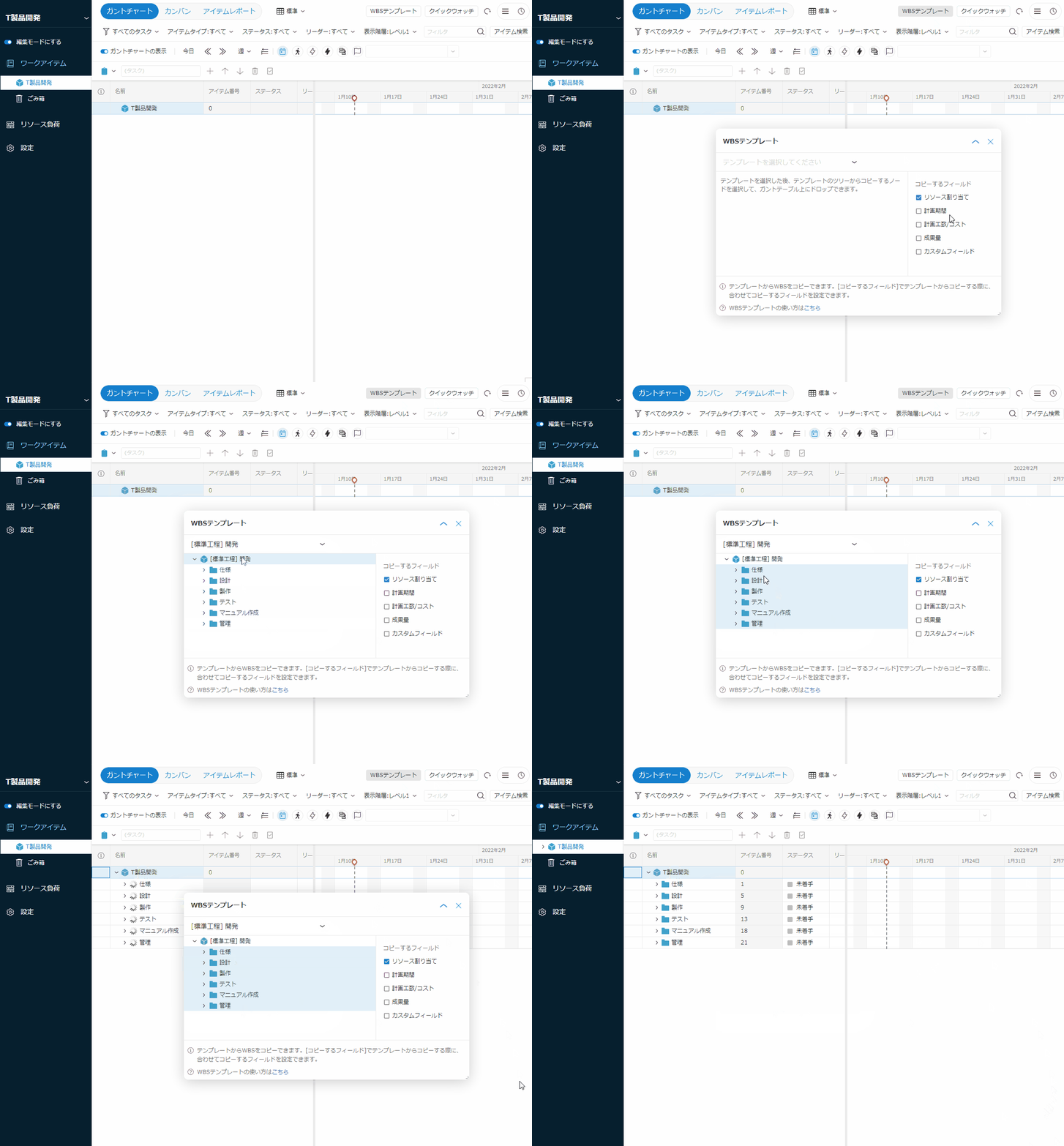
Do you create a new list or hierarchy of tasks each time you start a project? In fact, there will be similar procedures and standardized procedures to previous projects.
If TimeTracker, you can simply View and drag-and-drop a previous project/standardized working structure (WBS*),Make a WBS of the project in a momentYou can.
* WBS(Work Breakdown Structure) Tree structure of the work (task) to be performed in the project -
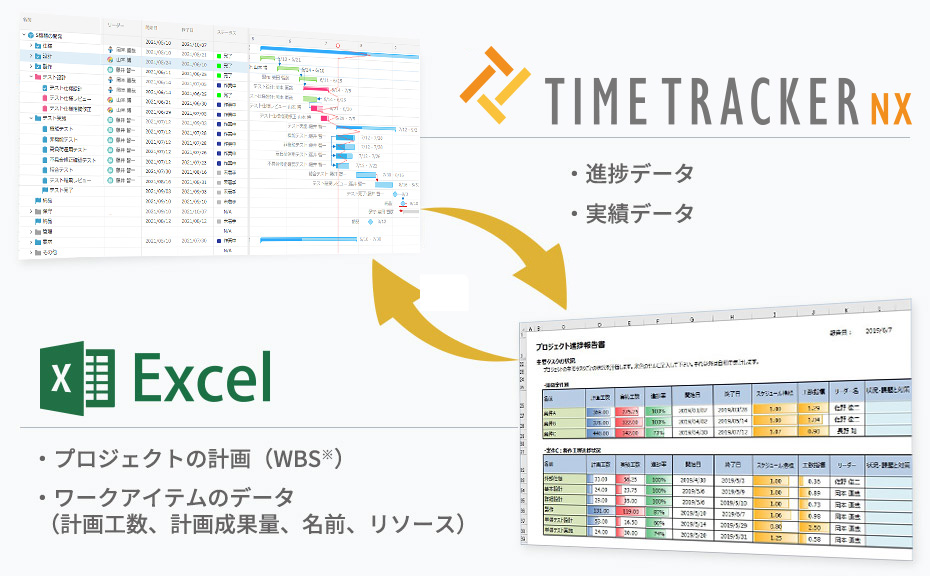
Easy migration from Excel
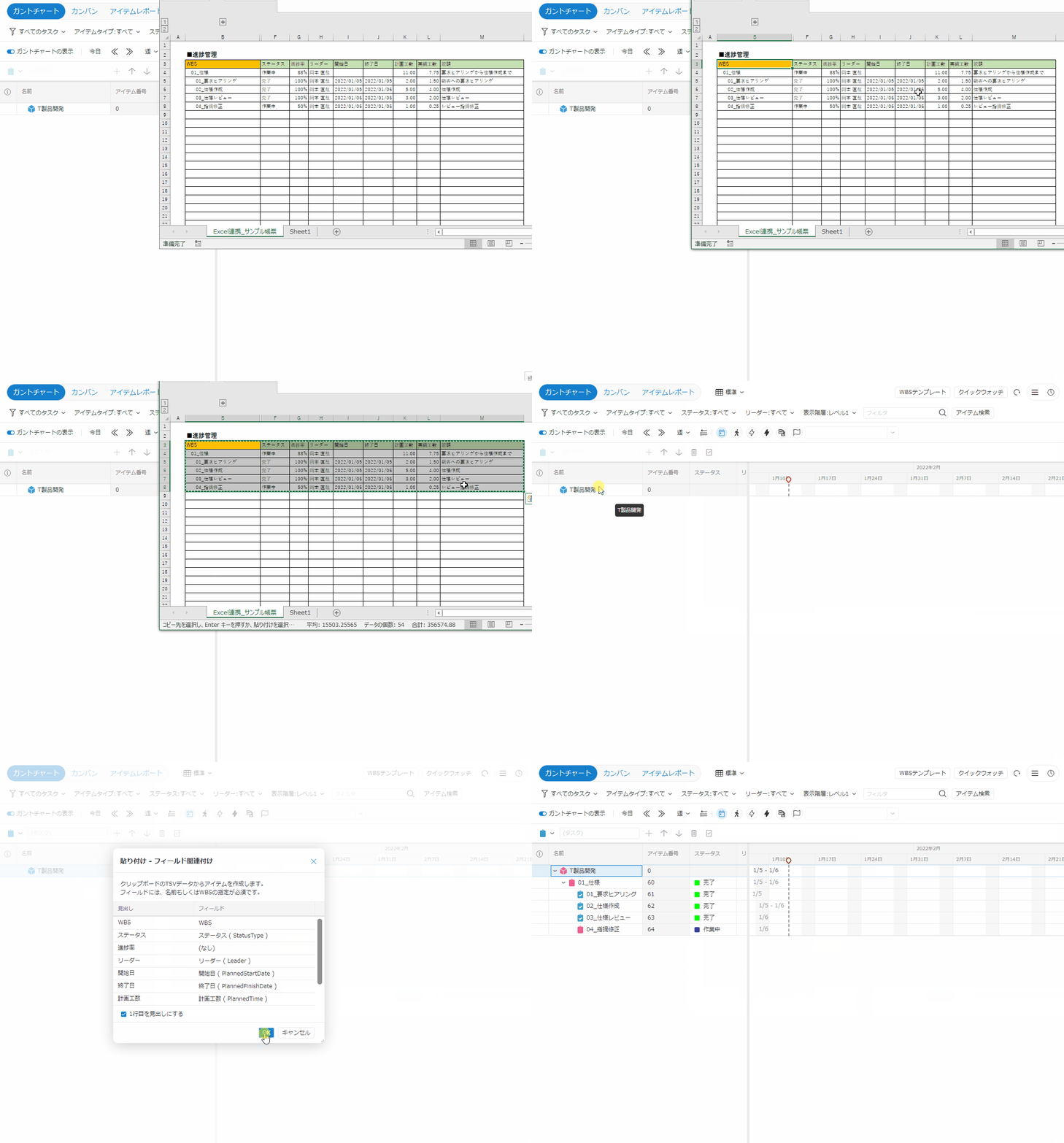
If you currently manage projects in Excel, migrating to TimeTracker FX
is straightforward. Copy a planning table from Excel and paste it
into TimeTracker to analyze its structure and automatically create a WBS, including task durations and member assignments. Teams that struggled to create and update plans in Excel can begin managing projects in TimeTracker immediately. -
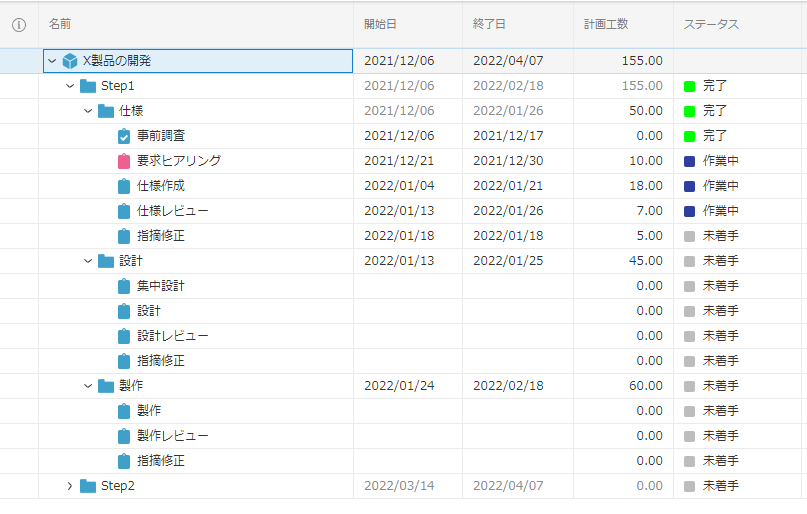
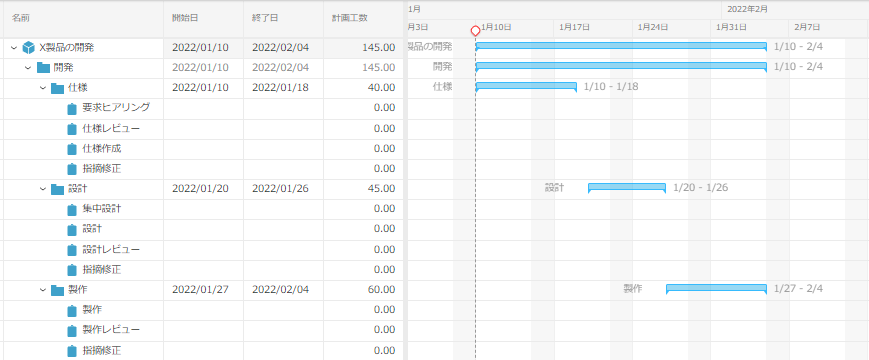
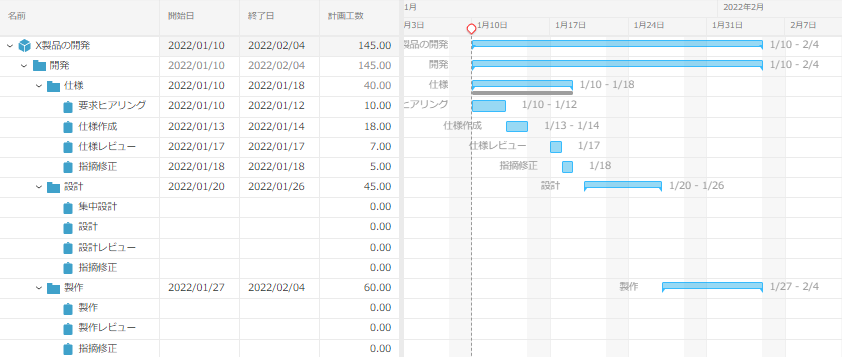
You don't have to plan everything in detail
In actual projects, it is difficult to make a detailed plan from the beginning, and even if you do, it will change quickly.
Start with a rough plan and refine it step by stepLet's do it.
If TimeTracker, scheduling and man-hours can be entered at any granularity, from rough to task-level. A more realistic and efficient way of planning. -
Intuitive scheduling as you see
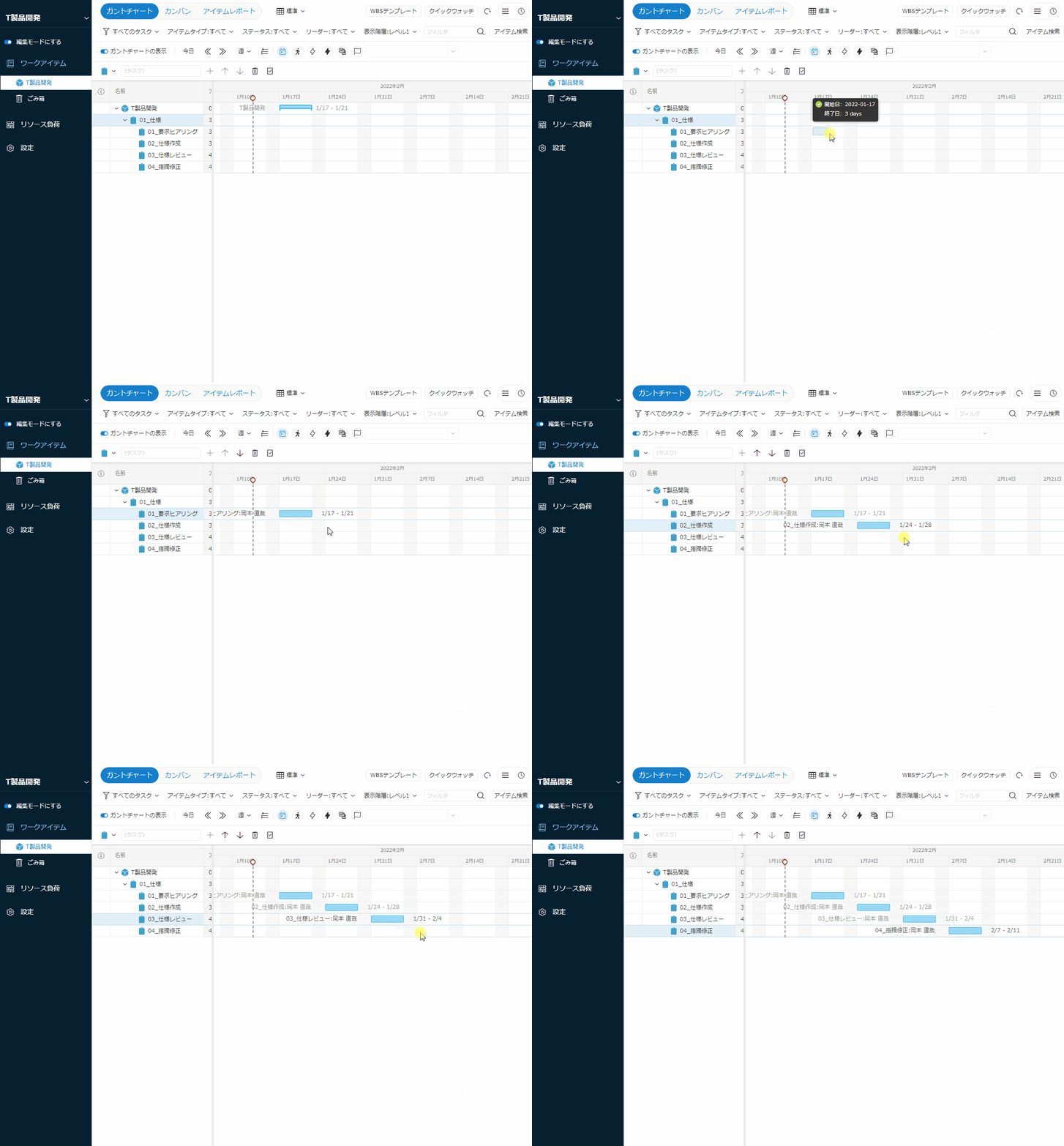
Let's use Gantt Chart to change the scheduling.
The intuitive feel of dragging with the mouse makes it easy to change the plan.
"Automatic adjustment of task period by setting holidays"
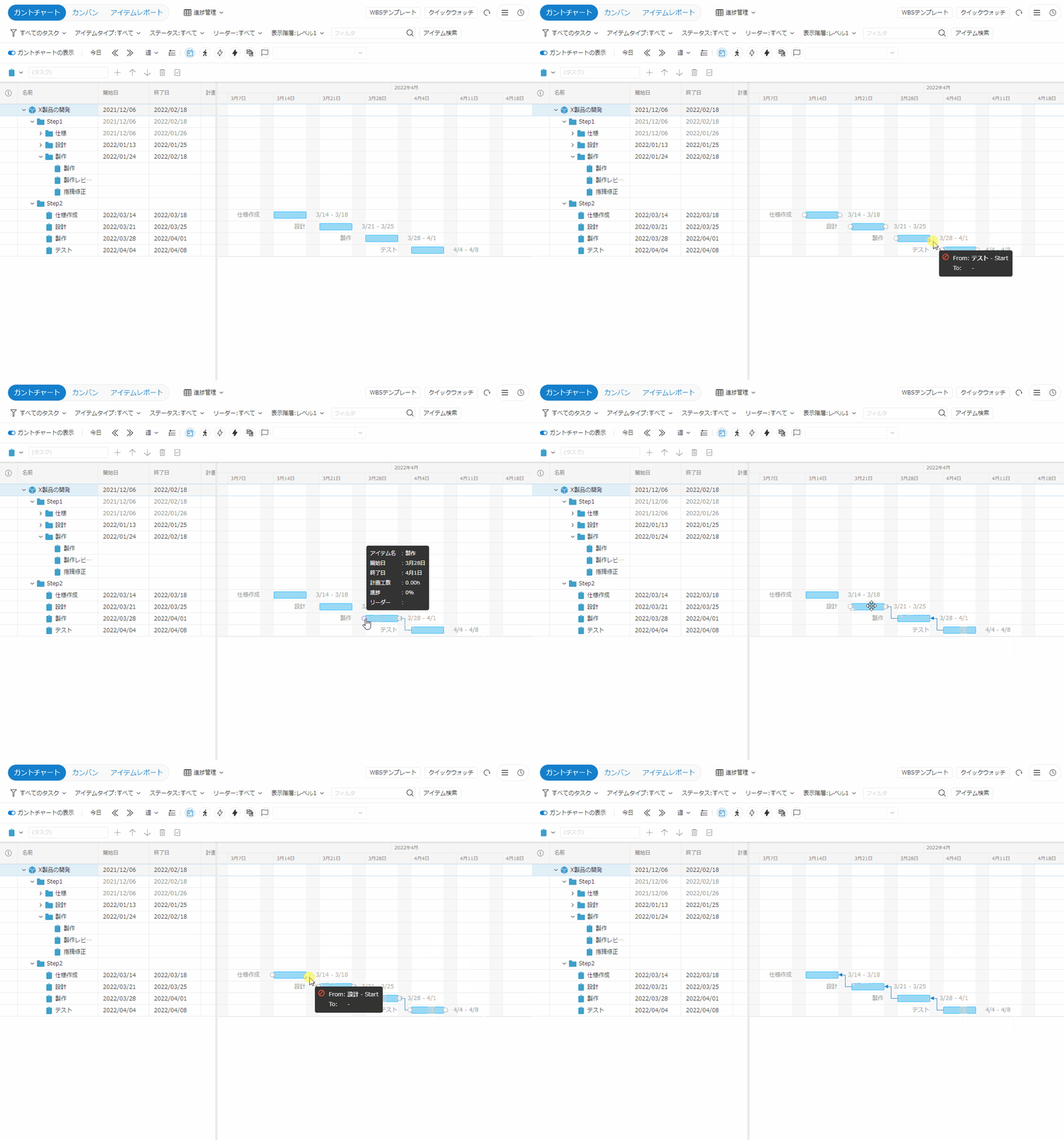
"Maintaining the Relationship between Tasks by Setting Links between Tasks"
"Changing View window by day to month"
For example,Easily schedule entire Overview to daily basisIt is packed with ingenuity to. -
Support for planning backwards from the delivery date
TimeTracker supports backward scheduling from a fixed
delivery date. Set the deadline and define dependencies
between related tasks to determine when work must begin and whether the schedule is achievable. This supports practical planning based on real workplace conditions. -
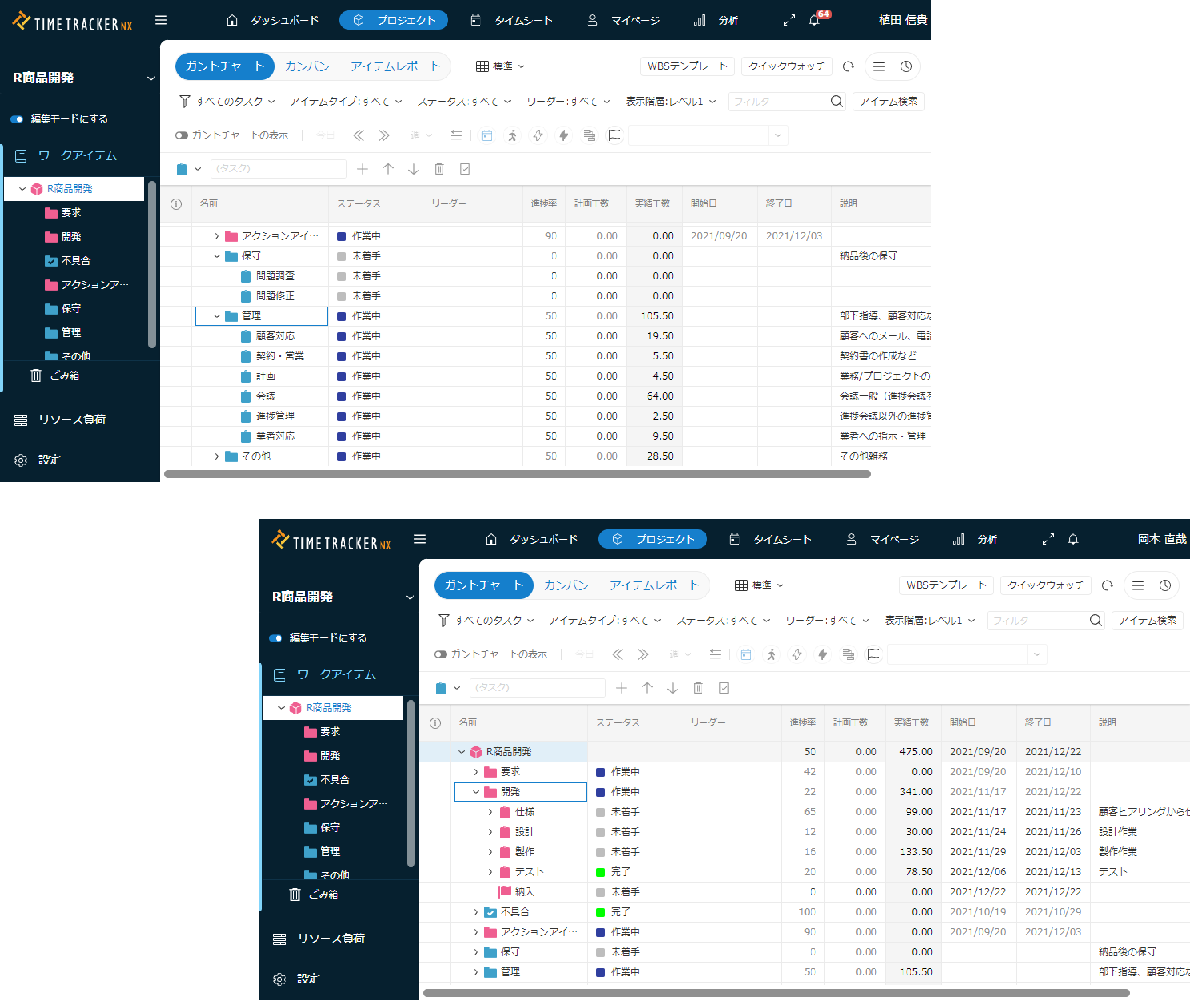
It is also useful for editing in Excel
In fact, TimeTracker's projectplanCan also be edited with ExcelCopying tasks with TimeTracker and linking them to Excel with a single button. Just edit the table.
After that, reflect it in your TimeTracker. The editing results are automatically reflected in the plan.
They can also be edited in familiar Excel, such as assigning members, renaming members, or estimating effort. -
Share the plan among members and teams
With TimeTracker, one person does not have to create the entire plan alone. Multiple people can edit the same project simultaneously. For example, a manager can create a high-level plan,
assign leaders, and have each leader develop the details. This
is especially useful for large projects or projects involving multiple teams.
Efficient progress management
-
Members report progress and automatically reflect in the project
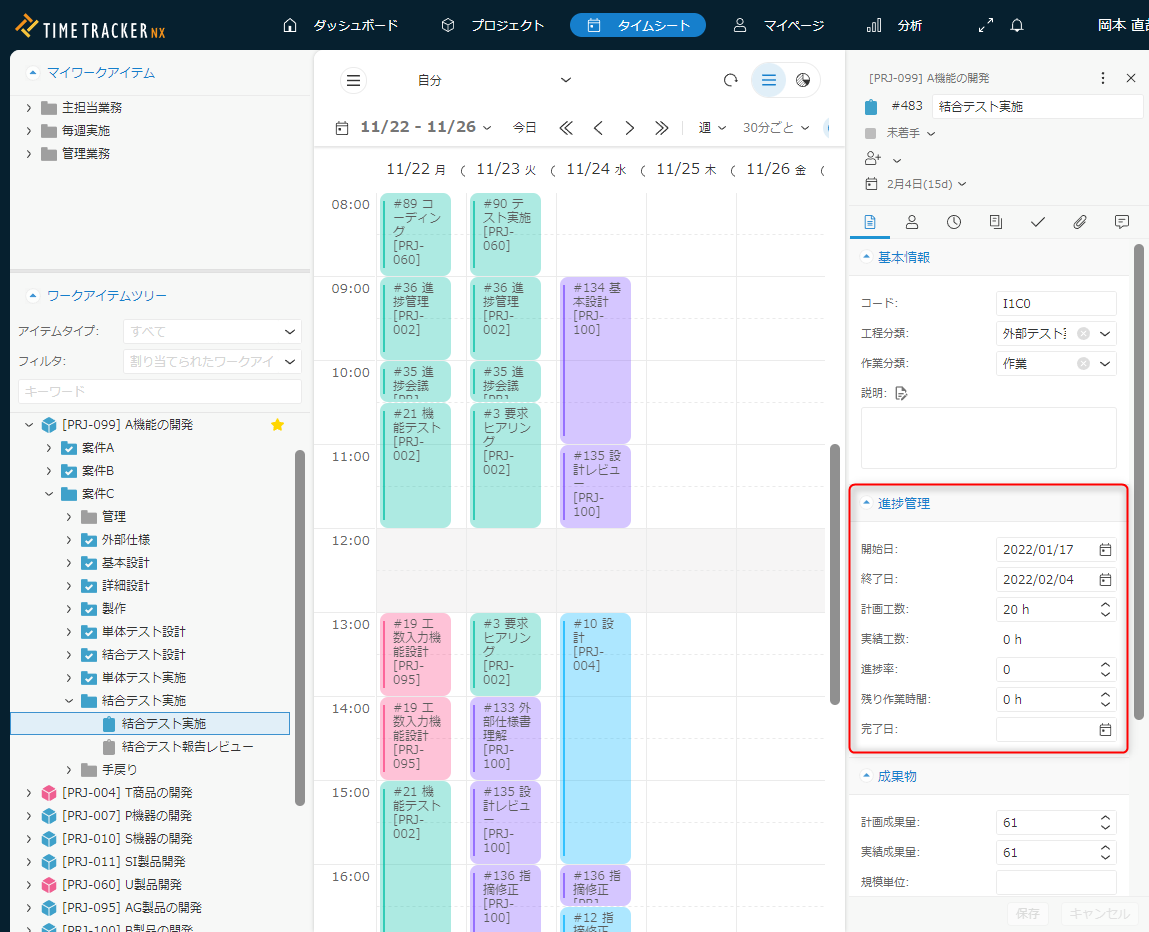
If TimeTracker, you can leave it up to the members to enter their progress.
If the item's reader enters the progress rate by themselves, it is automatically reflected in the project. The manager does not need to enter the progress rate for each item.
Since the progress rate can be calculated based on the size of the deliverables (number of pages, etc.),Management according to the work content is possibleIt's a great way to get to know the people you'll be meeting. It makes progress management more efficient. -
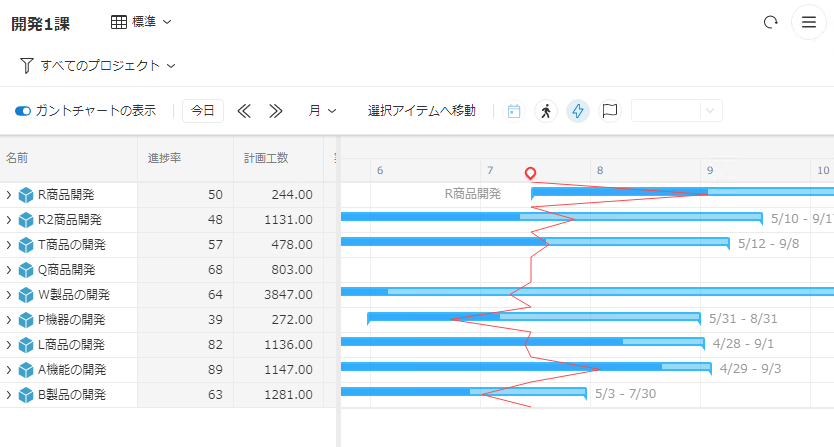
The inazuma line shows the delay immediately
It is not efficient to check the progress of the work one by one. Use inazuma wire, which allows you to quickly find the work that is problematic.
You can see that one red line running vertically is behind the schedule on the left, and on the right.
You can see the progress of multiple projects at a glanceSo, you can take immediate action. -
See progress without opening the project
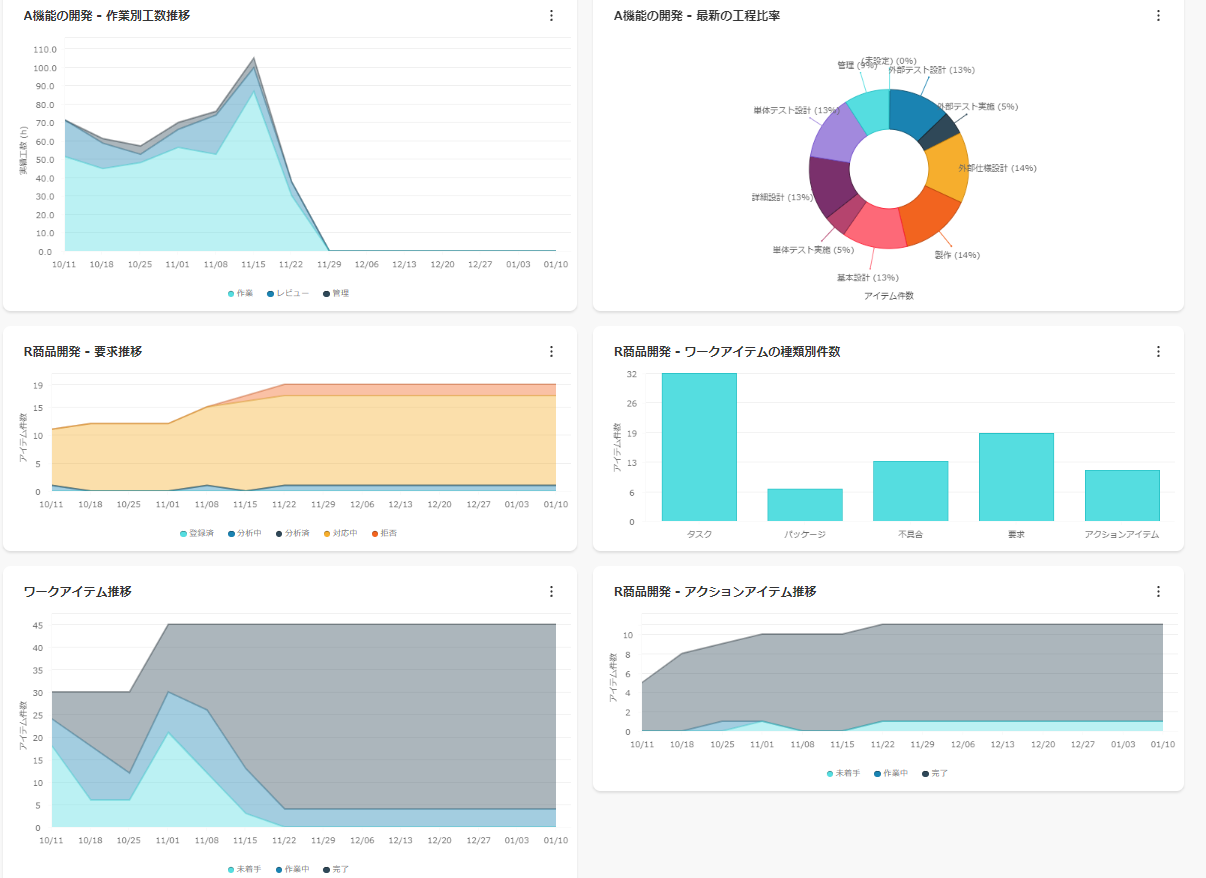
You don't need to open a project to see its progress. The 'dashboard' that View just by launching TimeTracker allows you to quickly check the 'transition' of your project.
Since you can specify a part of the project and check the transition,Check the progress of not only the whole but also some teams and specific tasks every weekIt is also an efficient way to do this. -
-
Reports are written in no time
- In many cases, you may be preparing a report on your progress. You may be preparing a report on your progress in Excel or other media.
- If TimeTracker, you can quickly send progress-related information to Excel forms.
Related functions
- Project planning for members of actual projects
- Cooperating easily with Excel worksheets
- Visualizing data of multiple projects