


Entering work time with drag-and-drop
Projects often face delivery delays, unresolved workload imbalances, and
quality issues. Responding quickly requires visibility into actual working
time. Visualizing work time clarifies quality and cost conditions
and supports operational improvement. With a responsive, refined UI,
TimeTracker RX makes time entry and visualization effortless. Its ability to treat work-time data as an asset and support improvement in knowledge-work environments is a defining feature.
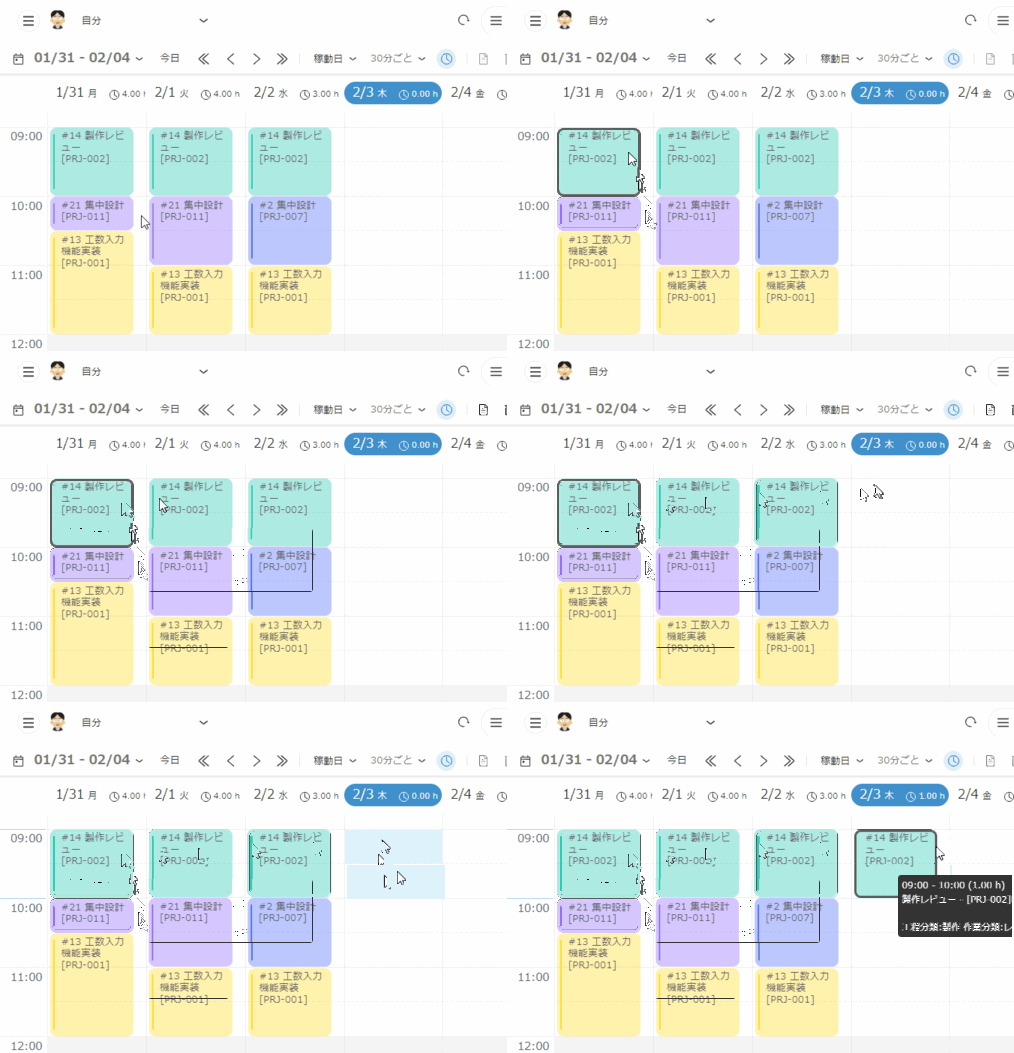
Input work time goes by so fast.
Most project management tools ask users to report how many
hours they spent on each task each day. This requires
mental calculation and is difficult to sustain across an entire team. TimeTracker RX instead lets users intuitively drag and drop the period during which they worked on each task. Reporting a
full day takes less than a minute. Because anyone can
do it easily, accurate work-time data for improvement continues to accumulate.
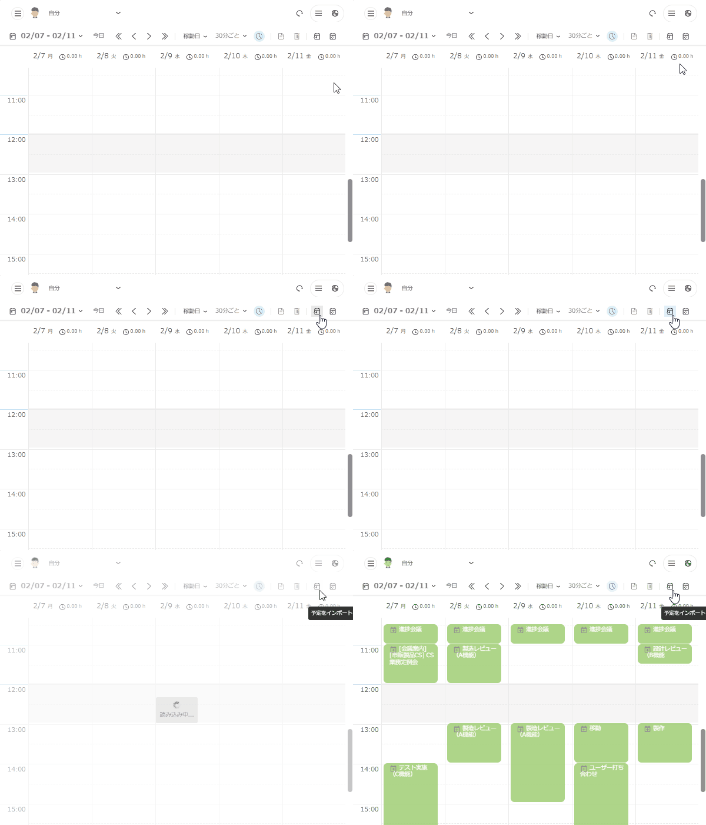
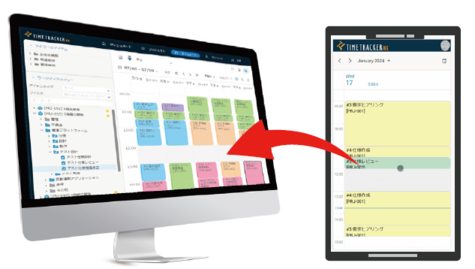
Entering work time with one-click from Calendar
Import calendar appointments with one click. Time
can be entered without even dragging and dropping, which is especially helpful for people with
many meetings. TimeTracker RX supports Outlook, including
Microsoft 365, and Google Calendar. If task information is assigned to an appointment in advance, it can be imported automatically as actual time.
Entering time during business trip or on moving as well
You can enter records with your mobile device.
Even if you are out for your office or it is difficult to bring your PC out your office, accumulate accurate results by using the same procedure as entering from PC.
It is available with iPhone and Android devices.
Look back on how to use your time
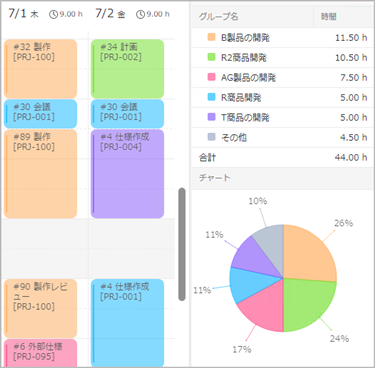
Use the man-hours you are entering every day to check your own job performance.
When you enter time, the data is automatically calculated and graphed, "Quick Report", and summarizing the previous day's time and reporting them every morning, "Notifications". You can look back on your work objectively everyday without wasting time for calculating.
-
No labor-intensive man-hour calculations are required.
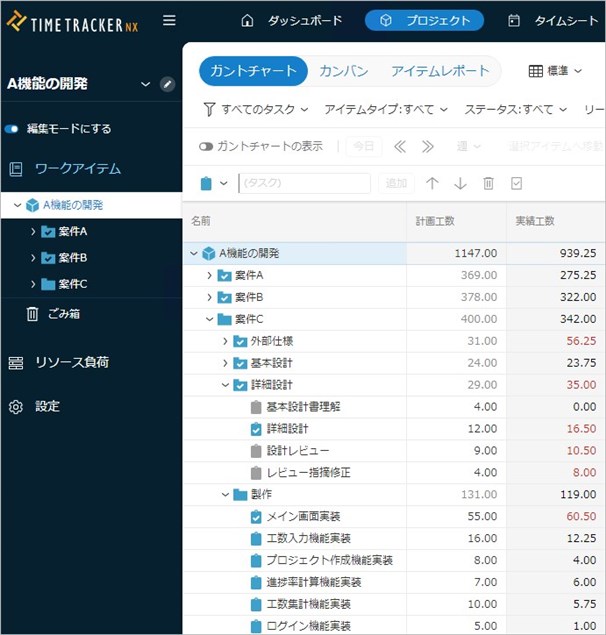
Actual time of the task entered by the member is automatically stacked and calculated in the hierarchical structure (WBS) of the project's work.
Since it's possible to quickly check man-hours at whatever granularity you need — from a single process to the entire project — there's no need for labor-intensive calculations. -
Quickly enter by shortcut
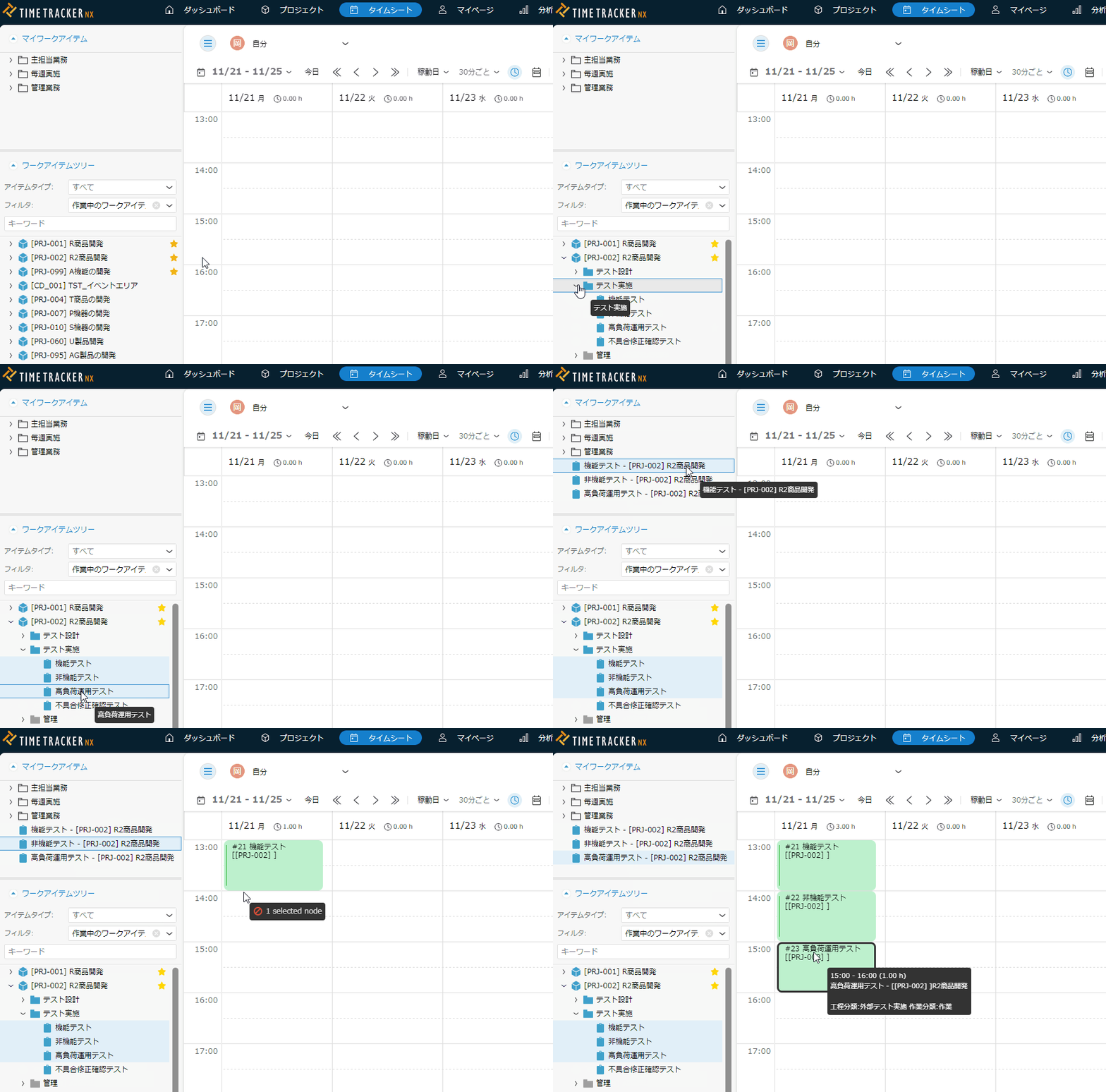
You can enter man-hours directly from tasks registered as shortcuts.
By continuously executing the same task or registering a task that is executed at a fixed timing every week, such as a regular meeting, you can enter it quickly. -
You can quickly see the items you are assigning to yourself
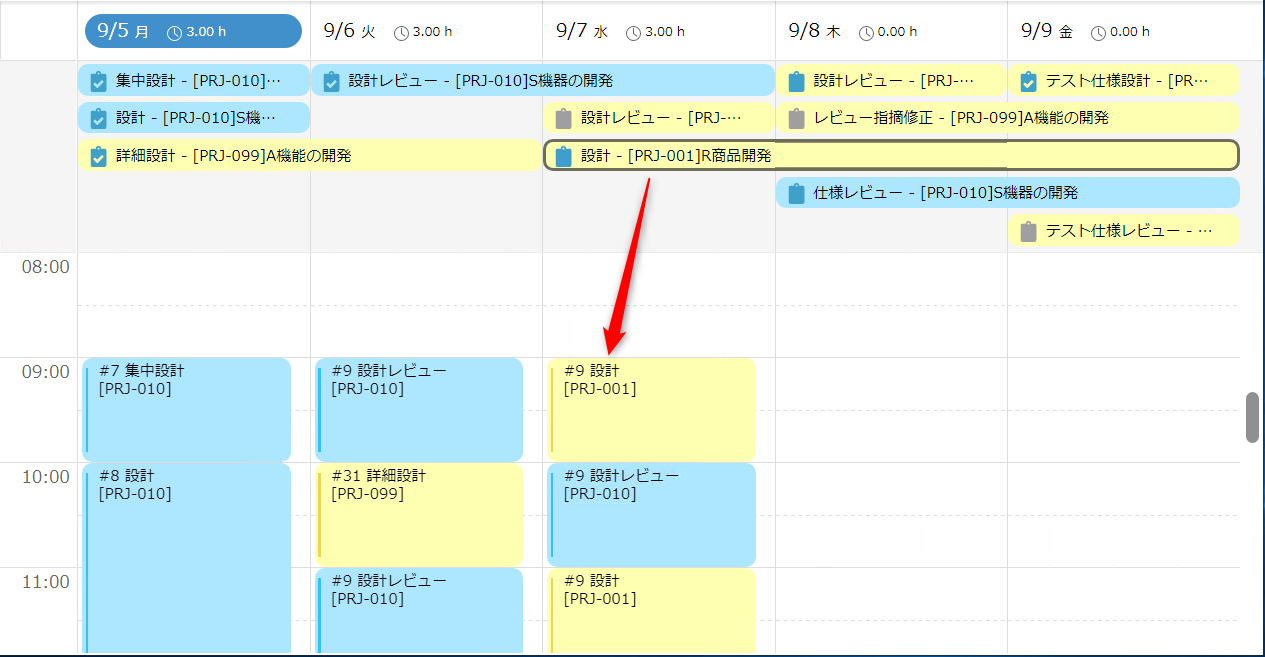
View the most recent items to see what you need to do for the day.
Simply drag and drop to enter the effort. -
Tasks remain simple and are analyzed by subdividing the effort.
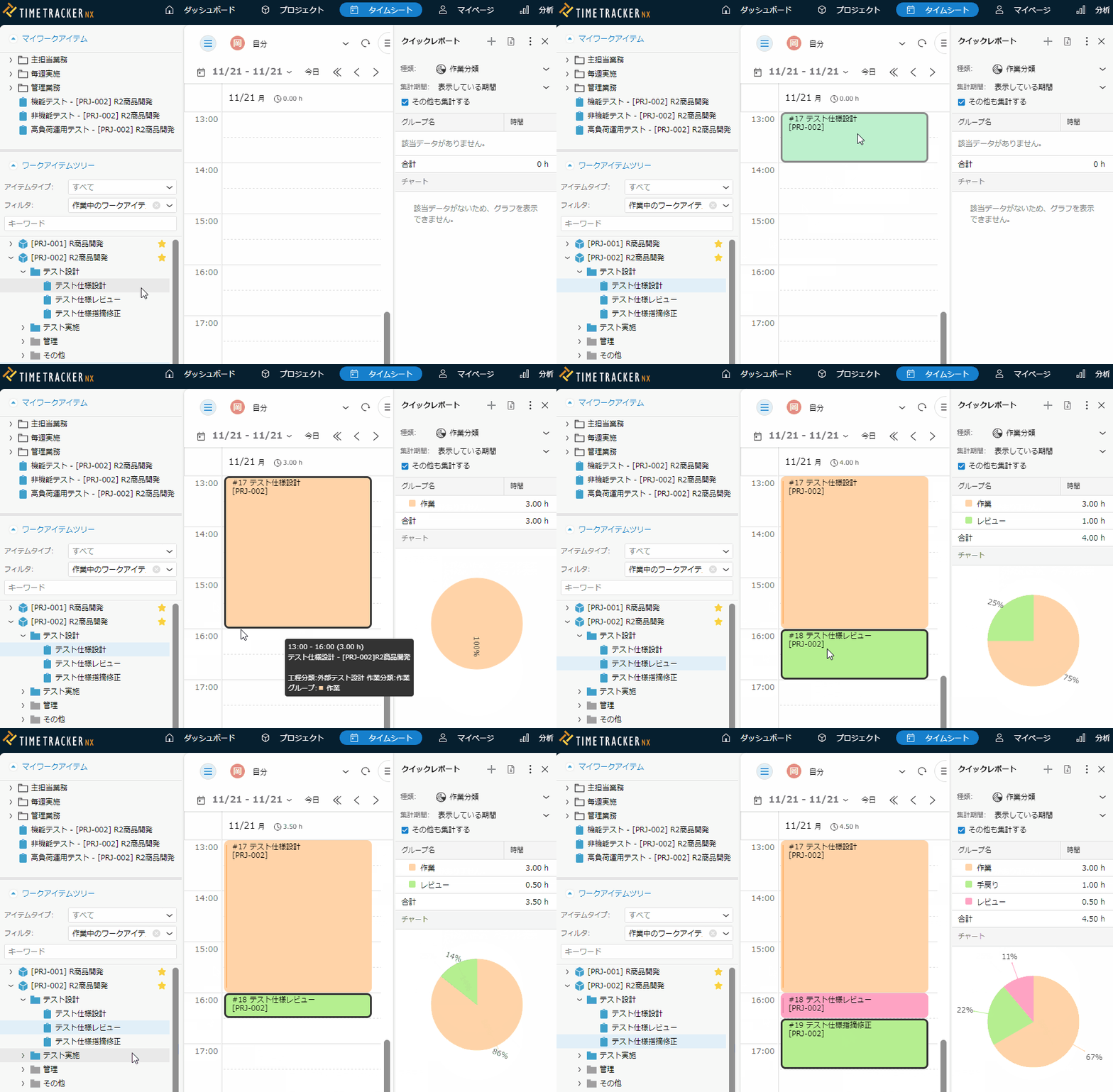
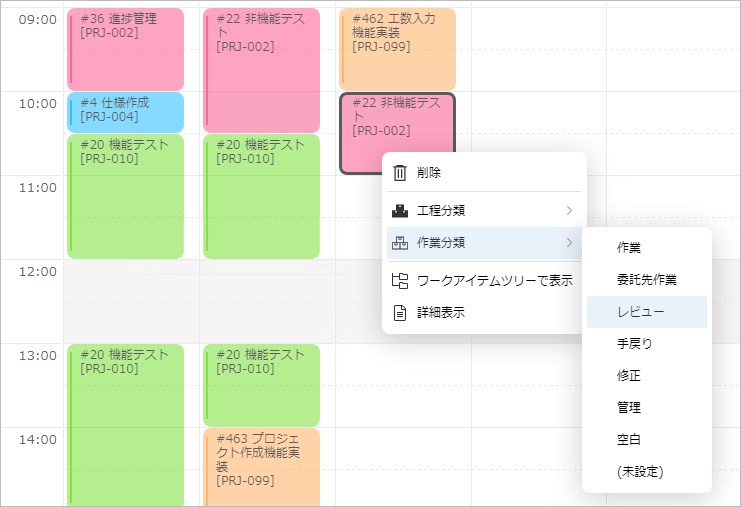
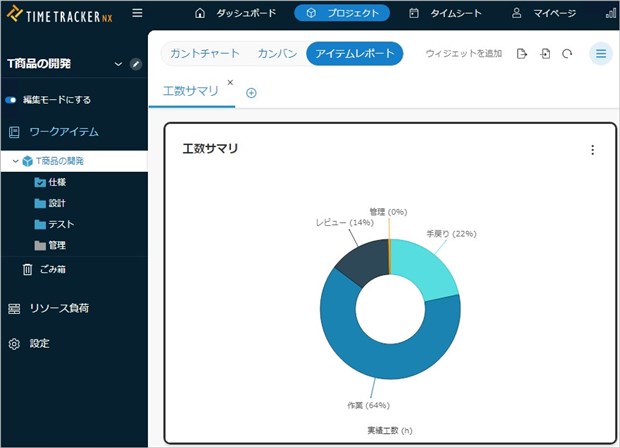
If you divide the effort by type even for the same task, you can perform detailed activity analysis.
By specifying classification tags such as "meeting," "designing," "reviewing," and "rewind" at the time of Input work time, you can analyze the cause of the cost/quality issue using man-hour data. -
Simplify visualization of costs

Automatically calculates Actual cost based on man-hours and unit cost of members.
Because you can manage costs at the same granularity as man-hours, you can use it for project profitability management too. -
Entering work time from any window
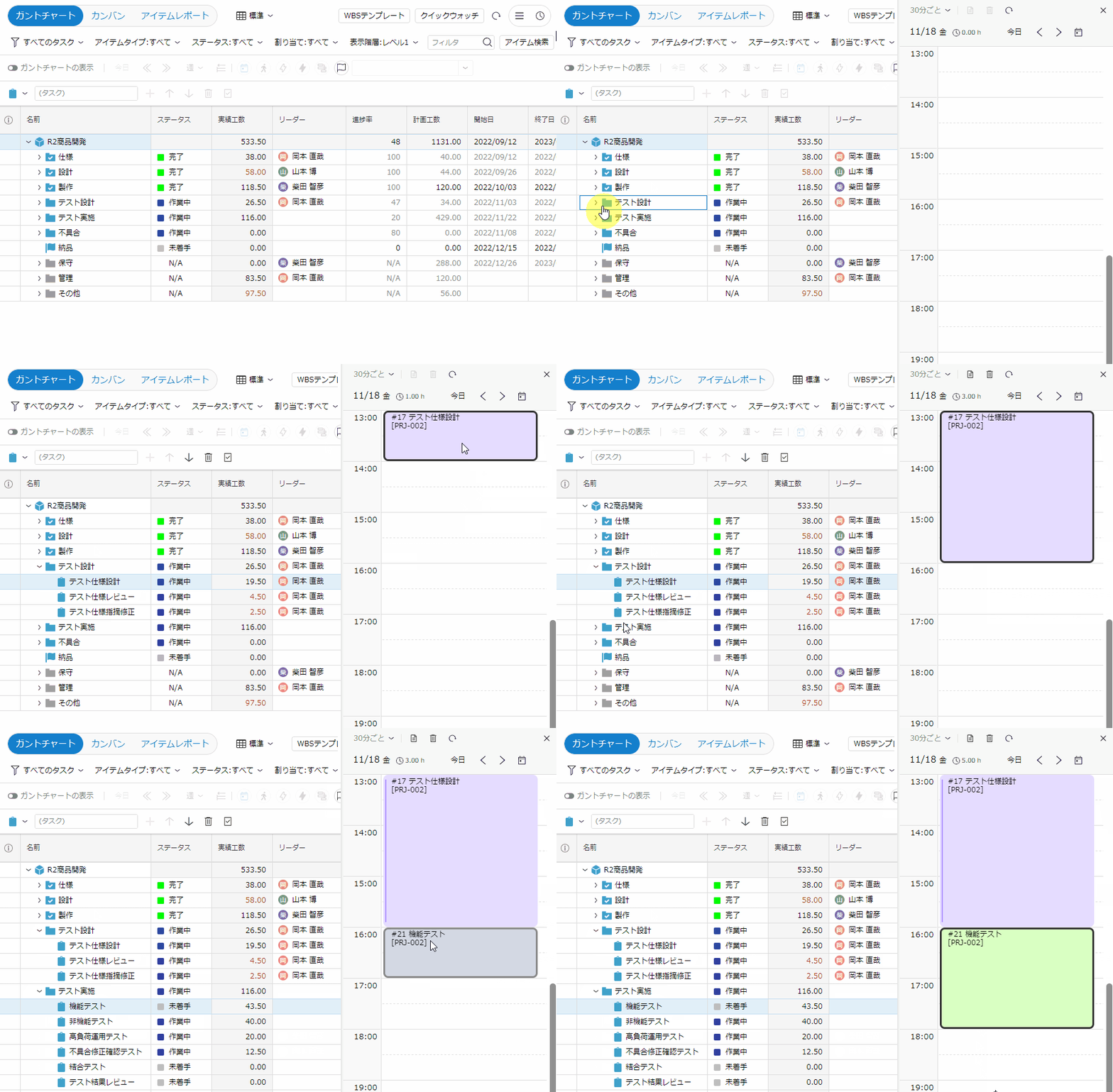
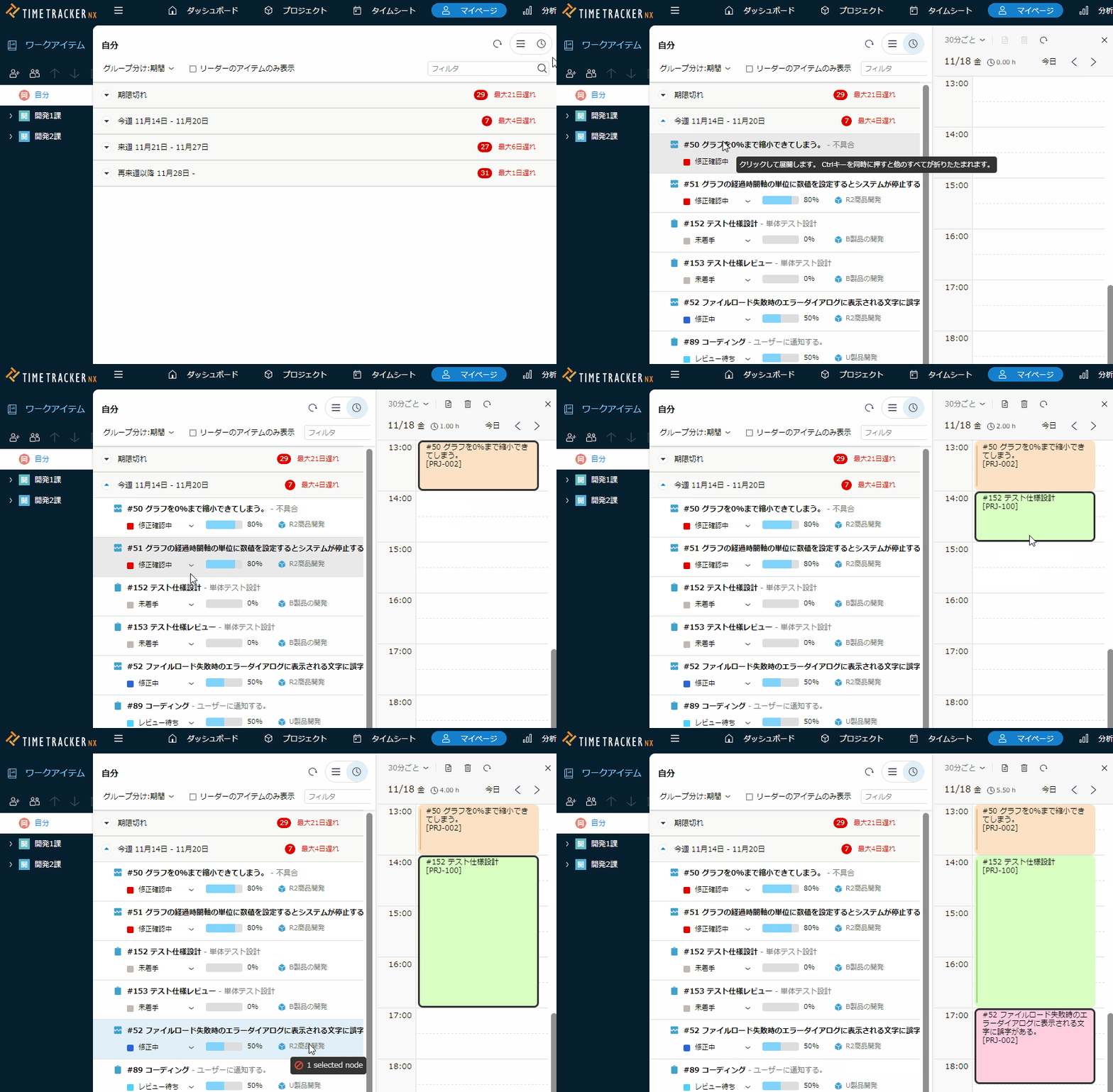
You can take advantage of both Time Management and project-management capabilities at the same time.
This is a tool that combines Time Management and project administration, such as entering the man-hours while checking the schedule of the project on the same screen, or switching to the project screen with one click during Input work time.
Function Details
"Proposals of Using by Issue" introduces functions that solve specific problems you may be facing — for example, if you want to collect man-hour data without burdening the worksite or make time entry stick as a daily habit, take a look.
Please also refer to the list of TimeTracker RX functions.
Look at other features