


Achieved in an integrated manner up to the operational plan
The business planning function realizes "project planning," "resource allocation," and "profitability management" in a single system. By going back and forth between top-down (strategy → staffing → tasks) and bottom-up (field → staffing → costs), we keep the company-wide plan always up-to-date and consistent.
By connecting cost planning, staffing planning, and progress results, management can make quick decisions and the field can move without waste.
The functions are realized in the following two stages.
・First phase: staffing plan (addressed in this version)
・Second: Manage profitability (planned for V2)
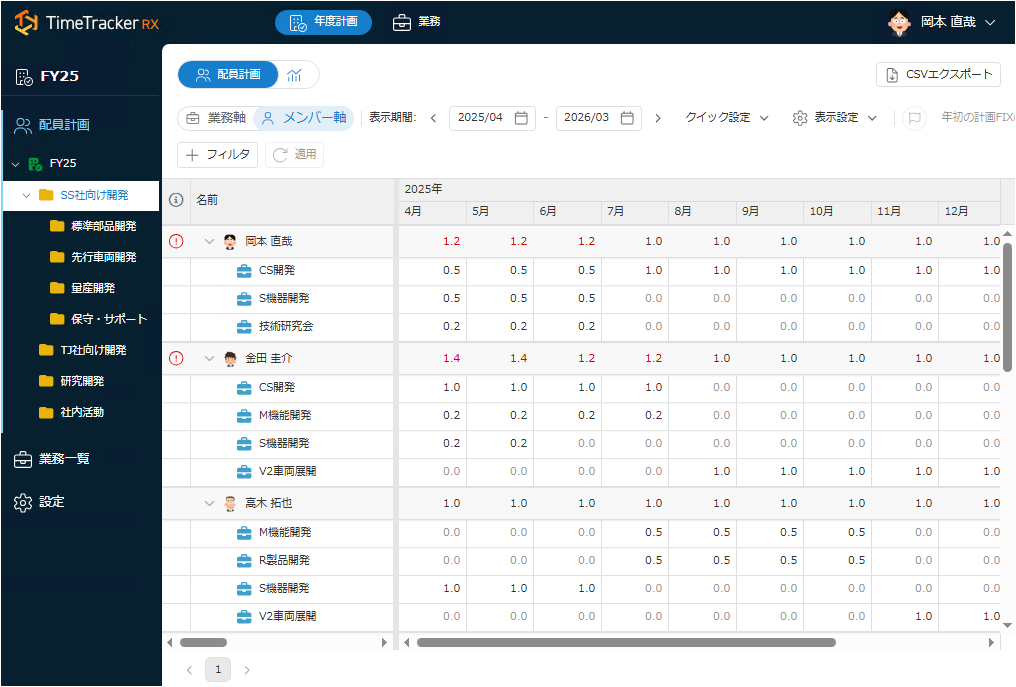
Visualize excess/deficiency and concurrent status, and allocate resources optimally
You can enter Planned time on a monthly basis for each member, and see at a glance whether there are excesses or deficiencies in Planned time and whether they hold more than one job. After assigning a plan, you can switch between the member/business axis to View the man-hours, so you can quickly find an overload that exceeds one man-month or conversely, a surplus resource.
By adjusting staffing on the spot, we can prevent unreasonable assignments and omissions before they happen, and optimize the balance between load and productivity in the field.
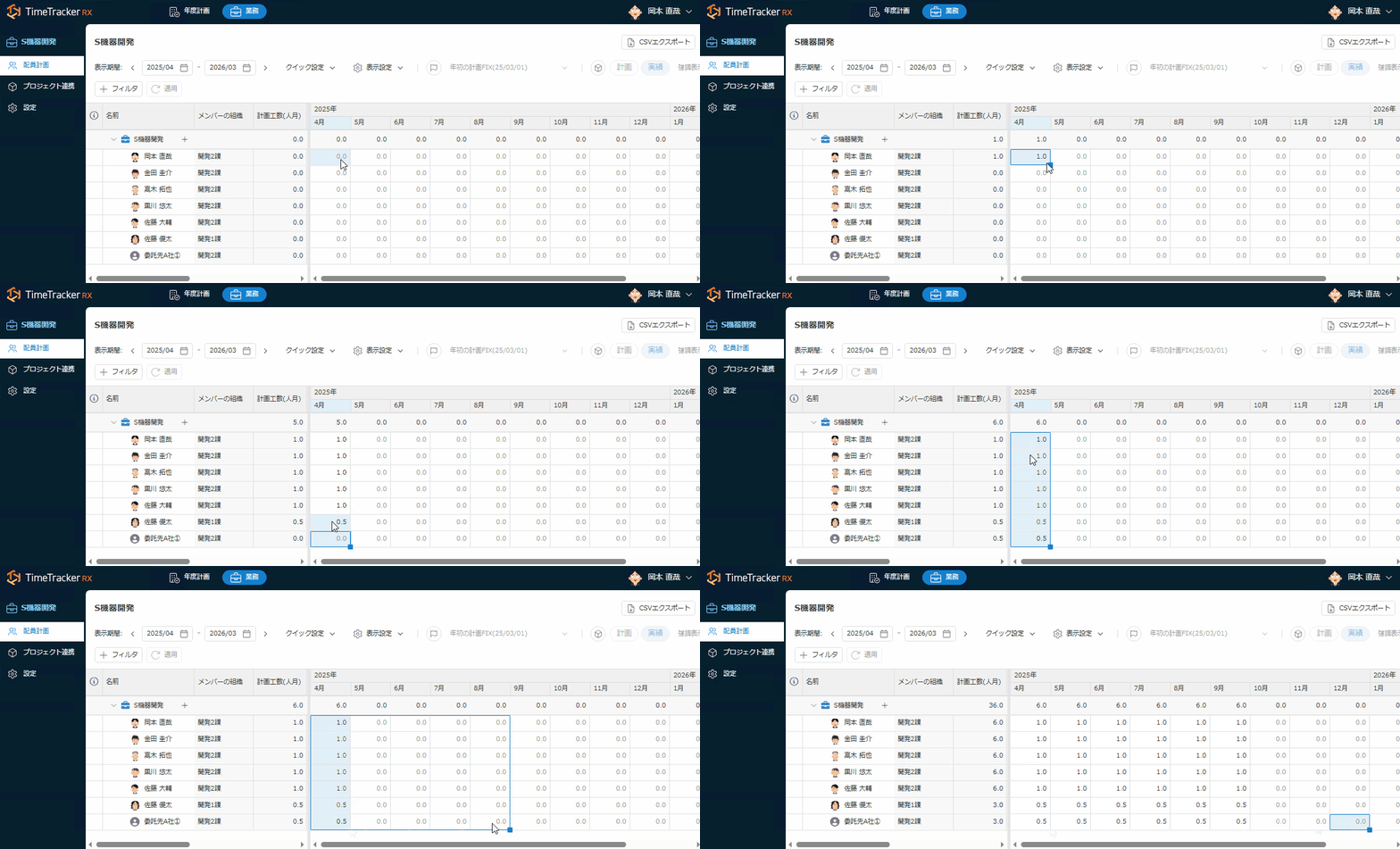
Easily maintain planning with Excel feel
You can quickly edit member Planned time in familiar ways, such as copying and pasting, drag-fill, and pasting from a Excel. Even when replacing a member, the replacement function of the member takes over Planned time to another member, so it does not take time to re-create the member.
Even if the plan changes frequently, the maintenance load can be reduced, and the latest staffing plan can always be maintained according to the situation of the site.
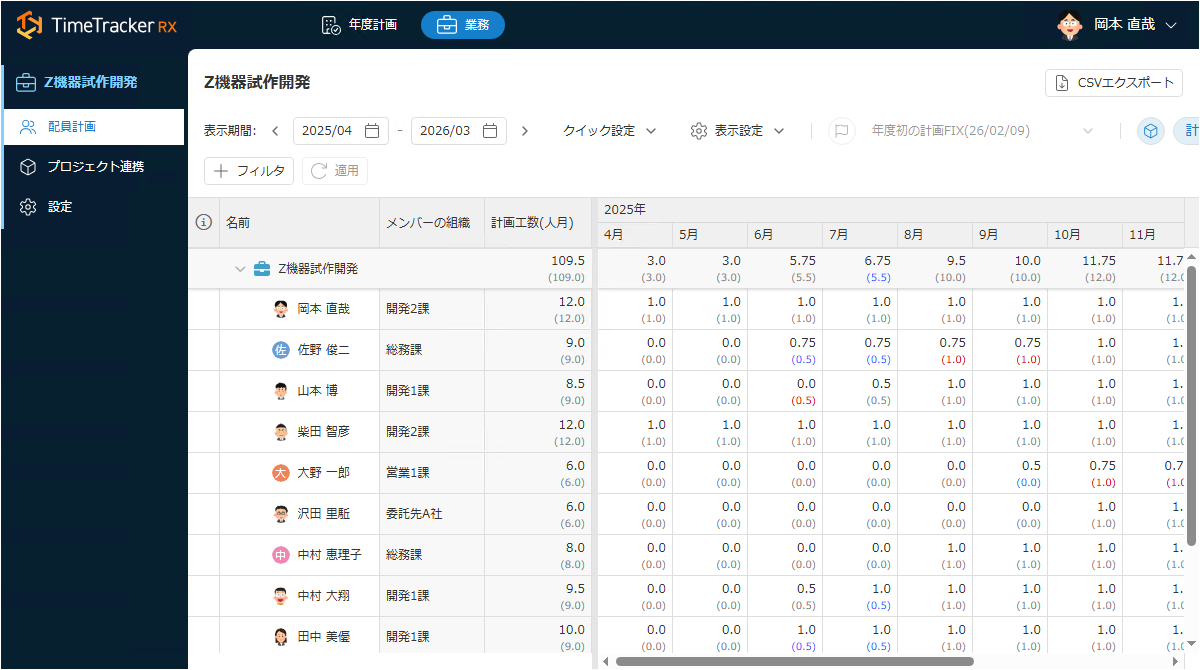
Gap from project plan at a glance
Planned time defined in the staffing plan can be reflected in the project plan and compared with Planned time planned and changed by the project and the entered Actual time. Since it is possible to visualize how much is exceeded or lacking in relation to the original staffing plan, it is possible to detect conditions such as "not enough people" or "overdoing it" at an early stage.
By reviewing staffing and schedules based on the assumption that there is a gap between plans and actual conditions, it is possible to manage projects in a realistic manner with less risk of delivery delays and quality degradation.
-
Visualization of staffing status on a group basis
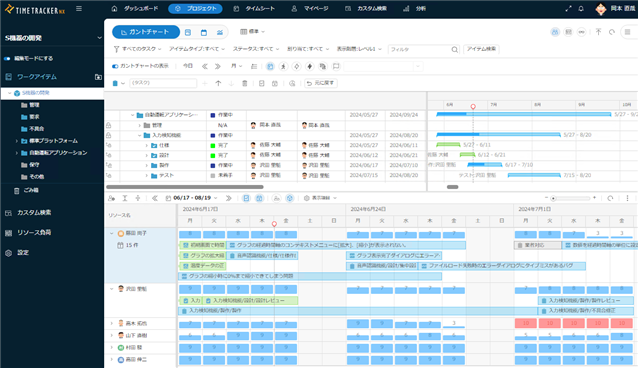
By grouping operations, the staff status can be overviewed in any group, such as a specific department or project group.
While switching between job and member axes, you can analyze which groups are lacking in personnel or have the capacity to do so, which is useful for considering changes in responsibilities and reallocation of work. -
Compare baseline data to identify changes in the plan at a glance
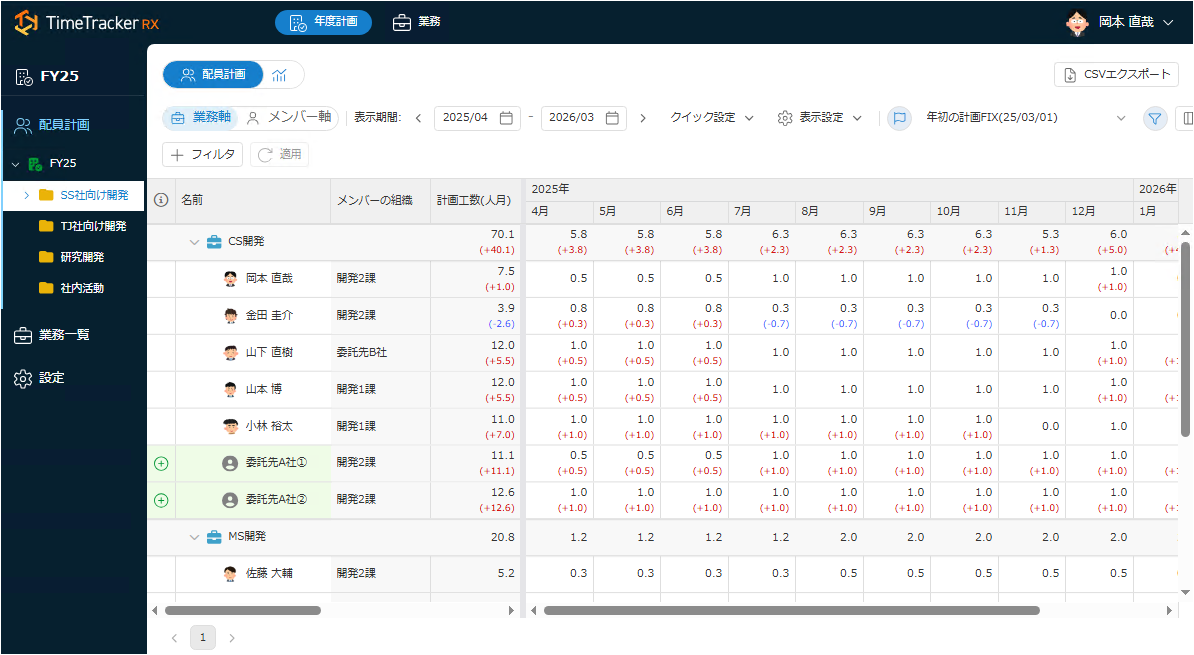
Compare the saved plan with the current state, and visualize the increase or decrease in man-hours, addition or deletion of responsibilities. It makes it easier to explain the background and approve plan changes.
-
External analysis and history control are easy with CSV output.
CSV can be used to store the history of the project and to link with external systems. It can be used to store the history. Cross-departmental analysis and document preparation become more efficient.
-
Extend required information in custom fields
You can freely add member information and attributes for each job, and check the data necessary for staffing decisions in a list. You will be able to manage it according to your company's operations.
Look at other features