


Real-time progress management
The key criterion for selecting a project management tool is how the progress of the project can be seen in an easy-to-understand manner.
In this respect, TimeTracker RX is a safe bet. Its Gantt chart includes an Inazuma line that lets you instantly check the current status of every task. Features such as comments and notifications will also help your team collaborate.
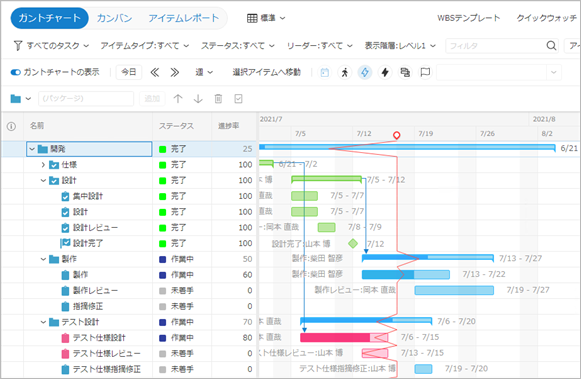
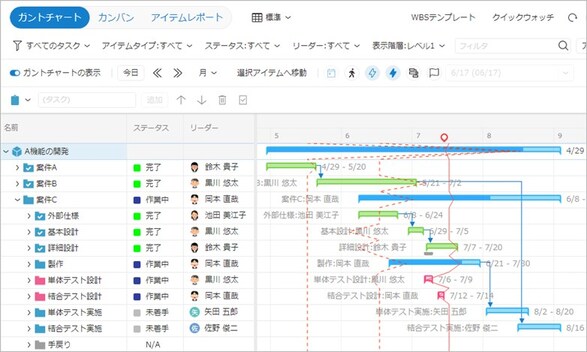
You can see how things are going with Gantt Chart.
Check the Inazuma line to see if there is a delay at this time. If the red line running vertically breaks in the past direction, that is the sign of the delay.
There's no need to check each number one by one — you can detect delayed tasks just by looking.
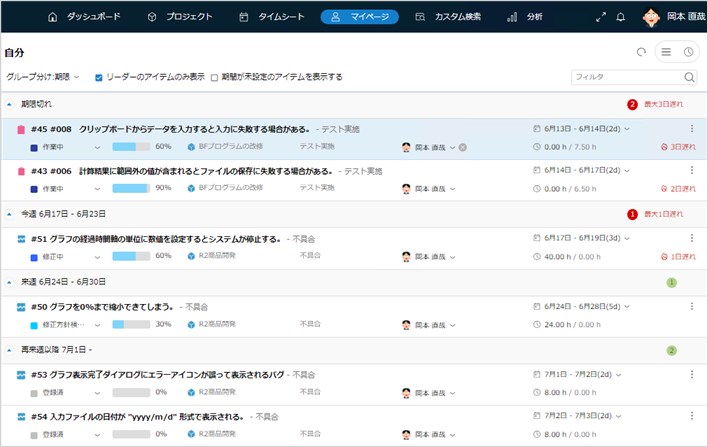
List your tasks in priority order
TimeTracker RX is not limited to administrators.
We want each and every member involved in the project to use it.
Tasks assigned to you via the My Page function are shown across projects, in order of deadline and delay.
You can also see the work status of other members, so it's easy for the team leader to check the progress of the members.
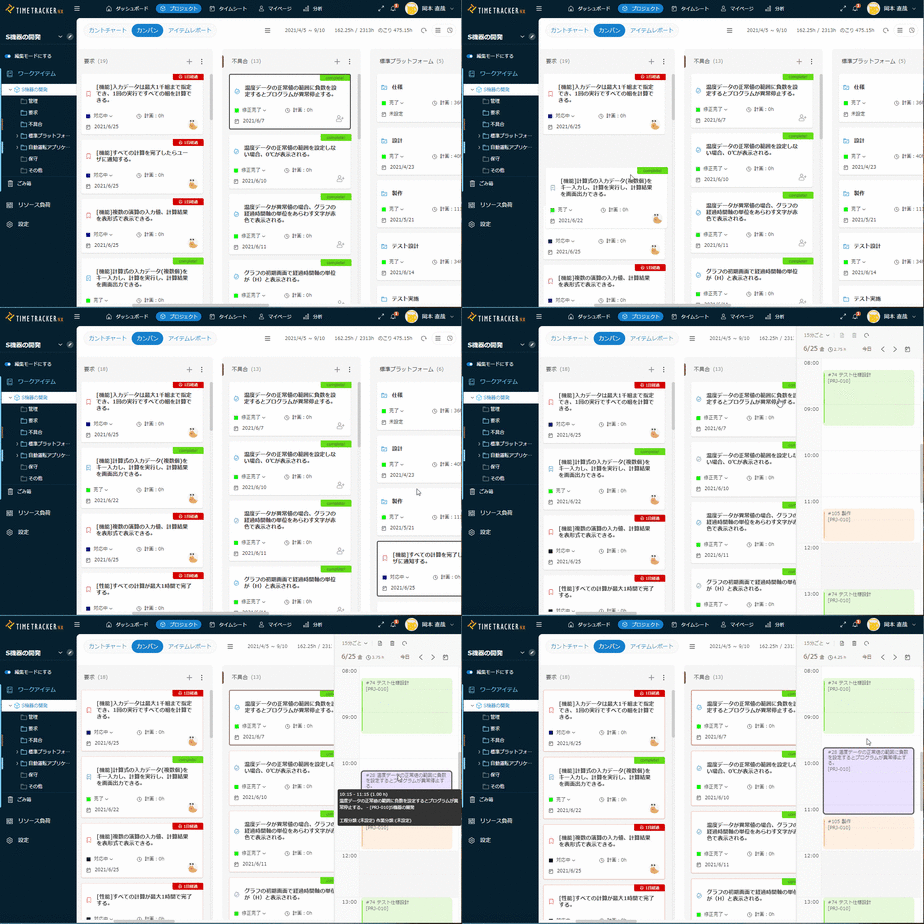
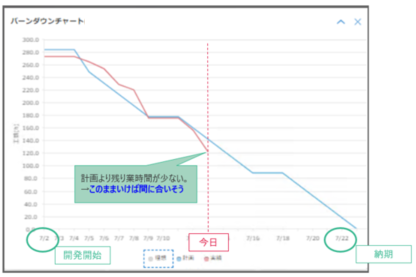
Kanban and burndown to clarify your team more
You can also use TimeTracker to develop agiles. In addition to the simple operation of drag and drop, you can also view tasks in the optimal range.
Time entry is available too, so you can combine time tracking and kanban management to make the project "visible" more efficiently.
In addition, graphically View your Planned time and Remaining time on a daily basis with burndown charts to visualize not only the divergence between planned and actual performance, but also your team's performance.
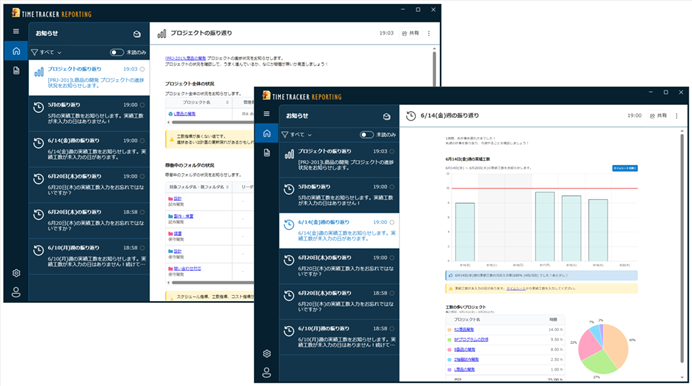
Notifying projects and users to be focused on
Regularly report on your Input work time and project-summary. Instead of just notifying you of changes, we will notify you of any issues that you need to keep in mind when managing projects, such as projects with delays or Cost Overrun, missing Input work time, or people who are overburdened.
-
Detecting signs of problems in projects and preventing problems from ocurring
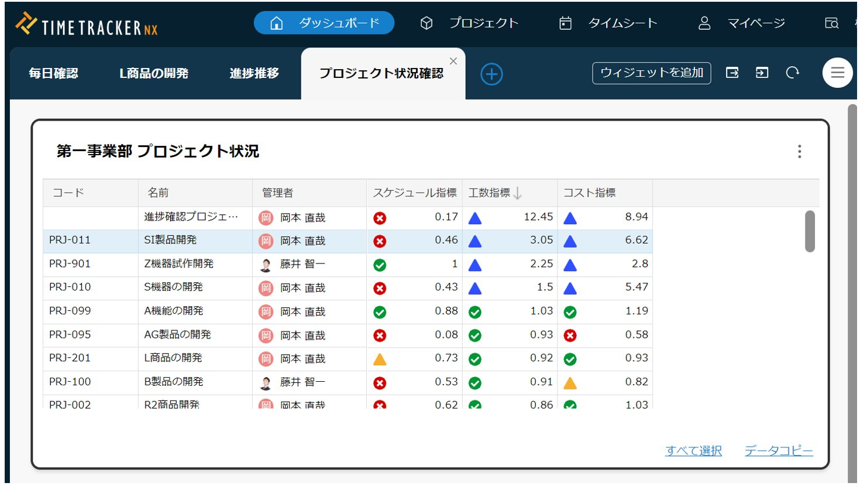
Projects you manage are shown in a list. You can look time and cost, and values of EV (Earned Value) as well.
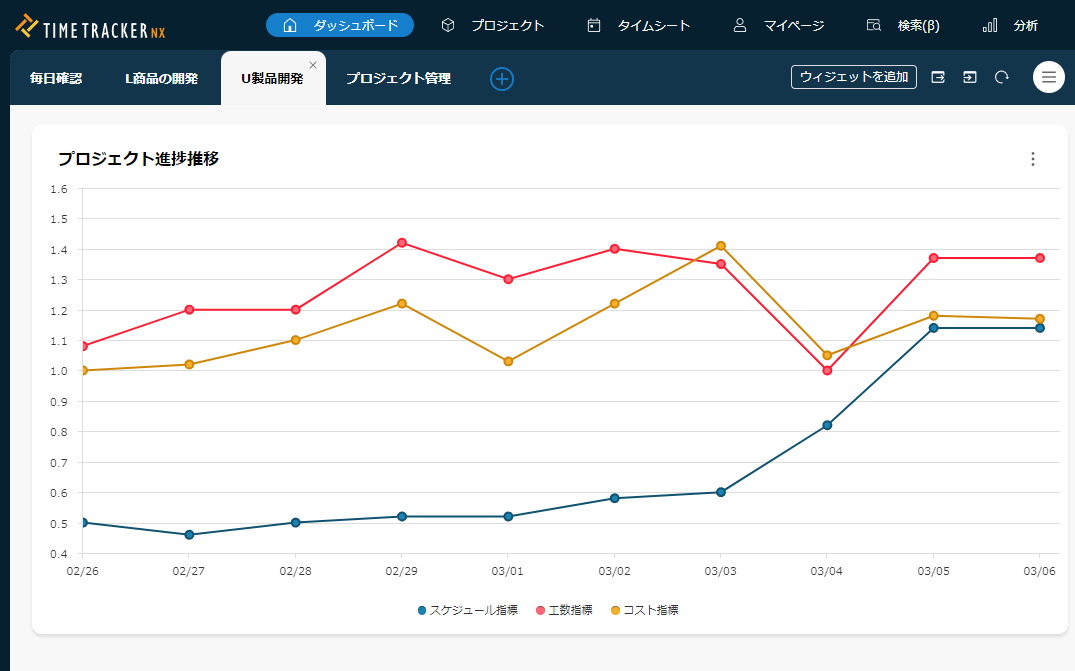
In addition, you can early know the change of status in project with showing graph of "status transition" in certain project. -
Calendar view to grasp the overall situation at a glance
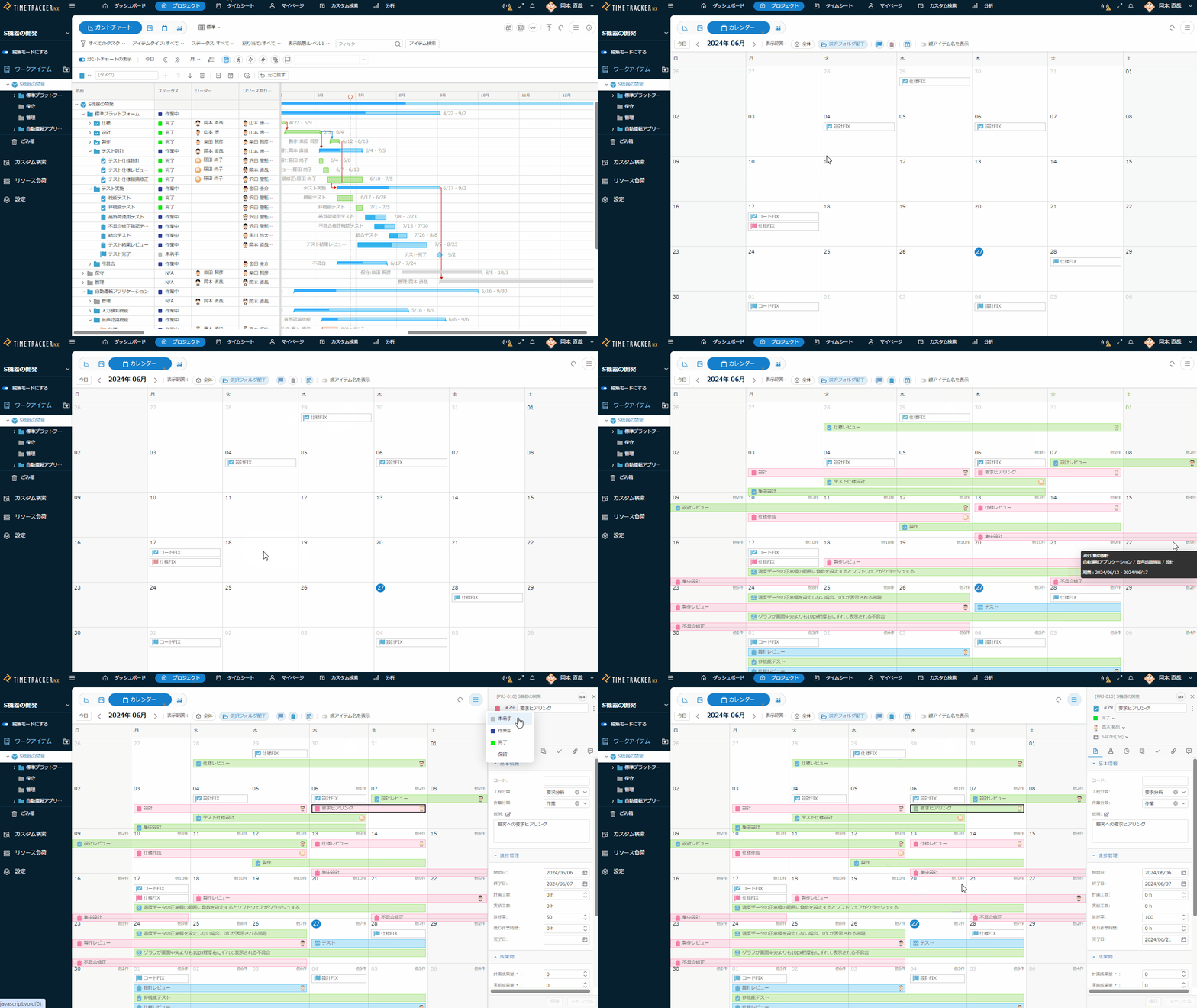
Would you like to confirm your schedule on a monthly basis if you are worried about such things as "Gantt Chart has limited scope of View" and "I want to see members' holidays at a glance"?
You can also make milestones and other items on this view. -
Real-time sharing of work reports with comments
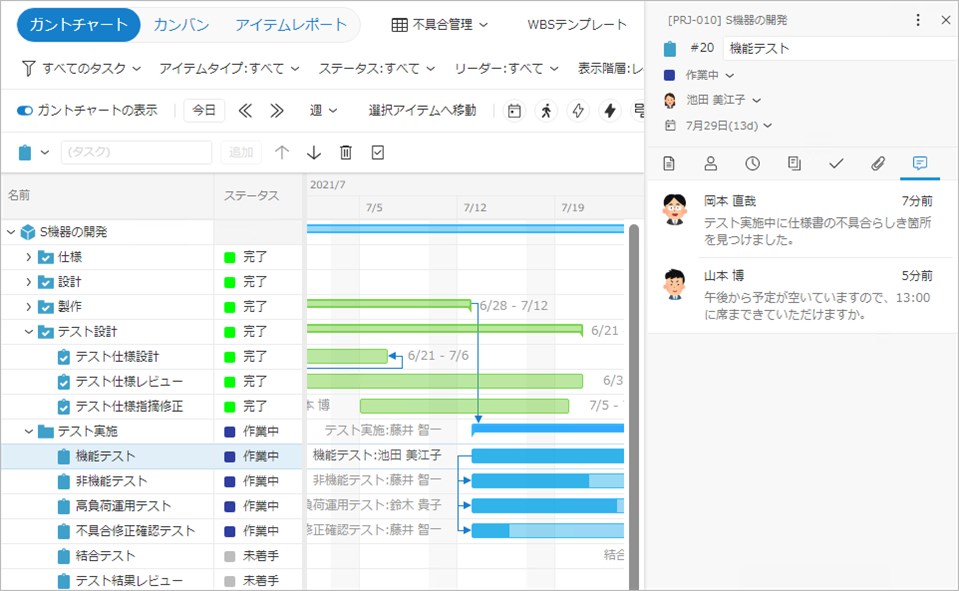
Each member can post comments on the task, including progress details and suggestions.
This can be used not only by managers to review reports, but also to share information among members. I will be notified if there is a comment, so I will never forget to read it. -
Manage tasks easily with a ToDo listing
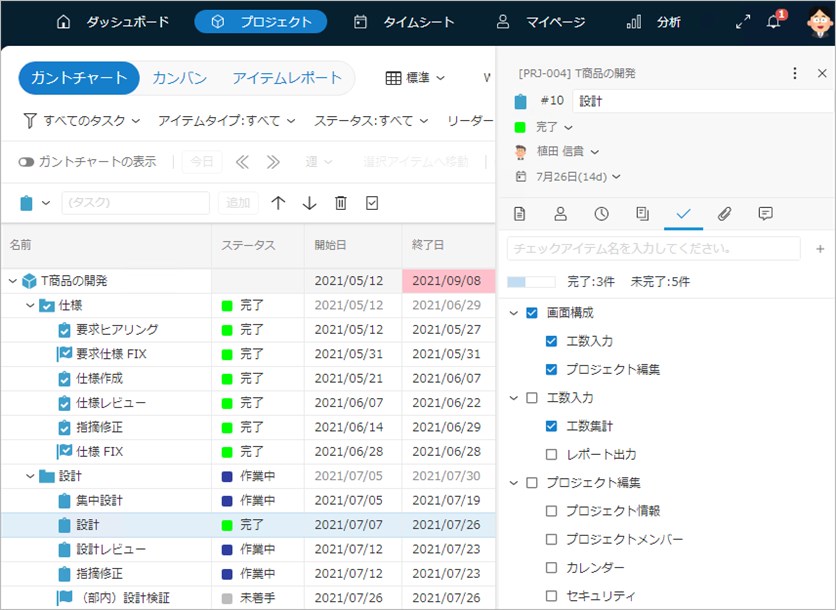
Defining ToDo to be performed in the task with the check item function makes it easier to manage the progress. When completed, check the items to automatically calculate the progress rate.
If you define a ToDo for a task with the template function in advance, it will lead to process standardization. -
Simple progress management with status
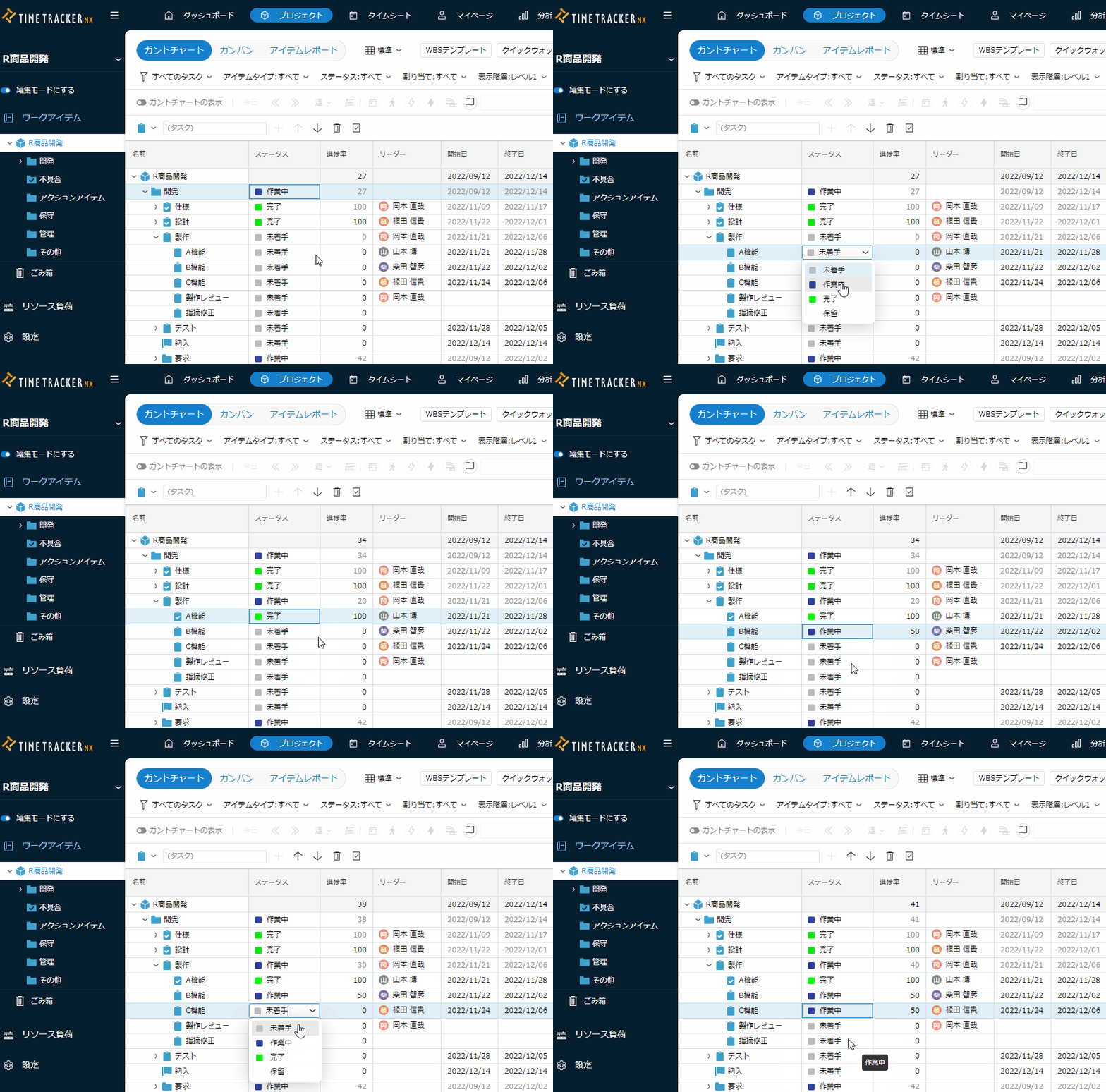
In some cases, it may be difficult to determine how far a task has progressed from a numerical value like "70%".
You can use the status to clarify each stage of progress, such as "not started," "reviewed," and "completed."
By associating status with progress, this enables simple and quantitative progress management. -
Cost management using high-precision man-hour data
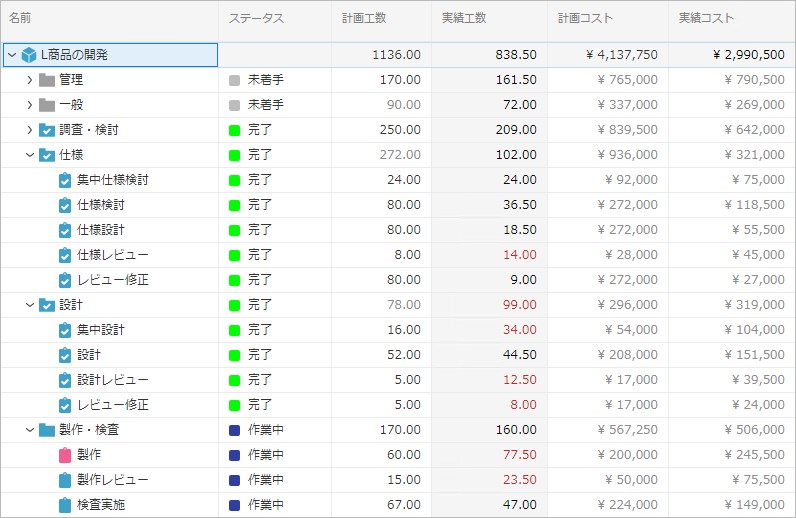
TimeTracker RX also supports actual cost tracking using high-precision man-hour data.
By factoring in each worker's cost unit price, you can assess project costs in real time and visualize them on a per-WBS basis.
No more rough, lump-sum accounting for your projects. -
Quantitatively managing progress with earned value
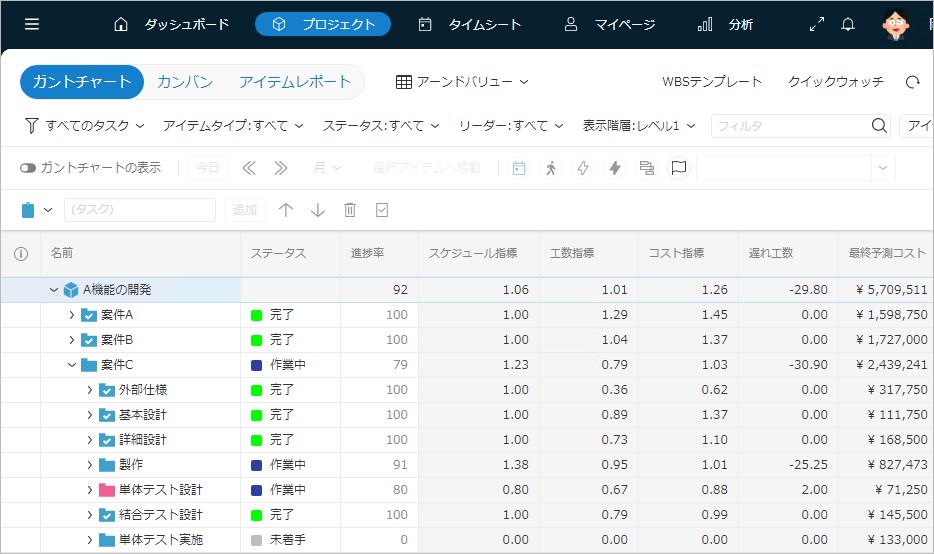
Earned Value Management (EVM), a quantitative progress-management approach, is also supported.
Schedule and cost status — for example, "1 if planned" and "0.5 if only half of the plan has progressed" — can be confirmed using quantitative indicators. -
Check changes from previous plans
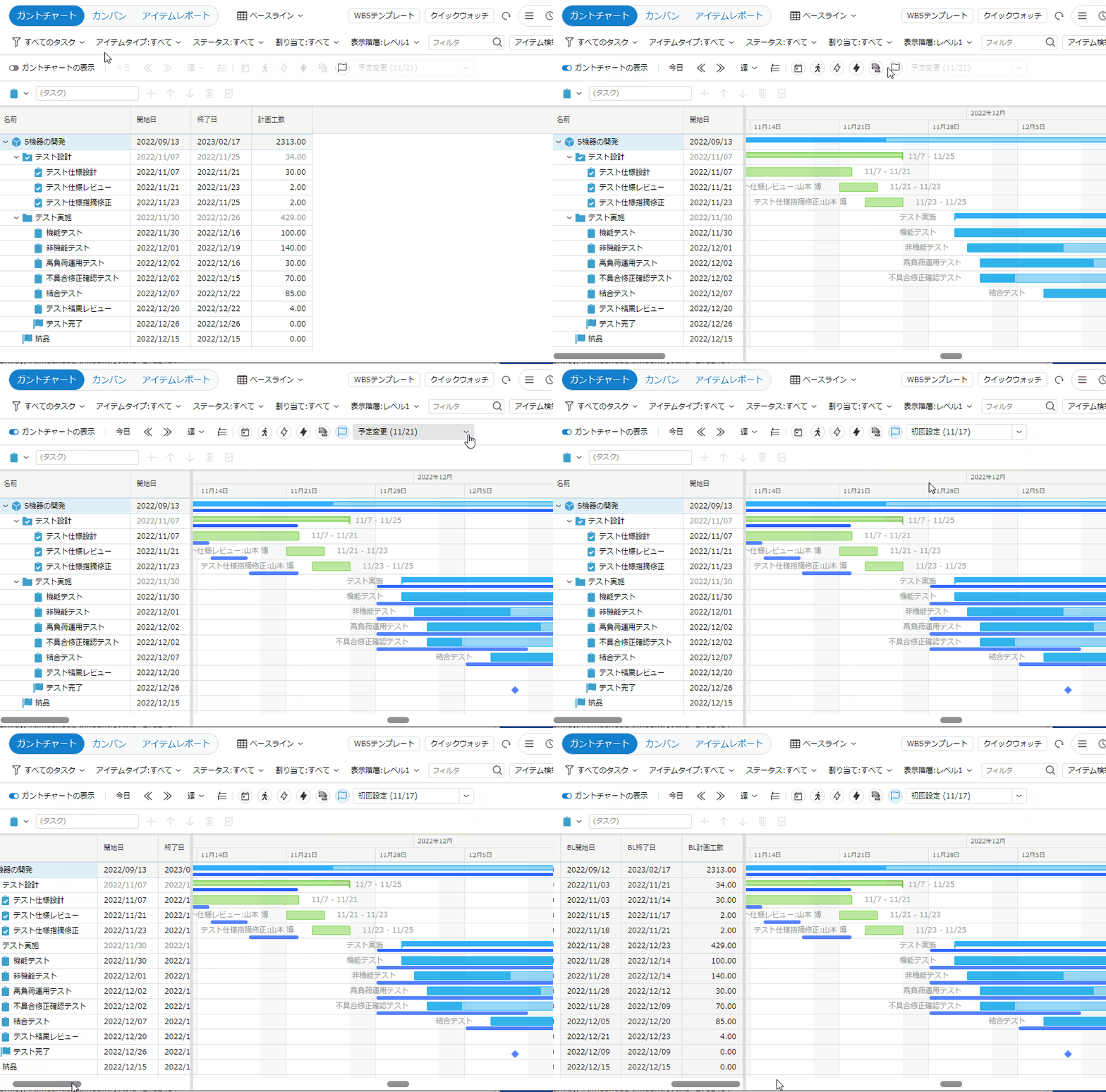
TimeTracker RX automatically saves planned changes to the task as baselines.
By comparing it with past plans such as when the project started, you can easily check whether there are problems such as major changes in the plan.
Function Details
"Proposals of Using by Issue" introduces functions that solve specific problems you may be facing — for example, if you want to make planning and progress management more efficient or know the actual cost of a project, take a look.
Please also refer to the list of TimeTracker RX functions.
Look at other features