


Visualizing data of multiple projects
In day-to-day work, few people are involved in
only one project. Managers and team members typically participate
in multiple projects in different ways. TimeTracker RX displays Gantt charts for multiple projects on one screen, allowing you to quickly understand plans and progress across projects.
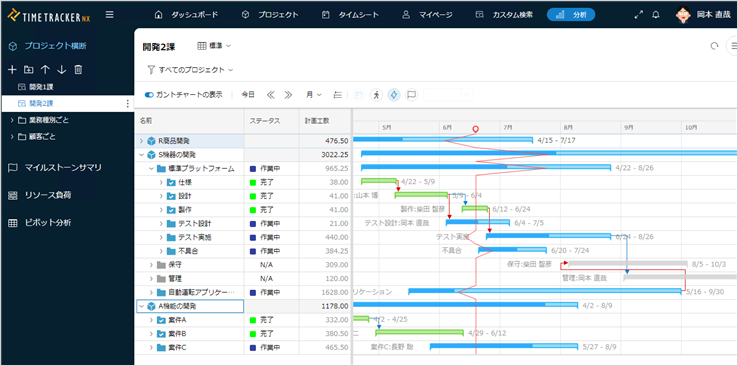
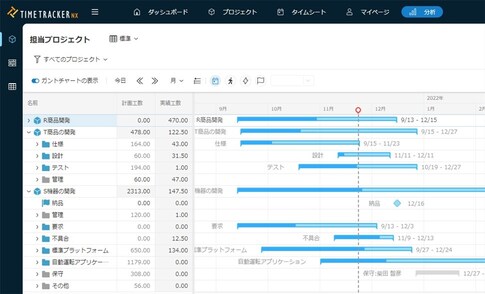
Gantt chart across projects
View Gantt Chart of several projects on a single window. Even if multiple projects are going on at the same time, you can manage them efficiently.
Projects can be grouped, so even if the number of target projects increases, organize and manage them by theme or purpose.
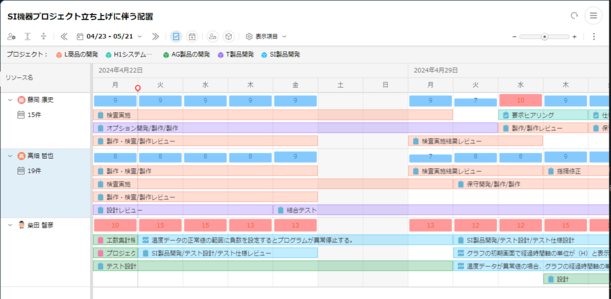
Assigning members to tasks across projects with considering their workloads
You can assign items around the person in charge. Real-time View of the workload of the assignees allows you to change the allocation to other assignees to equalize the workload.
The assignment is also reflected in Gantt Chart. By monitoring the load of the person in charge, you can allocate optimal resources across projects and improve productivity.
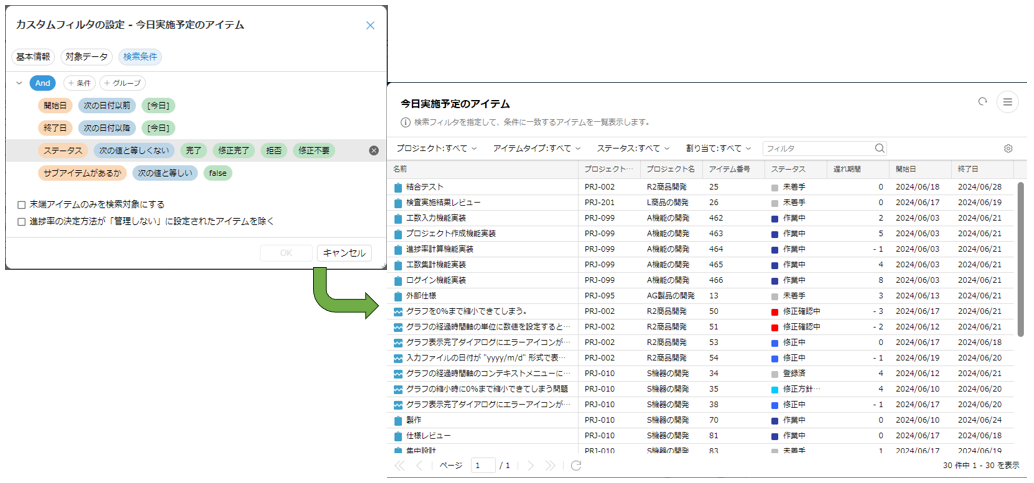
Showing item list to be focused on
Do you want to create a list with certain criteria from several projects, such as cost overrun cases, updated items, list of bugs, and items scheduled in this month?
This function freely combines conditions and outputs the required items in a list format without having to open and search for each project one by one.
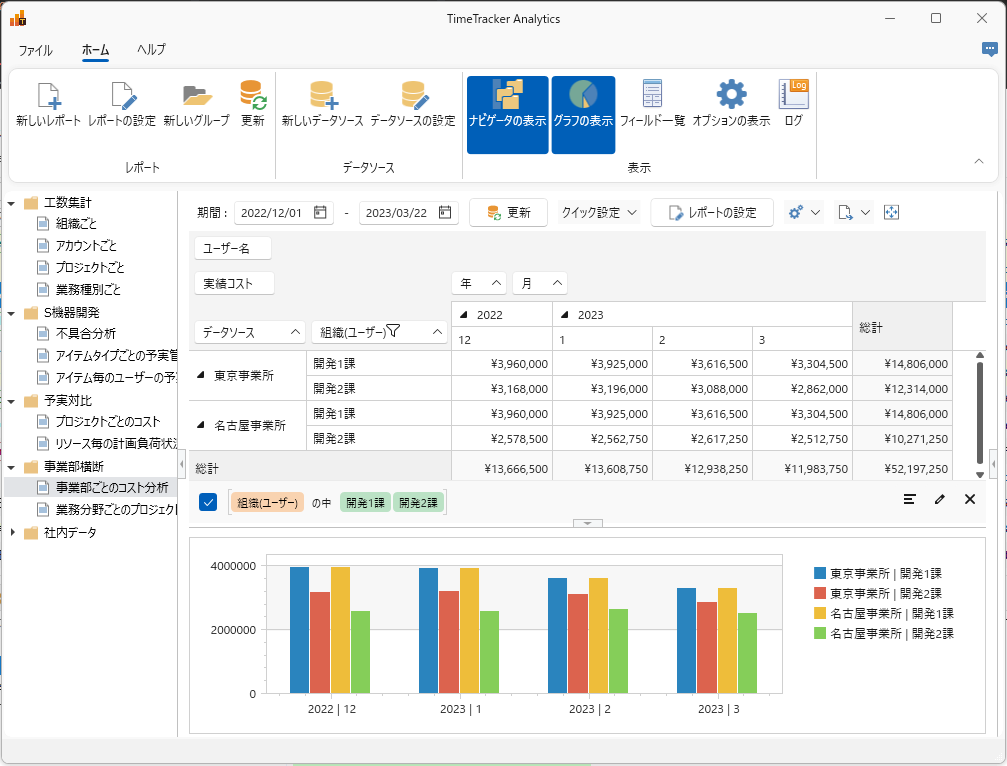
Analyzing easily with desktop application
Dedicated desktop applications provide high-speed aggregation across Cross-Organization, and databases.
You can analyze the data as you wish, such as "focusing on certain data using the filtering function" or "graphically View the data to make it visible," and improve it.
You can connect to more than one database, allowing you to analyze data across departments and organizations.
-
Adjustment of workloads of members
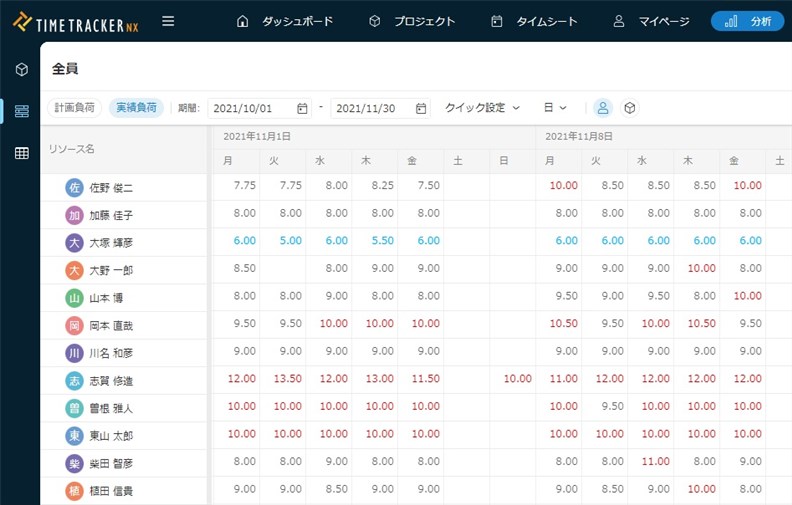
Check the balance of workload by man-hours. You can easily check for members who are under heavy load.
You can check the load status of both plans and results, so you can quickly see "members with high load in the recent past," "members with high load in the future," and "members with free schedules. -
Check milestones in multiple projects at once
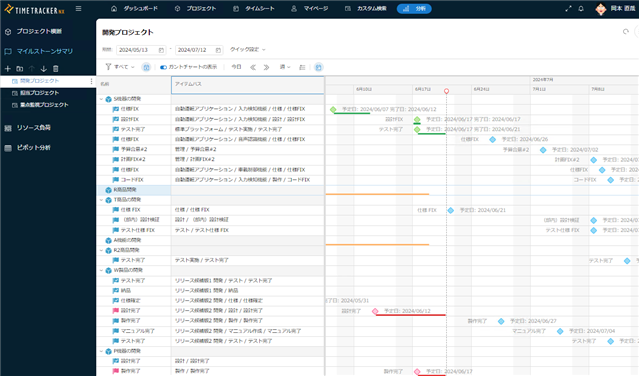
When managing the progress of multiple projects, it is difficult to check the detailed items one by one.
Focus on the milestones of the project, such as "plan agreement," "budget finalization," and "delivery," to check for delays.
Milestone summary shows planned, actual, and delayed milestones at a glance.
Function Details
"Proposals of Using by Issue" introduces functions that solve specific problems you may be facing — for example, if you want to easily check the status of multiple projects or adjust workloads, take a look.
Please also refer to the list of TimeTracker RX functions.
Look at other features