


Integrated management of issues, bugs, and requirements
At the project site, various management objects such as "issues" and "risks" occur on a daily basis. "Defects" and "requests" are also important for development work.
These items can also be managed together within TimeTracker RX. Linking them to high-precision man-hour and cost data enables integrated management of overall project activity.
Integrated control of issues, defects, requirements, etc. with TimeTracker RX
You can optionally define the type (Item type) of a work item that is a component of the project's tree (WBS). Various items can be managed on a project-by-project basis, such as "issues," "defects," "demands," "risks," and "ToDo."
Fields, status, and other settings can be customized for each type, providing flexibility to meet the needs of the field.
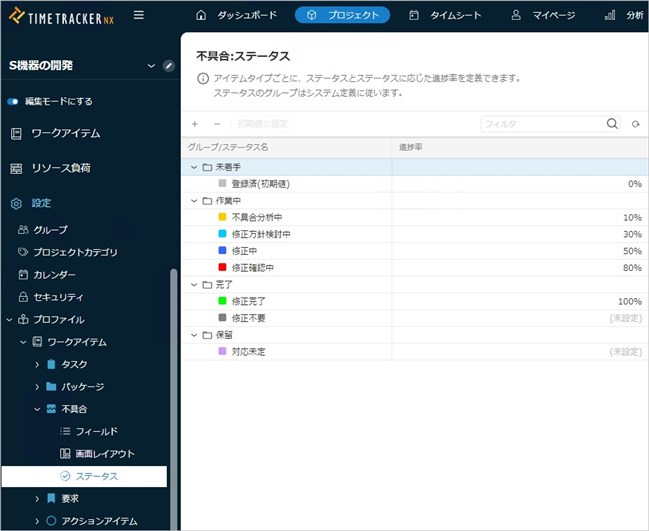
Add any Item type to your business
In TimeTracker RX, you can freely define what you want to manage your projects.
Such as general-purpose items like "issues" and "risks," or items for software development work like "defects" and "requests" — add and manage the item types that fit your project's characteristics.
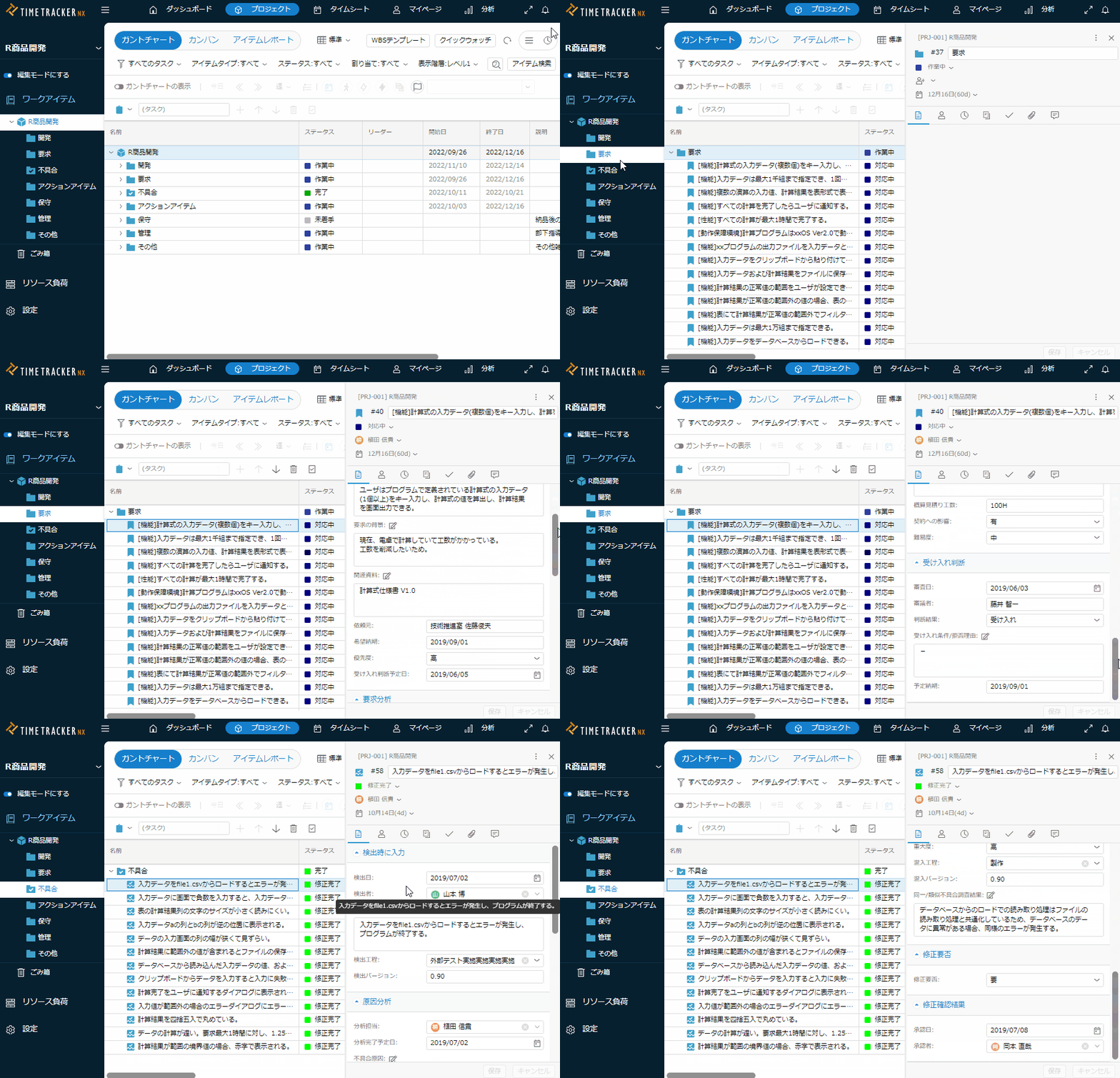
Customize fields and status by type
For each Item type, you can freely define the properties (fields) of the item you want to use and the statuses that govern the progress. In addition, you can customize the layout of the properties screen.
You can use it in a manner suitable for your on-site processes and operations.
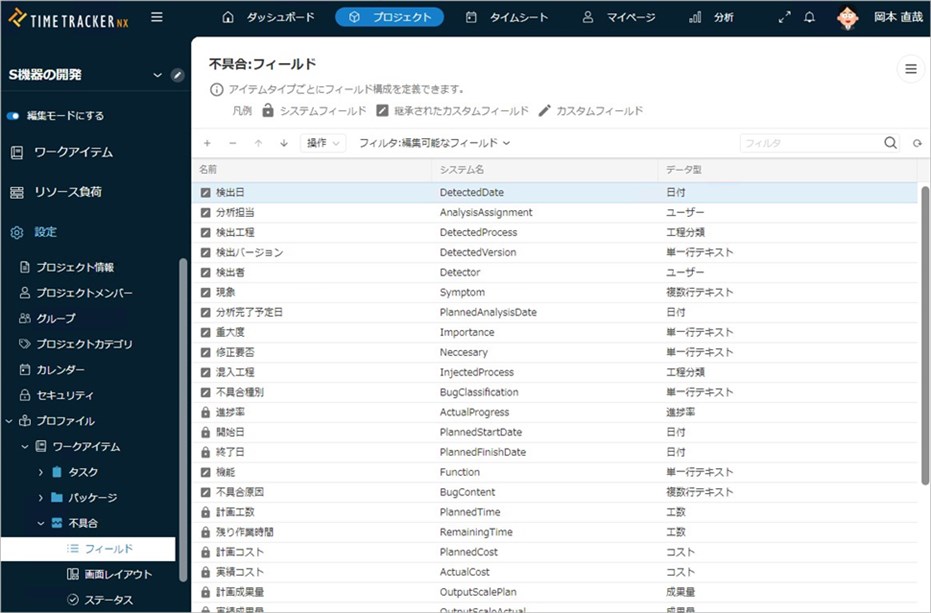
Promoting the establishment of standard processes in the field
Item type settings can be grouped into Profiles and applied separately to individual projects.
It is also possible to apply the standard process of a company or department to each project. Process tailoring is also possible for each project, giving you flexible responses to on-site needs.
Combining problem management, defect management, and Time Management
You can enter work time against additional item types such as "Issues" and "Defects," just like the default "Tasks" type. Because issue management and defect management are linked to high-precision time tracking, this enables various kinds of visualization that were difficult in the past.
Example of use of defect management
In this section, we have defined Item type "Defect" and used it to manage the defect in the project. When other Item type such as "issues" and "demands" are defined, the same use can be made.
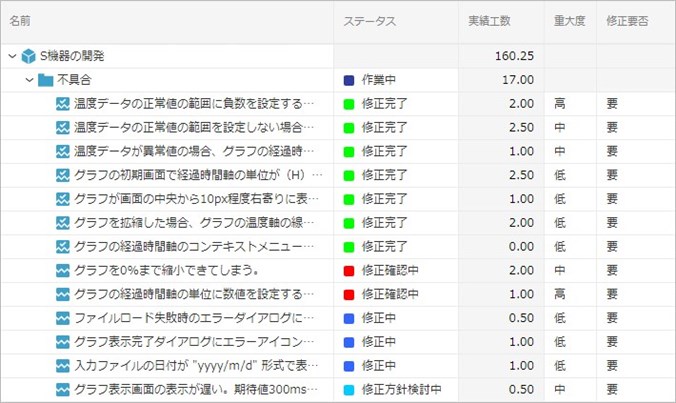
The number of man-hours required for troubleshooting can also be measured.
Efforts to investigate and correct defects are also tracked with high-precision time tracking.
This expands their use to predicting correction costs and visualizing the impact of improvements.
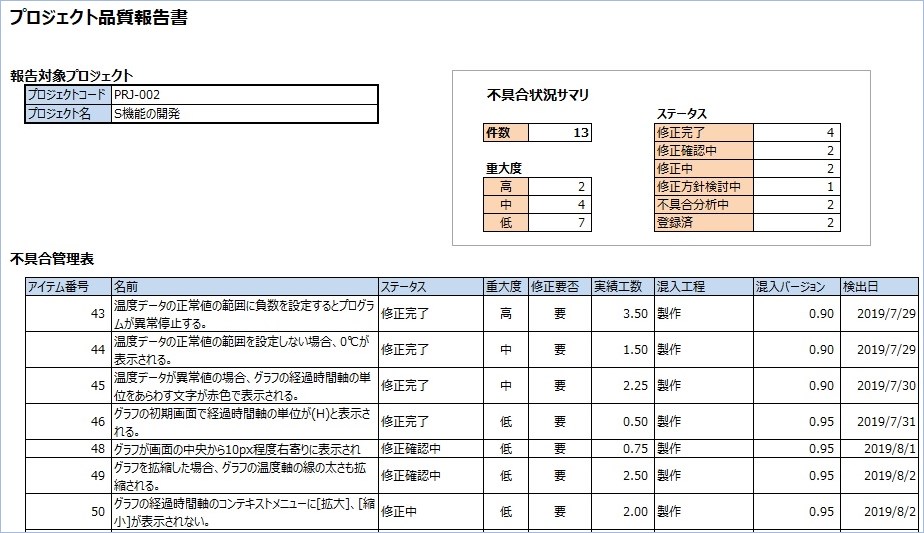
Excel defect control sheet can be used as is
Simple linkage using your Excel form as it is.
You can create Excel defect control slips by clicking on the data aggregated in TimeTracker RX without changing the previous method.
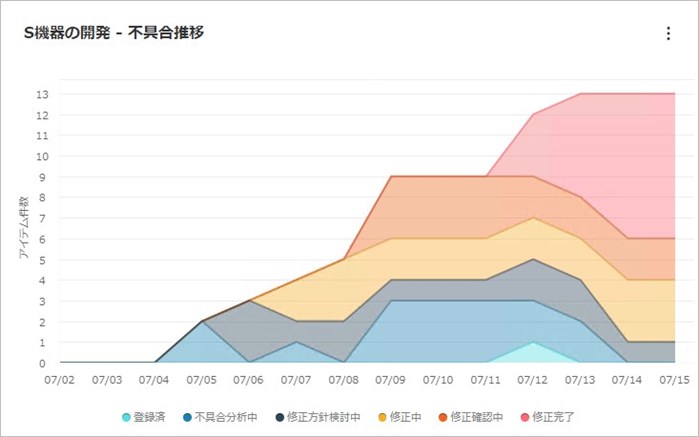
Real-time visualization of failure convergence
Graphical visualization of information such as when the occurrence of defects converges.
Based on your customized status settings, you can check in real time to see if something is going right or if there is a problem.
Function Details
"Proposals of Using by Issue" introduces functions that solve specific problems you may be facing — for example, if you want to visualize operational waste and improvement points using man-hours or avoid the hassle of preparing reports, take a look.
Please also refer to the list of TimeTracker RX functions.
Look at other features