


Project planning for members of actual projects
Web applications are convenient and quick to start using, but are they sometimes
difficult to operate? Project management tools in particular may offer many features yet
fail to gain adoption because they are too complex. TimeTracker RX dispels those preconceptions
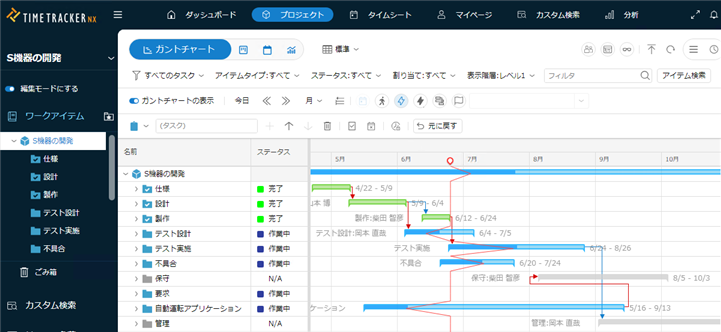
with remarkably responsive and comfortable operation. Gantt charts for schedule and progress management
can be edited easily with drag and drop. Experience the carefully designed features and usability made possible by a product born and refined in real project environments.
Intuitive scheduling as you see
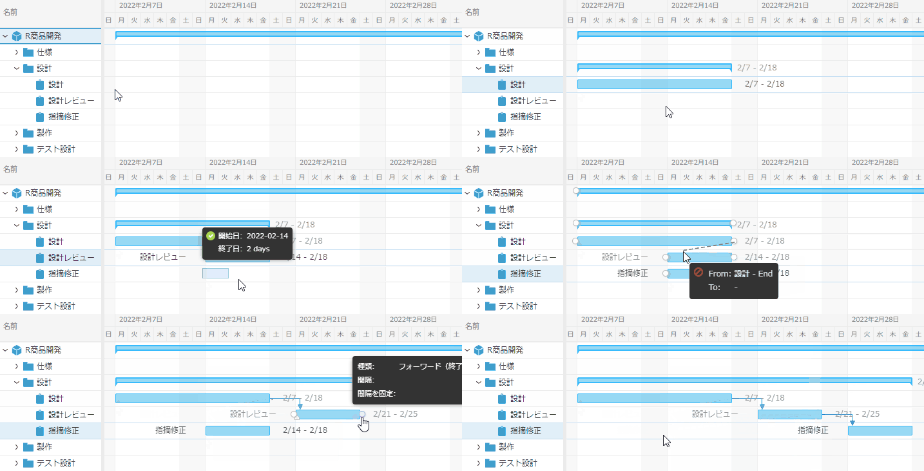
It can be scheduled simply by dragging it on the Gantt Chart — there's no need to enter detailed dates.
Visualize dependencies between tasks with intuitive scheduling and link settings.
Full-scale management is also possible.
Step-by-step detailing of project plan
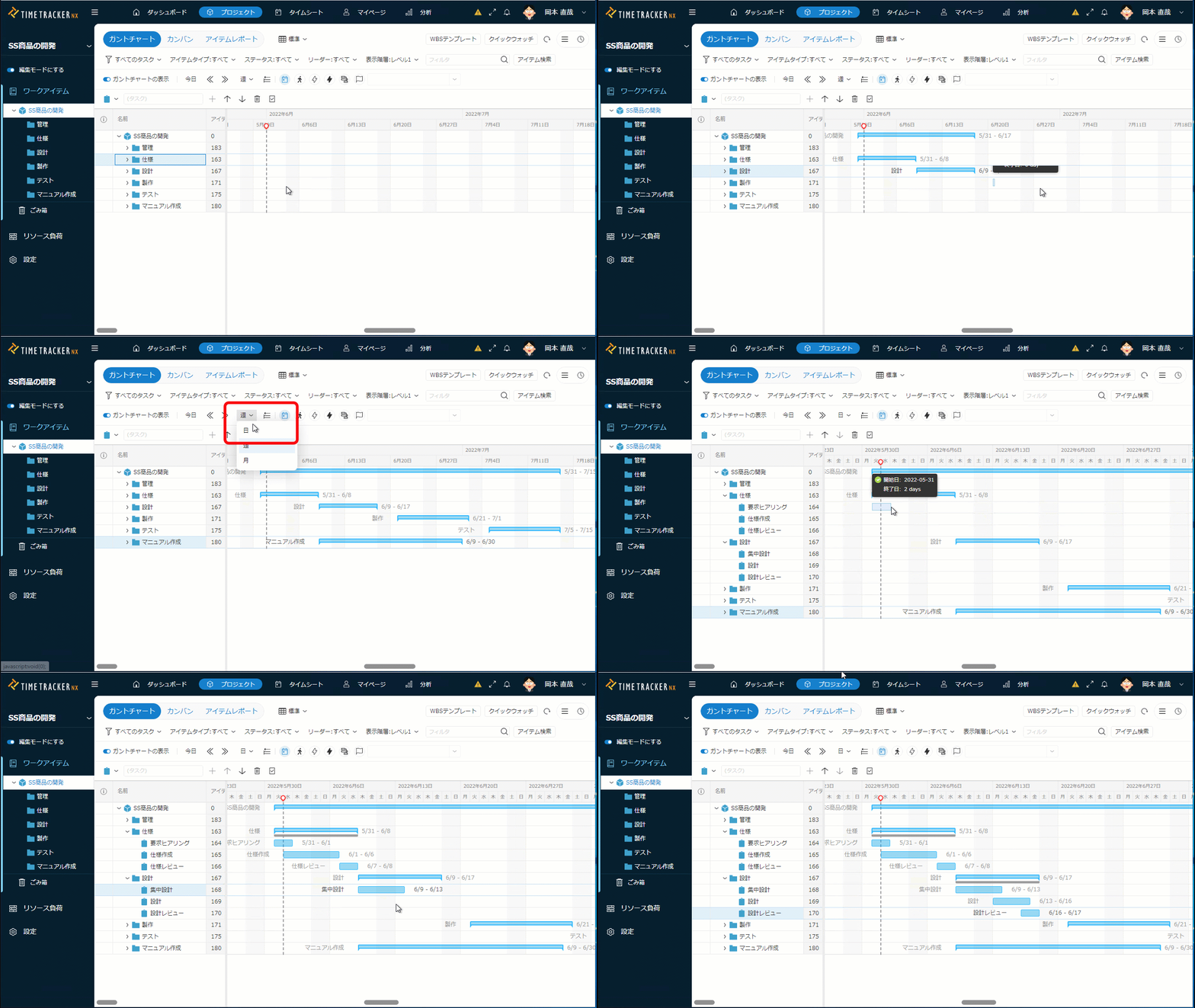
In a real project, it's realistic to start with a rough plan and refine it step by step.
With TimeTracker RX, we can take scheduling and man-hours from large units to detailed tasks.
You can plan at any granularity.
Co-editing project in real time
In TimeTracker RX, tasks for a single project can be updated at the same time by multiple members.
Because other members' updates are immediately reflected in the Gantt Chart in their web browsers, no one is ever working from outdated information — enabling smooth collaboration within the project.
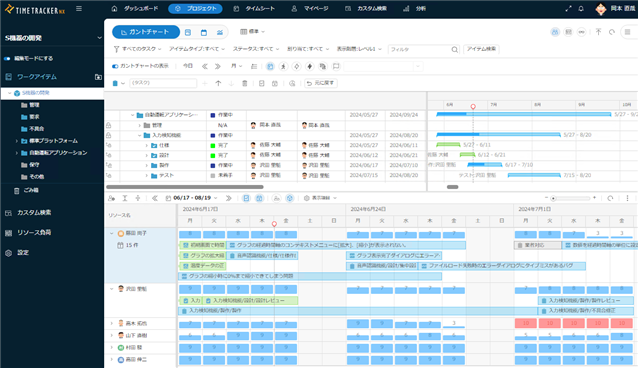
Assigning tasks to members based on their workload
It is visualized when and what kind of work each member is doing. Members' loads are shown in real-time, so you can change assignments to divide loads equally.
The assignment is also reflected in Gantt chart. Check progress of your project and assign resources appropriately to improve the productivity.
-
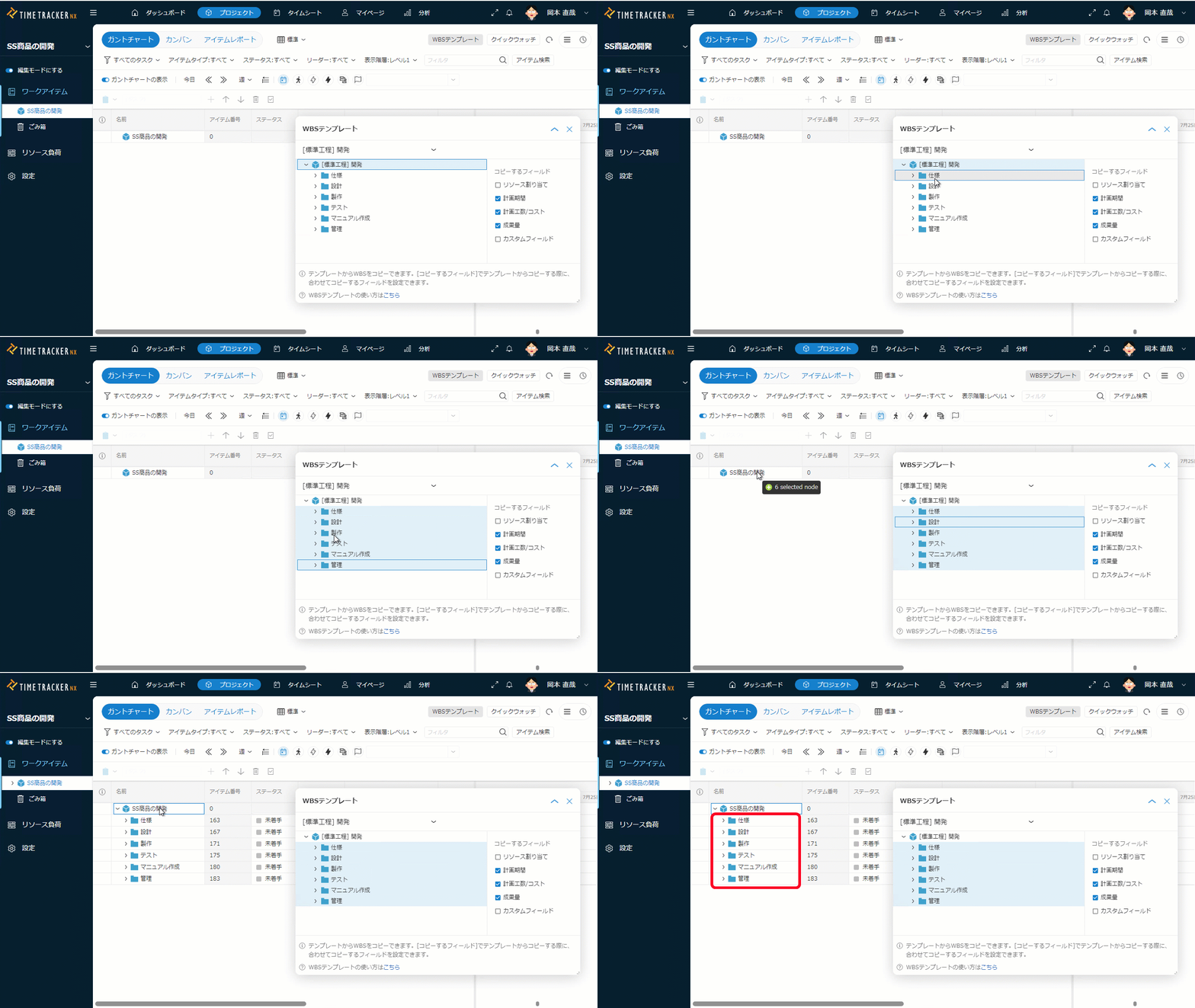
Starting project immediately from templates
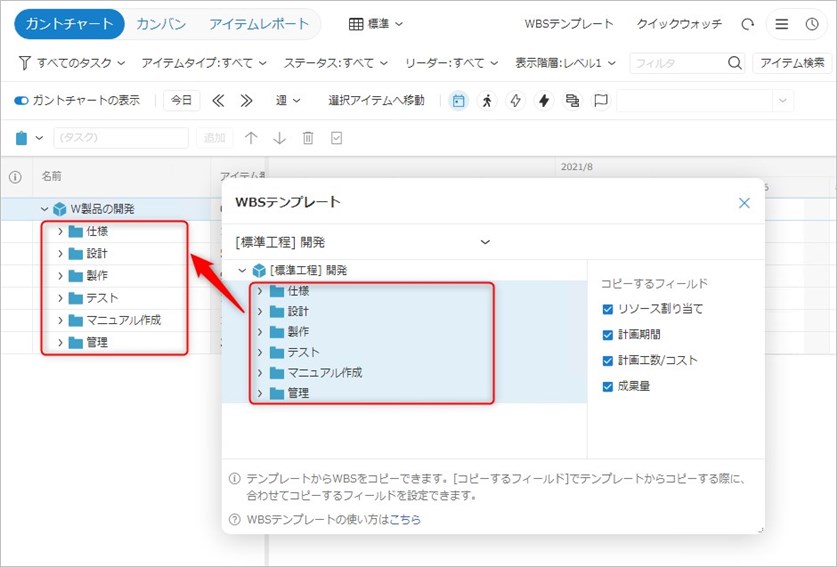
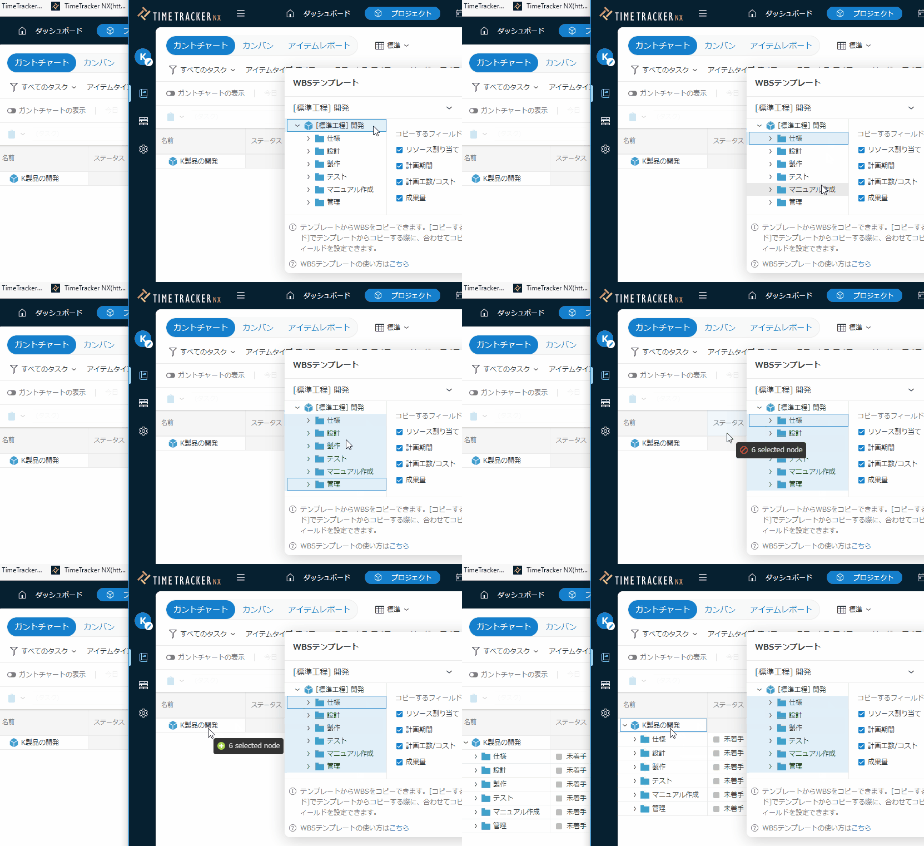
When launching a project, we often refer to the structure of past projects and use standardized processes in the company or department.
In TimeTracker RX, you can create a project quickly by simply dragging and dropping the working structure (WBS) of a previous project or standard process. -
Customizing task fields
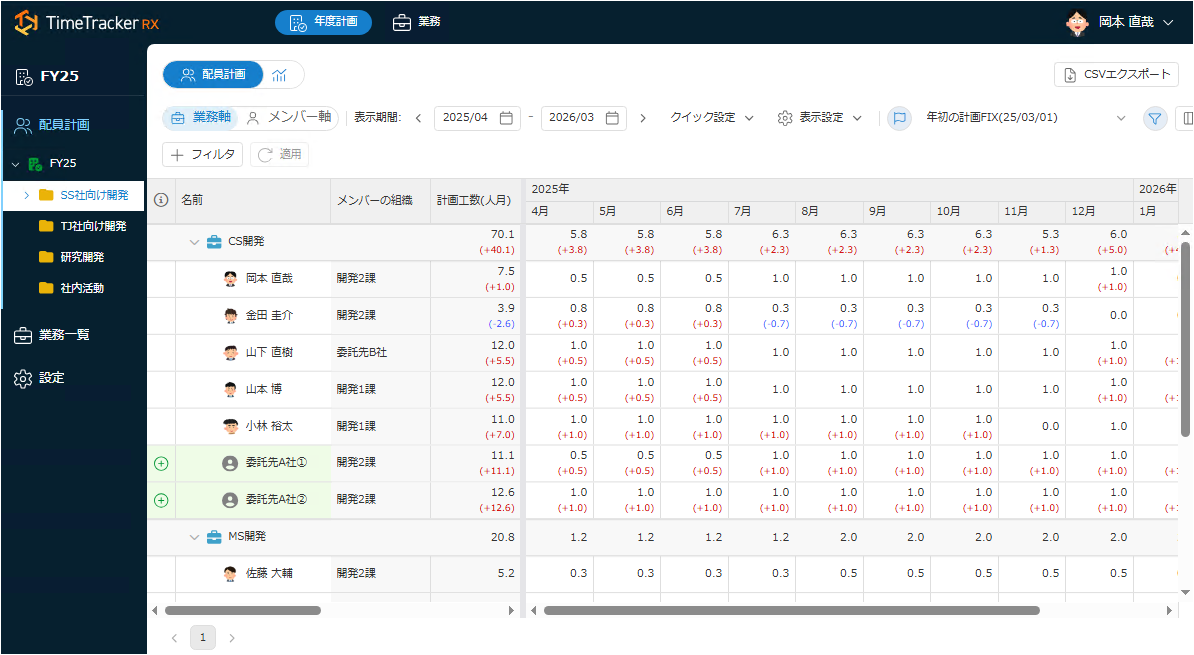
You can freely define your own items for tasks such as Difficulty Level, Approver, and Target Version.
You can freely define options and layouts, so you can use them freely. Enables you to centralize administrative data on TimeTracker RX. -
Identifying Critical Tasks in the Critical Path
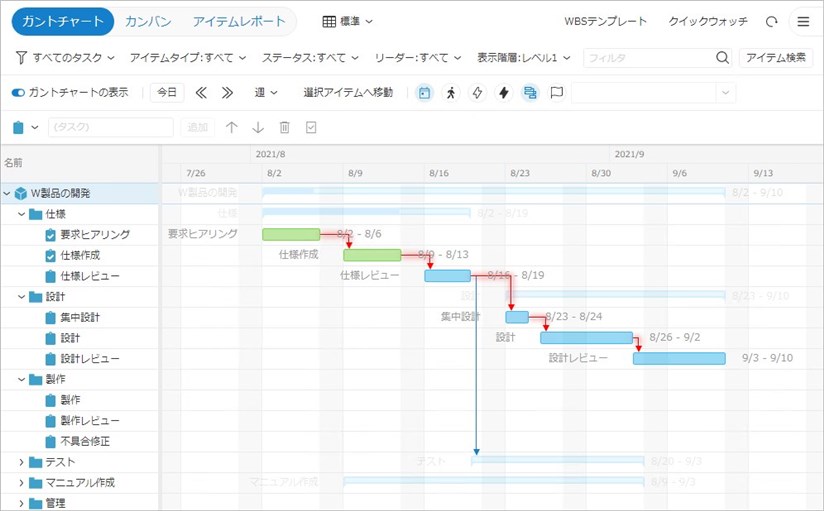
You can also View a critical path (*) to Gantt Chart. Visualize the validity of the project plan while also checking the priority of the work.
※A critical path is a line connecting tasks that cannot be shifted in the plan, and indicates tasks that are important for progress management. -
Managing issues and bugs as well as man-hours
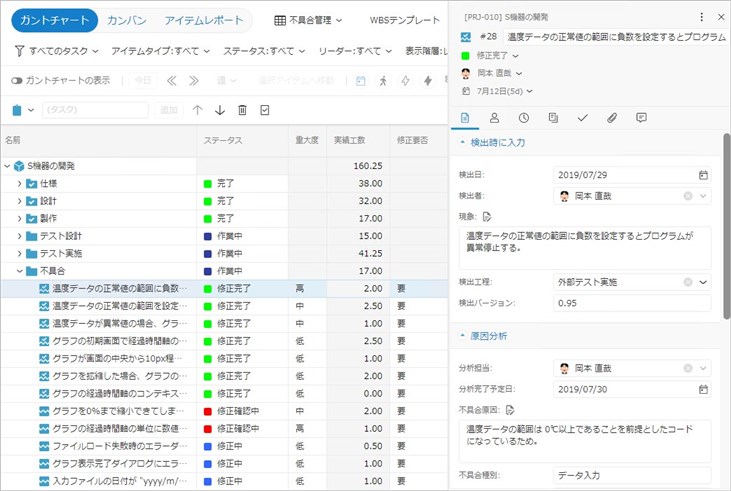
In addition to generic "tasks," you can also define your own items, such as "challenges" and "bugs."
Input work time is also available, so you can manage and visualize various activities, such as tallying up the man-hours for each problem. -
Efficient planning with custom fields and formulas
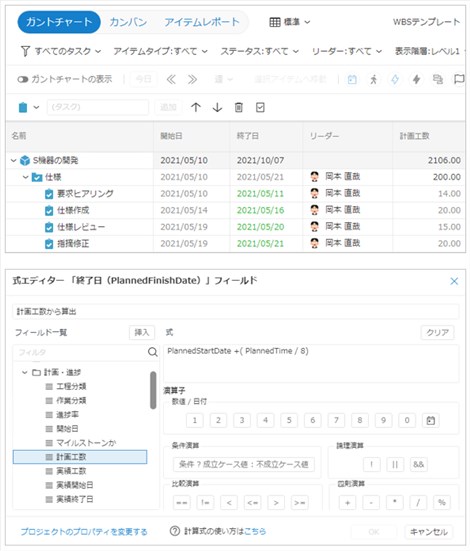
You can set Excel formulas for the Gantt Table fields. Calculation formulas are defined in an intuitive editor and can be used in many ways:
・Automatically calculates the expected ending date from the starting date and Planned time.
・Add subcontractor costs and facility costs to the costs calculated from Actual time. -
Describing detailed information in work items
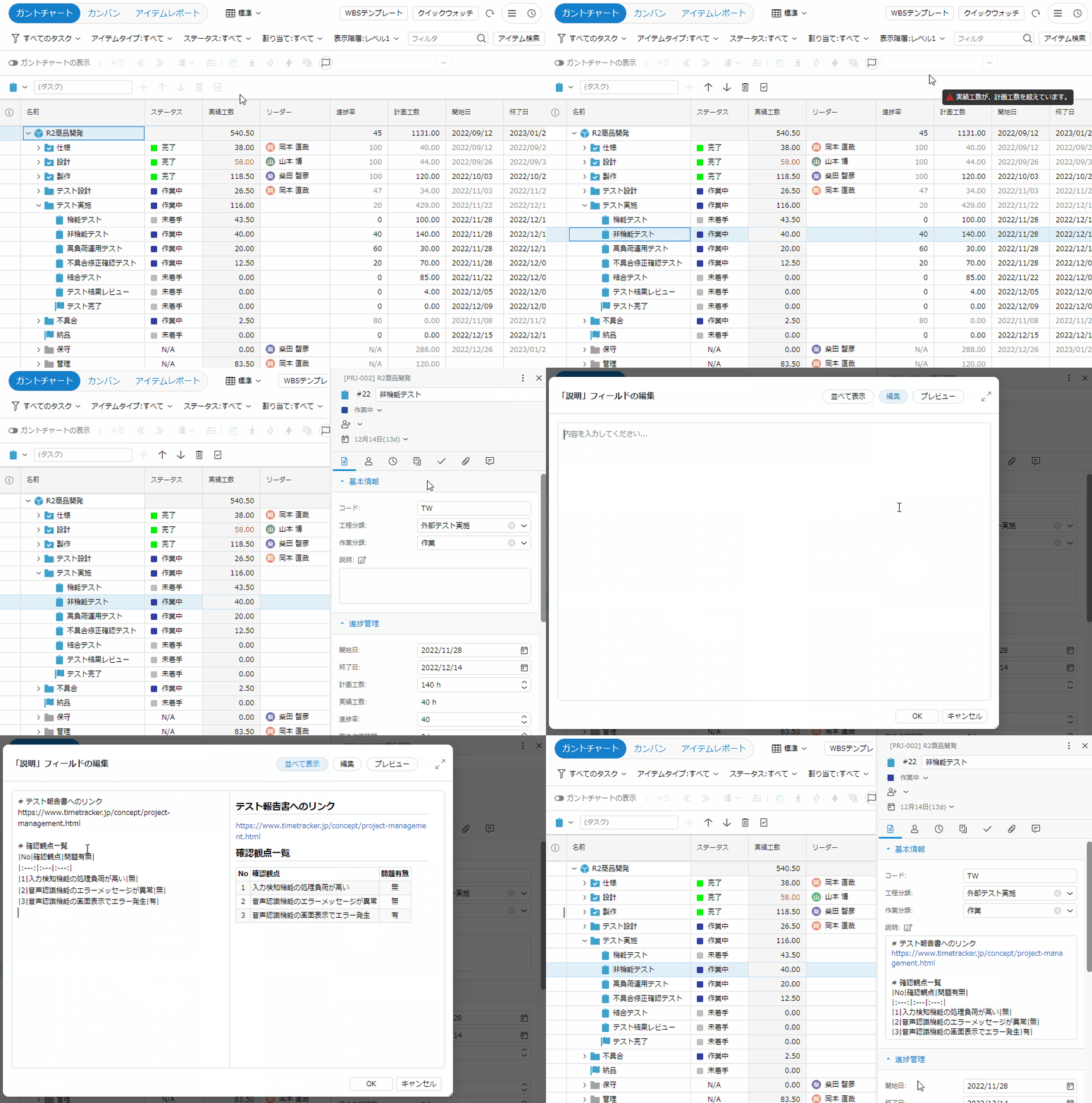
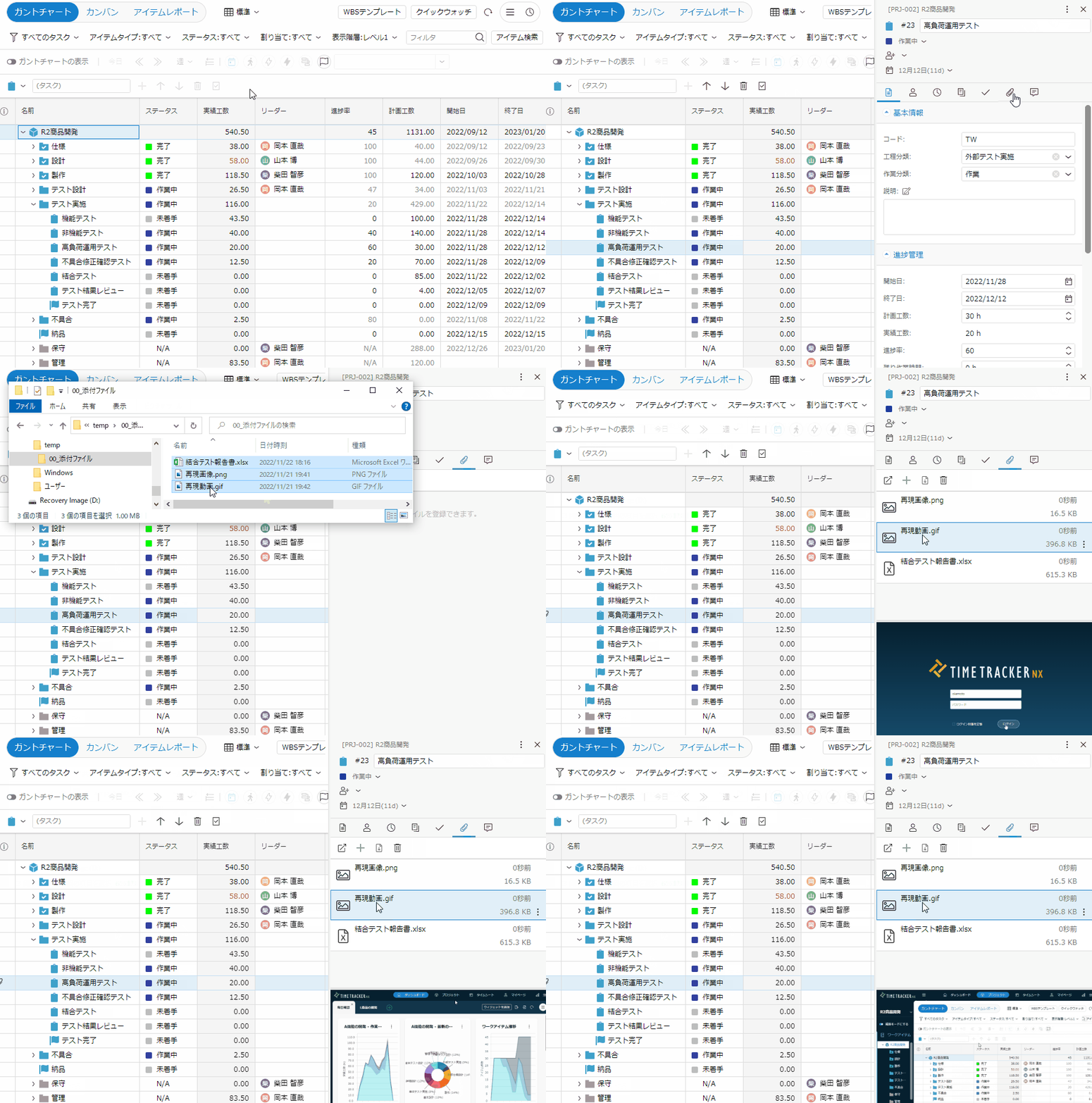
You can record information related to work items in a variety of ways, not just text.
・Headings, tables, and figures
・Hyperlinks
・Attaching Files
This enables accurate and clear information sharing with project members.
Function Details
"Proposals of Using by Issue" introduces functions that solve specific problems you may be facing — for example, if you want to make planning and progress management more efficient or adjust workloads, take a look.
Please also refer to the list of TimeTracker RX functions.
Look at other features