


Time management
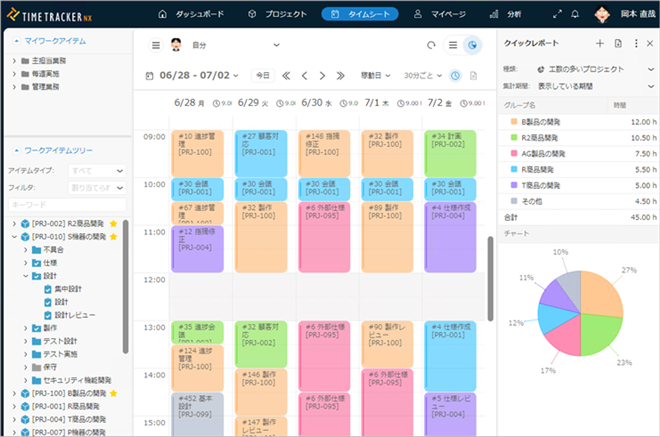
Entering work time in a minute
The main cost of knowledge labor is labor cost, or man-hours. In order to clarify and improve costs, we need to accurately measure precise actual time spent.
But the measurement is not an easy one. There are many people who have tried to Time Management using Excel or administration software, but have failed for various reasons.
TimeTracker RX was born from DENSO CREATE’s improvement activities. Rather than
monitoring the workplace, it provides a way to measure and analyze accurate facts—high-quality work-time data—to improve projects and operations. Accurate measurement depends on everyone being able to continue entering time every day. DENSO CREATE has addressed
that challenge through continuous improvement and incorporated the results into the product.
Accurate work-time data
for improvement is
easy to enter
and visualize—so teams
keep using it.
Field issues

Inputting man-hours is very tedious and does not last
- ・I tried to introduce Time Management, but it was too cumbersome to enter and did not take root.
- ・Since the scheduler is already in use, it becomes like double input and is avoided
I don't know the man-hours, I don't know the wasted time.
- ・I don't know how much time i spend on what job.
- ・I would like to know the ratio of review man-hours.
Difference between plan and work content
- ・Don't know the schedule, just do the work and record the man-hours
Column
We often hear people say, "I've installed a tool, but I can't get the understanding of the people who actually use it. Installing the tool does not solve everything.
It is important not only to promote using tool, but to make time input as "corporate culture".
I think it would be difficult to achieve a corporate culture in one word. To help you solve such problems, here are some thoughts from the planners and developers of TimeTracker.
Features
Features That Support Time Management: Solve operational problems with the right tools.
Easy to use, able to keep using
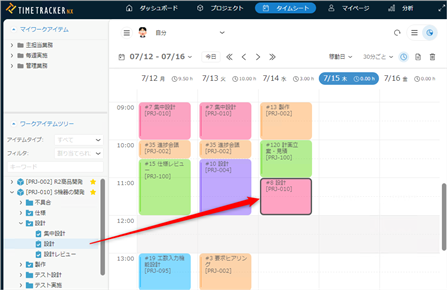
Stressless time input with drag and drop
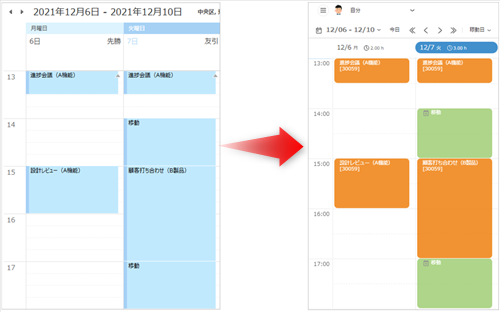
Automatic time input from schedule in a calendar of Outlook or Google Calendar
Visualizing timely
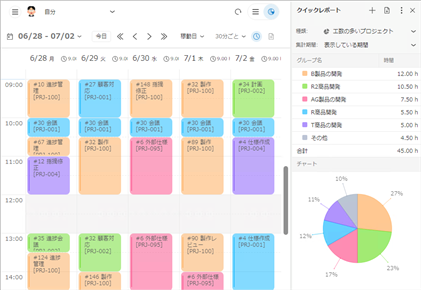
Immediate visualization of your man-hours
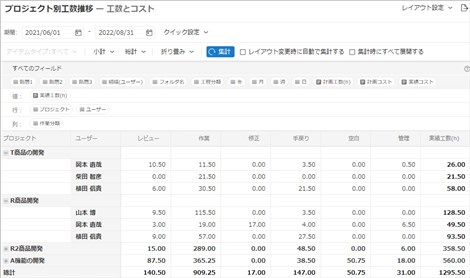
Analyzing man-hours and costs across projects
Check priority tasks with the list of assigned tasks
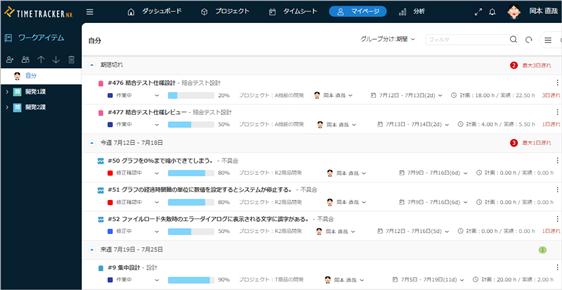
Check schedule and priority of whole tasks easily, input time directly form task list