


Managing system data easily
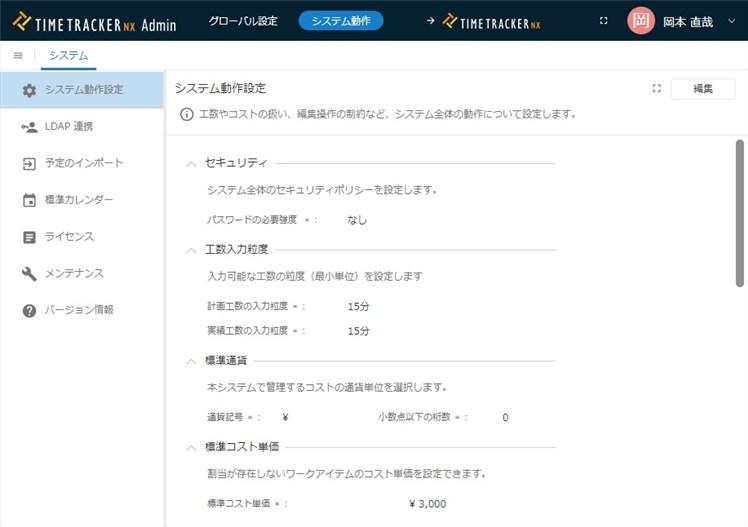
TimeTracker RX offers a number of customization options to help you perform operations that are tailored to your local business, including access rights, organizational settings, and calendaring and Input work time granularity settings. These settings can also be done easily in Web browsers.
The installer also makes it easy to configure the server to use Web application. No expertise is required.
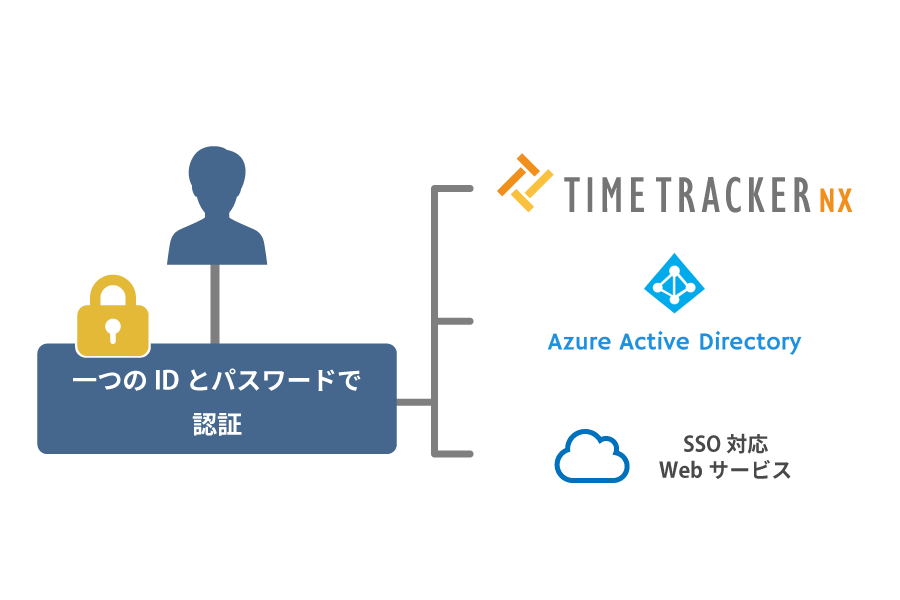
SSO makes account-management more comfortable
You can log in to TimeTracker RX with the credentials of another service by using SAML Authorized SSO (Single Sign-On).
It eliminates the need to manage login information for multiple systems, which improves work efficiency.
In addition, by aggregating authentication information in one place, passwords are not forgotten or leaked.
Because it prevents unauthorized access and security violations, it also has advantages in security management.
It is compatible with SAML2.0. We check the operation of Microsoft Azure AD.
Secure operation with advanced security management
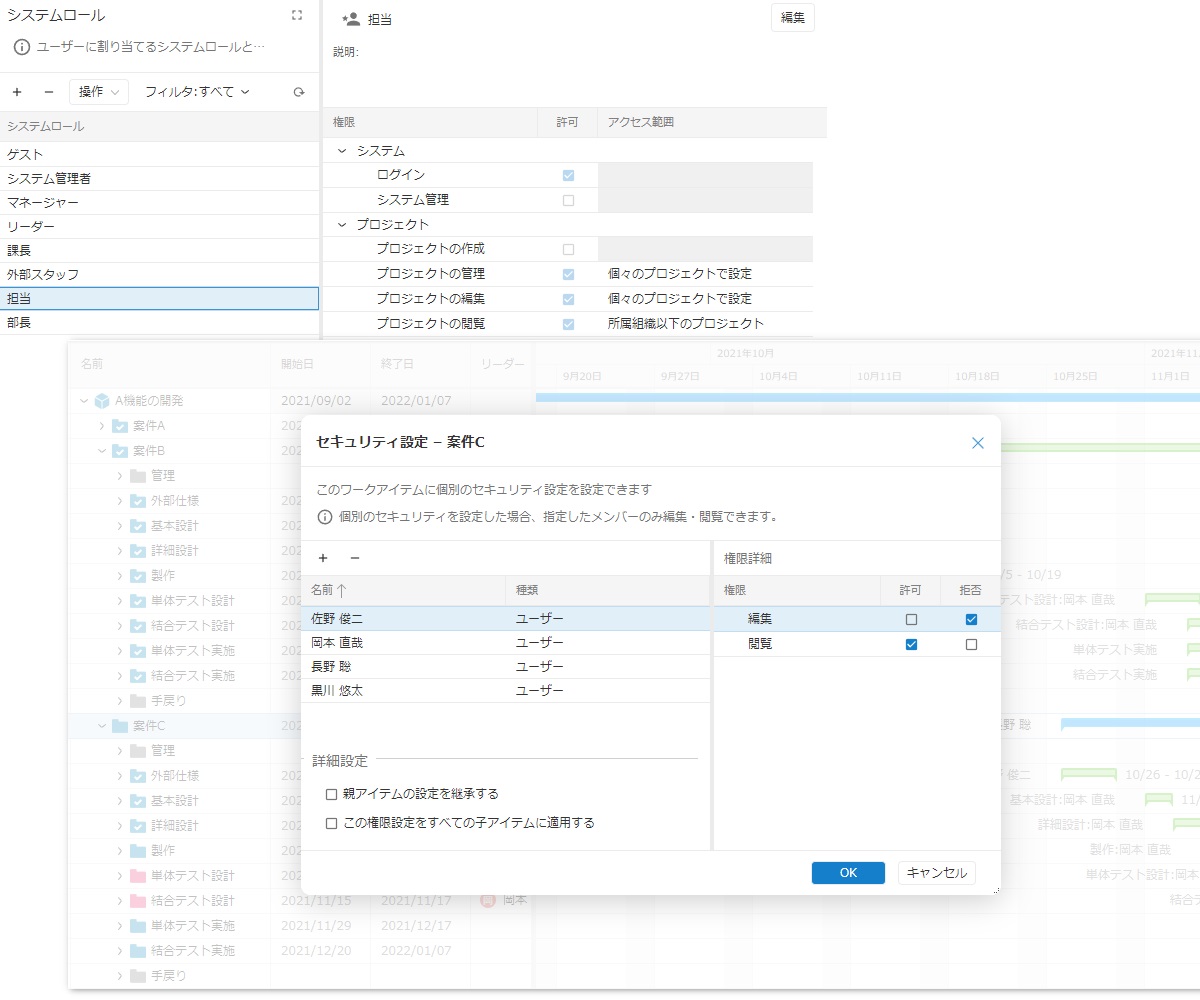
Available functions are controlled by organization and user. Secure operation can be realized, in which only the manager or above can be viewed and only the user in the department or department can be edited.
Individual project work items can also give members access as needed, so they can operate safely in the field.
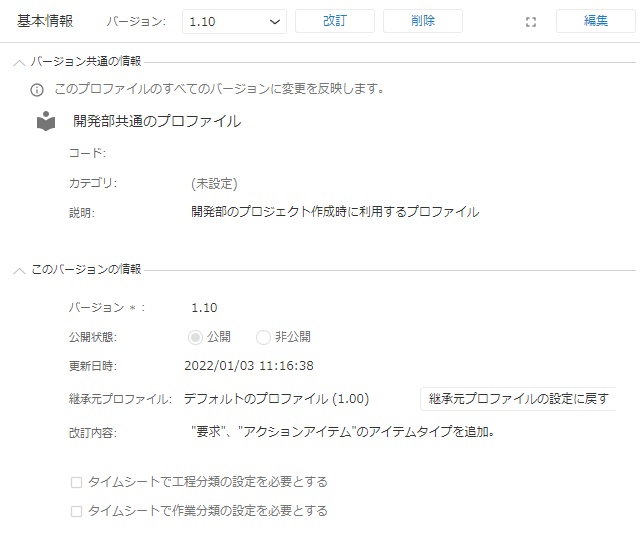
Define project templates as profiles
You don't have to set up a tedious project for each project.
You can define the required settings once, as a profile, and apply it to projects in a batch.
If you update the profile after a project has already been created, those changes can also be applied to the project later.
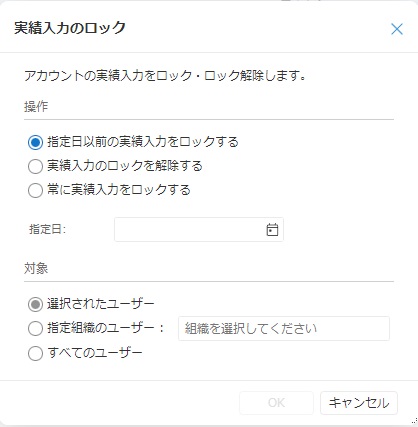
Locking Actual time editing
TimeTracker RX allows Input work time to be locked before a specified date.
Locking the man-hours of the previous month at the beginning of the month prevents your Actual time from being altered or inadvertently altered, and provides a more reliable collection.
Include a database
For small-scale operations (about 5-10 people), there is no need to purchase database software.
TimeTracker RX comes with a free version of Microsoft SQL Server, SQL Server Express, so you can get started right away.
After that, even if the operation becomes large, it can be easily upgraded to the higher-level version (charged) of SQL Server.
Inter-system data linkage in Web API
By using Web API, data linkage between systems can be constructed flexibly.
Because it supports most data, it is possible to exchange required data with business systems/external tools through a Web server.
You can create TimeTracker RX projects from business information on other systems, or import man-hours data into attendance systems.
-
Simple setup
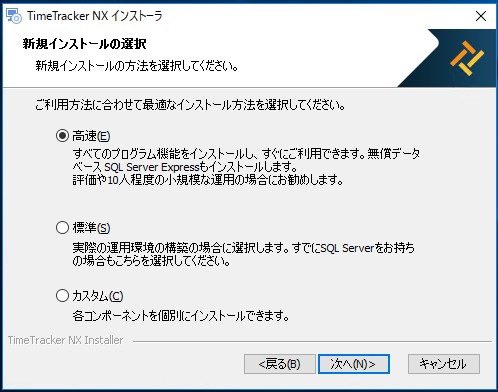
Installing TimeTracker RX is very simple. The server environment for operation can be constructed smoothly by simply following the instructions of the installer.
If you don't have a database, you can install a free database (SQL Server Express) at the same time, so you don't have to prepare for it.
You can start using it right away. -
Set Standard Calendar
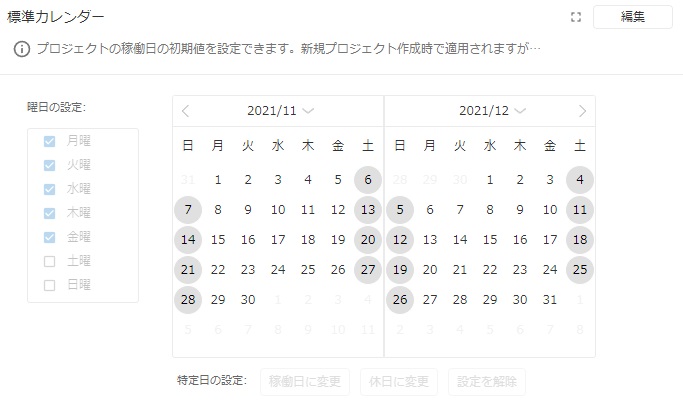
Holidays must be taken into account when scheduling projects. With TimeTracker RX, you can define your own calendaring settings, so you are at ease.
If the operation date and non-operation date are set in advance according to the company calendar, they will be applied to each project in a batch. Of course, you can also set the calendar individually for each project. -
Specify input grain size for man-hours
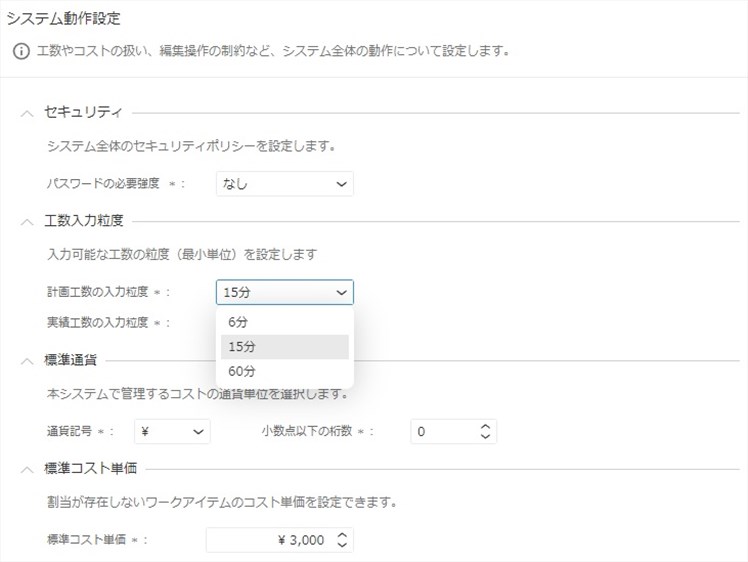
You can specify Planned time and Actual time entry granularity to suit your business practices.
Actual time can be selected from 5/6/10/15 minutes, and Planned time can be selected from 6/15/60 minutes. Of course, even if you set a smaller granularity, you can also roughly enter the man-hours, such as 30 minutes or hourly. -
Linking with Windows passwords
Using LDAP linkage function, the password of Windows can be used as the password when TimeTracker RX logs in. Even if you use a security policy that periodically updates passwords, you can use it securely without having to set a password on TimeTracker RX.
Extensibility
-
Available in cloud environment
TimeTracker RX can also be used in the following cloud environments.
・AWS (Amazon Web Services) EC2
・Microsoft Azure
By placing TimeTracker RX servers in the cloud environment, we can expect to reduce administrative burden and cost during initial deployment.
If you are interested in cloud services for TimeTracker RX, please contact us here. -
It works well even on a large scale.
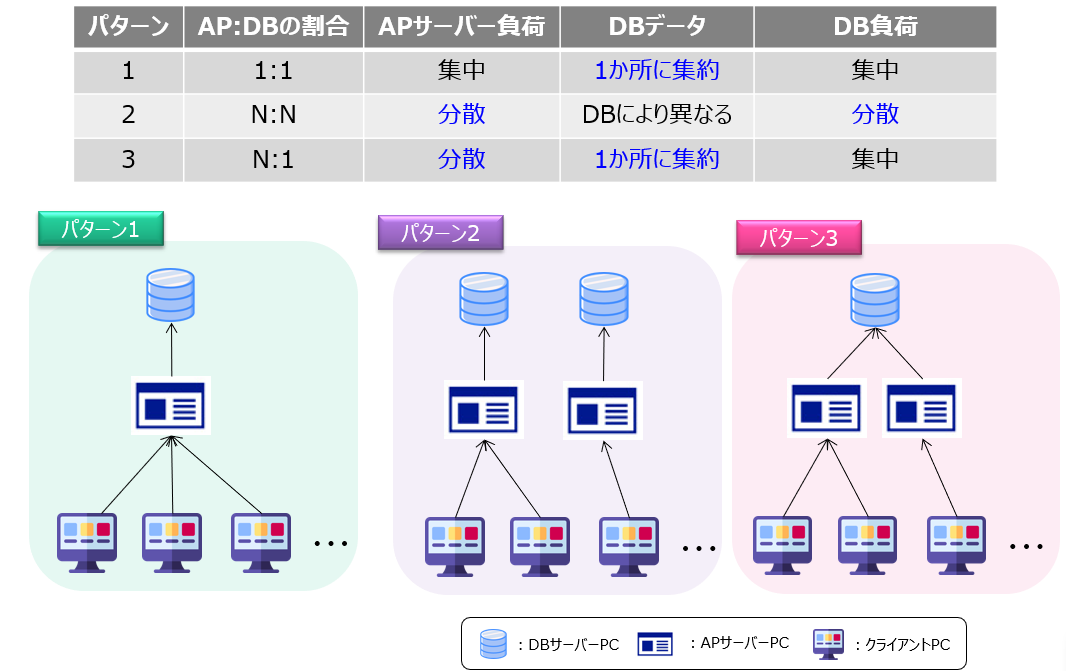
All TimeTracker RX effort, project planning, and other data are managed centrally in a database.
Even projects with more than 10000 tasks don't lose any of the benefits.
It can be operated with an optimal configuration according to the size and the specifications of the server PC.
Function Details
"Proposals of Using by Issue" introduces functions that solve specific problems you may be facing.
There is also a list of TimeTracker RX functions, so please check it out.
Look at other features