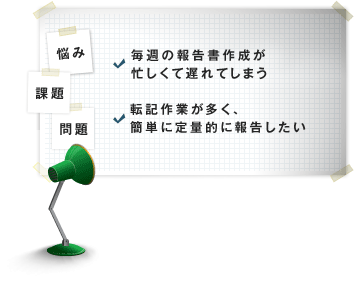
I want to save the time and effort of preparing a report
Creating project or team progress reports
in Excel often requires manually transferring
data collected by project management tools. TimeTracker integrates easily with Excel and significantly reduces the effort required to prepare reports.
Easily remodel your everyday Excel report
-
Easy to use Excel forms as they are
There is no need to make full use of Excel macro-function to link TimeTracker with Excel forms.
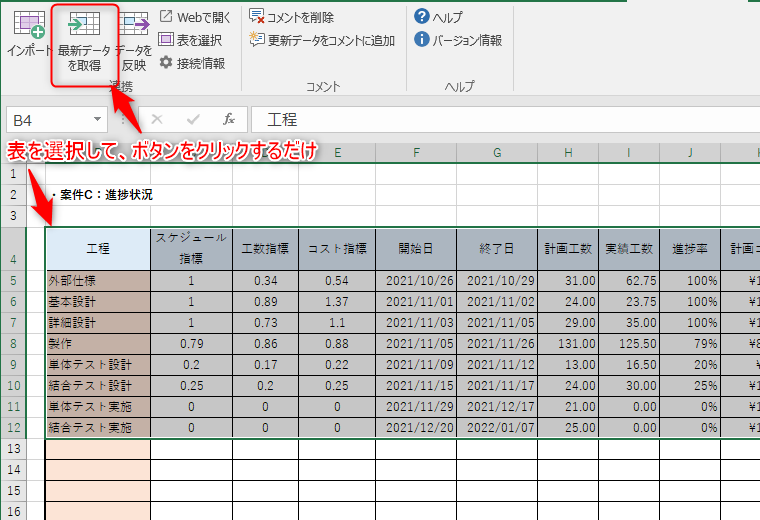
Simply clicking on the toolbar that will be added to Excel will allow TimeTracker effort and progress-data to flow.
You can use your current form as it is.So it's easy to get started. -
There is no need to transcribe the data anymore.
Leave it to us to update the quantitation data. Once the form is associated with TimeTracker, the rest is simple.
If you want the latest data,Just open the form and click the buttonThe most recent TimeTracker and man-hours can be obtained on a per-task basis.
Then use the time to report what you need, such as adding comments. -
Reflection from report to TimeTracker
If progress or assignments are edited directly in
an Excel report during a meeting, the changes
can be returned to TimeTracker easily. After updating
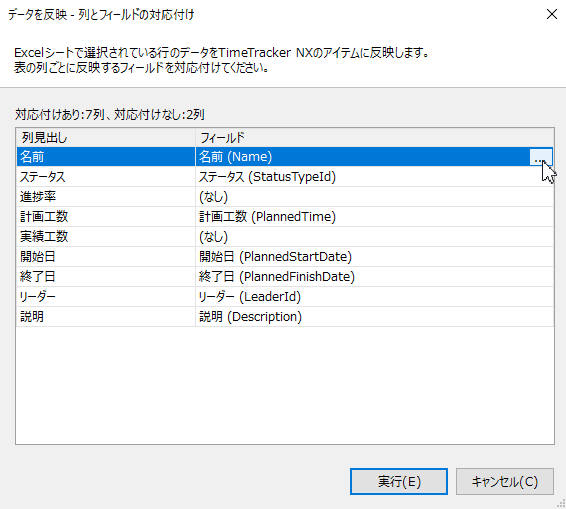
the report, select the rows to update and click to apply them. TimeTracker supports not only report creation but also updates to plans and progress.

Graphs and reports can be created automatically and conveniently.
-
Daily performance of individuals is also reported in PDF
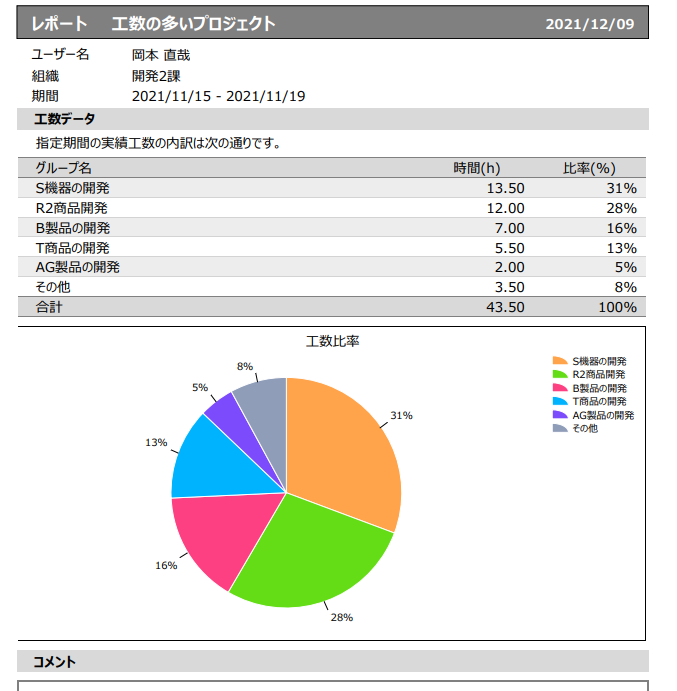
With TimeTracker of personal daily Actual timeCan create reports in PDF formatTherefore, there is no need to compile a report using Excel.
This can be output by grouping by day or by project/task, so it can be used for daily or weekly reports, etc.