


Notifying projects and members to be focused on
Notifying regularly of
projects and users

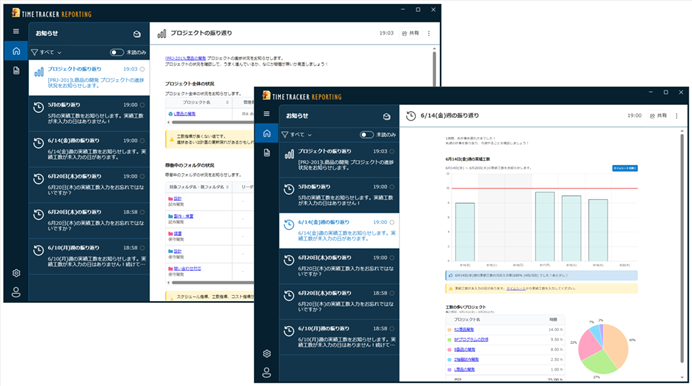
The dedicated TimeTracker Reporting desktop application periodically provides updates on time-entry status, project summaries, and completed work. Rather than simply reporting changes, it alerts you when attention is needed—for example, projects
with delays or cost overruns, missed time entries, or users with
excessive workloads. Get useful project-management information efficiently without opening TimeTracker RX.
Notifying members who have forgotten entering work time or with high-load
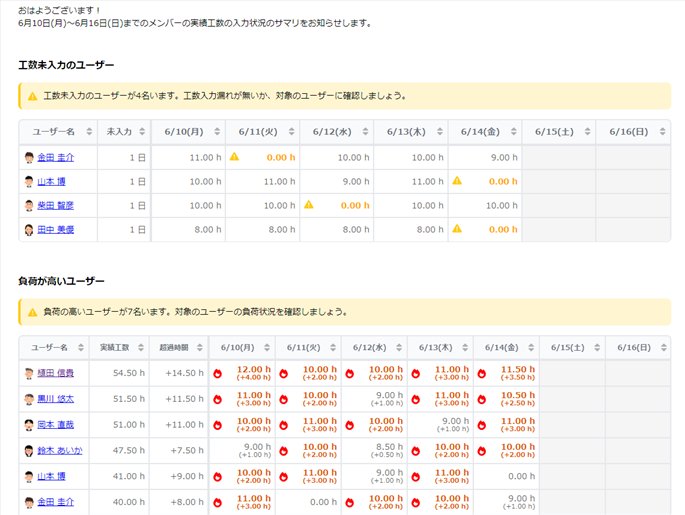
It's hard to get a detailed picture of the situation of each member.
You can see at a glance who forgot to Input work time or worked long hours by looking at the colours and symbols.
Manage your members' man-hours and workload efficiently.
More efficient project management with detecting status change quickly
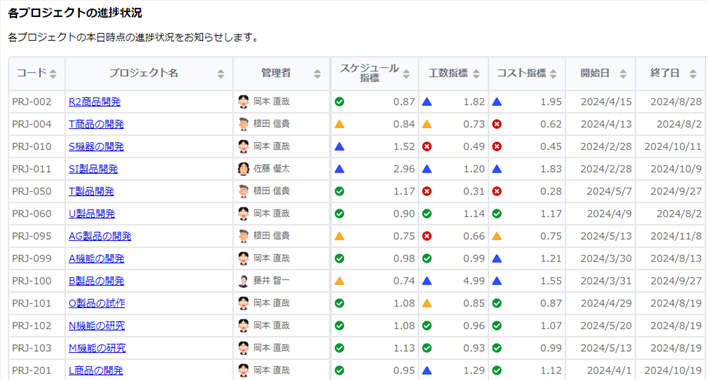
Managers can check the progress and delay of projects on a regular basis.
We will inform you of projects where progress and costs have deteriorated in a report.
If you have many projects to manage, focus on the key points.
Personal review with being informed of your yesterday's work
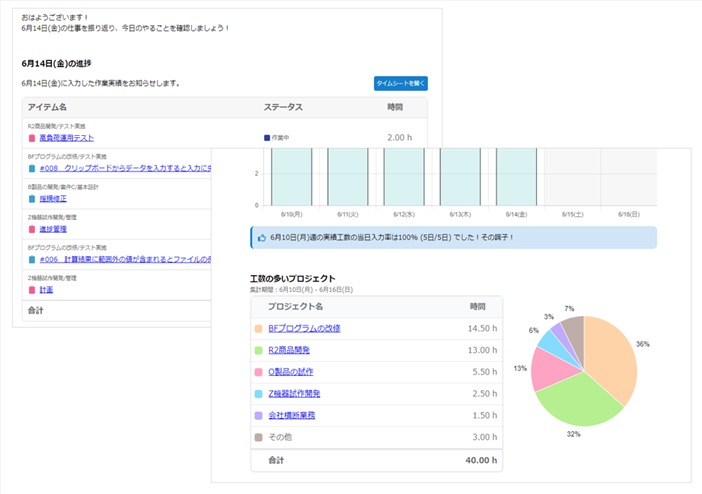
It is also difficult to gather information to reflect on the work.
Every morning, it reports the time and progress of the items you worked on yesterday.
It also lets you know about items planned for the near future.
Use this daily reflection to plan out your day.
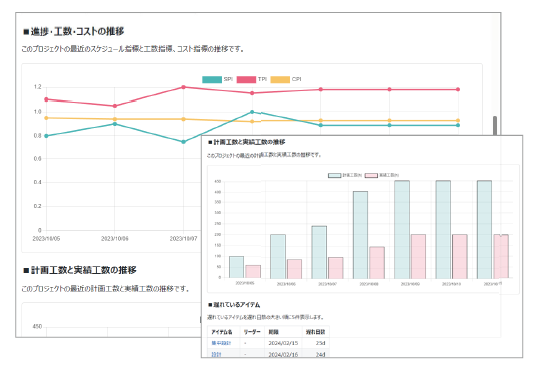
Informing of progress status of projects
Every day, at the beginning of the week and the beginning of the month, I will let you know how the project is going.
Trends over the past few weeks can help you determine the health of your project and help you detect problems early.
Use it as an input for regular reports to streamline project management.
-
Reporting immediately from templates
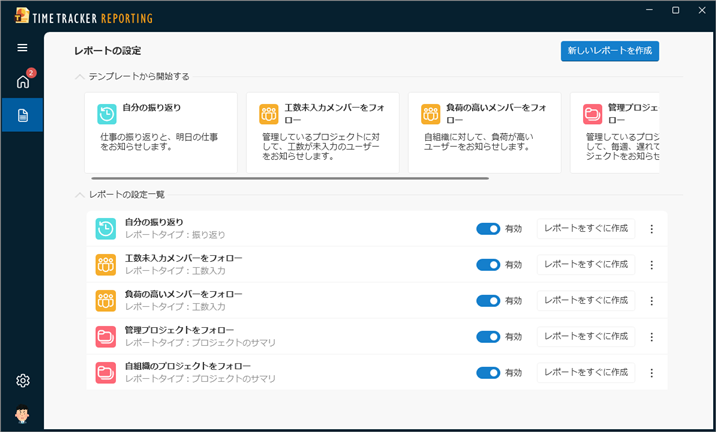
You will be able to view reports at the touch of a button according to your needs, such as projects and members to be notified.
Feel free to create and try it out. -
Sharing report contents with one click
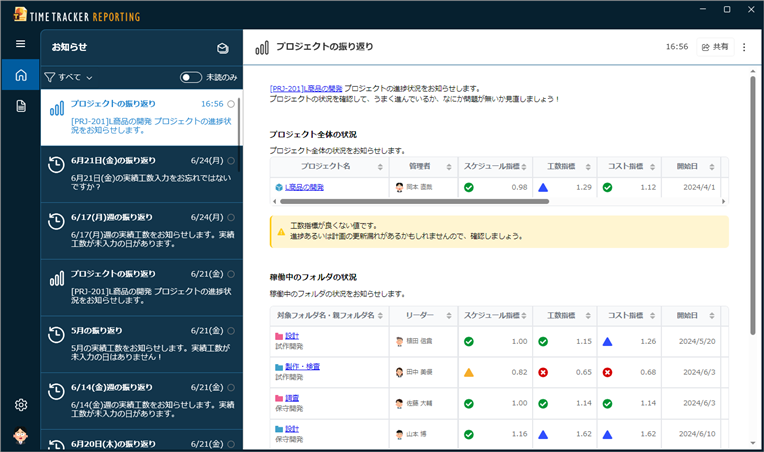
Create a one-click URL to share your reports. Feel free to share the contents of your report with the people involved, such as overloaded members or project delays.
-
Viewing reports easily when you need
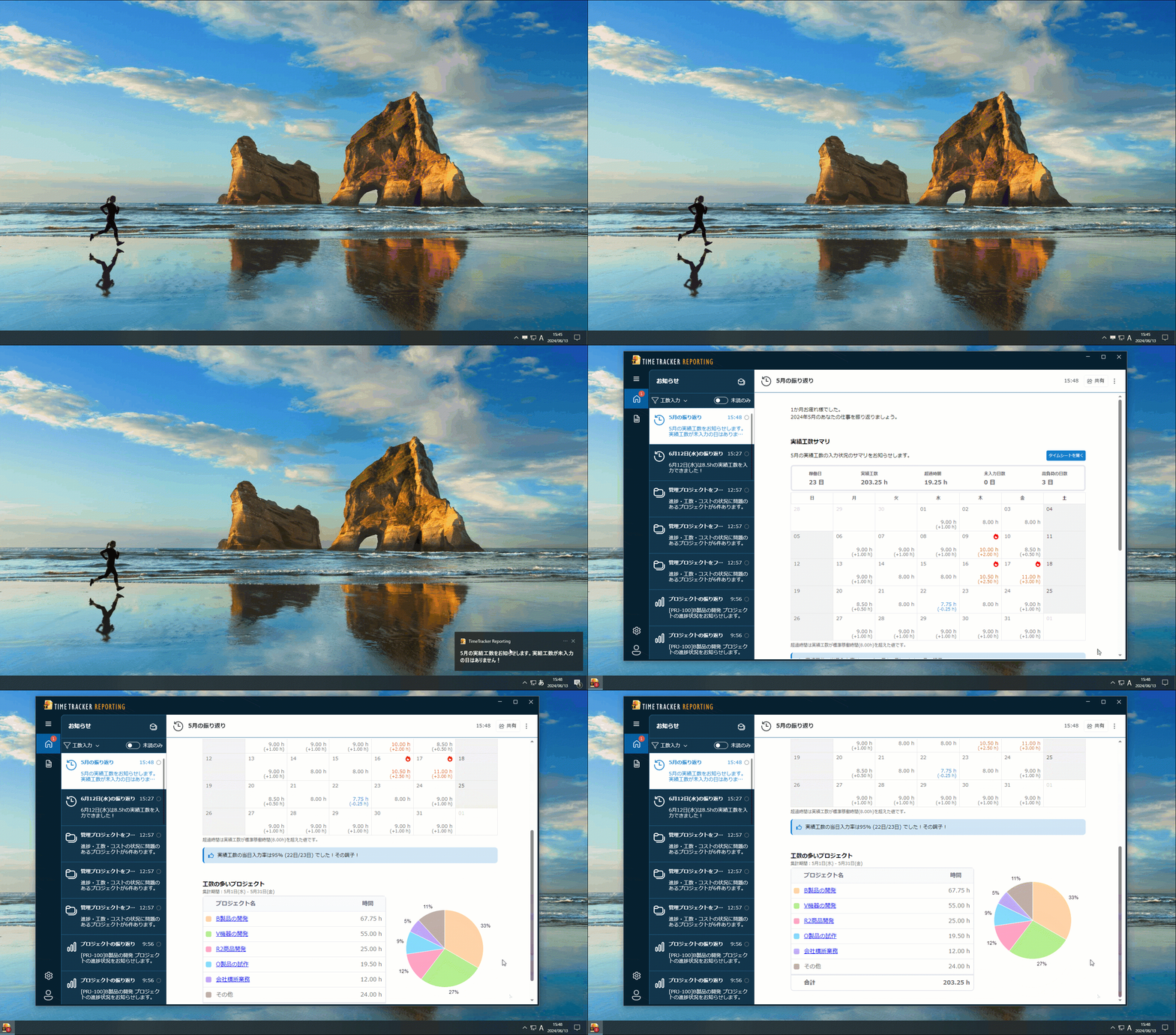
TimeTracker Reporting resides in the notification area, so you don't have to keep the app running.
You will receive notifications via the pop-up feature and can view the report with one click — no need to go through the hassle of launching the app every time.
Function Details
"Proposals of Using by Issue" introduces functions that solve specific problems you may be facing — for example, if you want to collect man-hour data without burdening the worksite or make time entry stick as a daily habit, take a look.
Please also refer to the list of TimeTracker RX functions.
Look at other features