


Cooperating easily with Excel worksheets
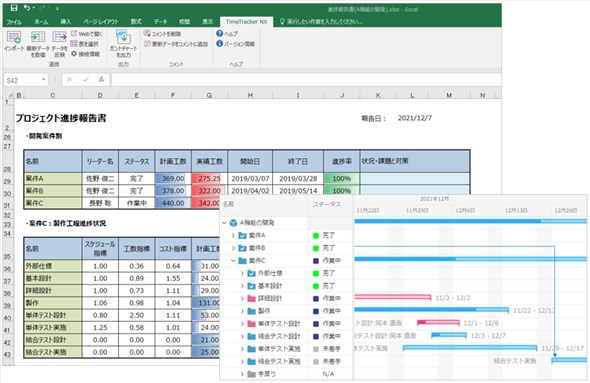
When introducing a new project management tool, there is resistance to abandoning the old way of doing things. Forms such as those used in the field are valuable assets that incorporate a variety of innovations.
We propose optimal management that effectively utilizes such assets. Excel forms, such as project-reports, can be linked interactively with TimeTracker RX by using a single button.
Leverage the advantages of the past by centrally managing data with TimeTracker RX. Then, you can start to visualize and improve your project.
Using original forms as they are
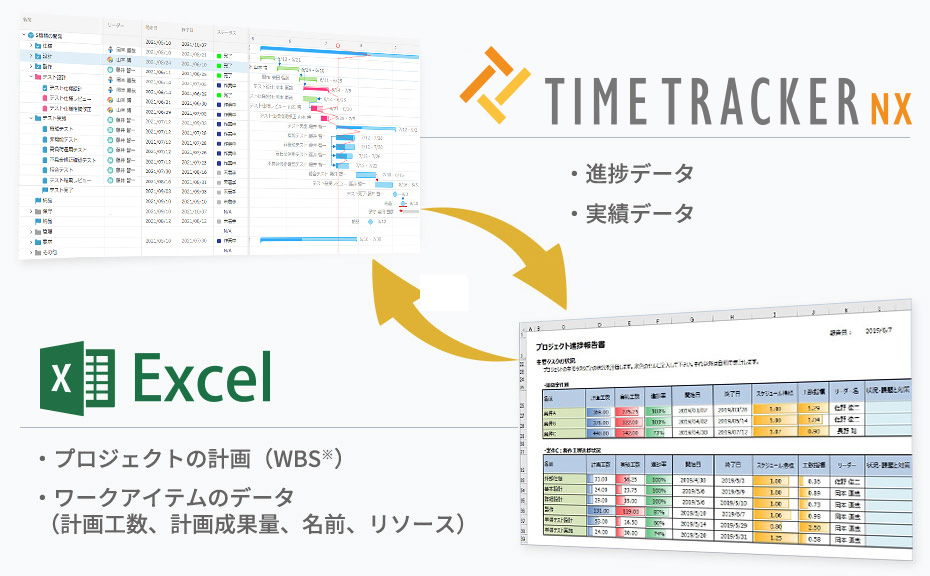
Arrange the tasks in Excel and draw up the schedule and assignment of the person in charge. As you can see, many of you have experienced planning in Excel.
Simply copy the plan (WBS*) created by Excel and paste it on TimeTracker RX to easily migrate to managing projects in TimeTracker RX.
Of course, once you have started to manage your progress with TimeTracker RX, you can also reflect your planning and progress in your Excel.
Project planning and progress management are possible while continuing to use your existing assets.
Abbreviation for Work Breakdown Structure
Interactive cooperation with Excel by one click
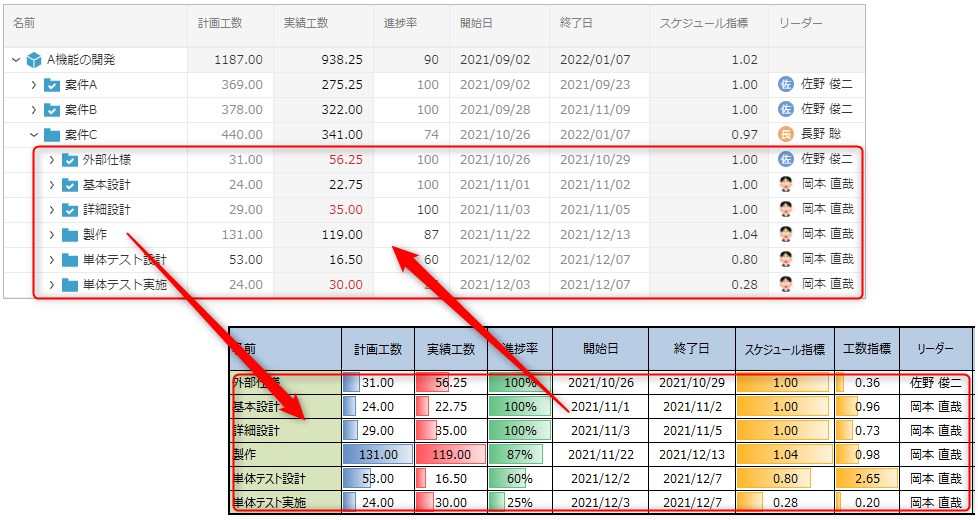
The content of Excel form can be reflected in TimeTracker RX by one-button.
It can be linked in both directions with a single click, so there is no need for manual transcription.
Exporting WBS on Excel easily
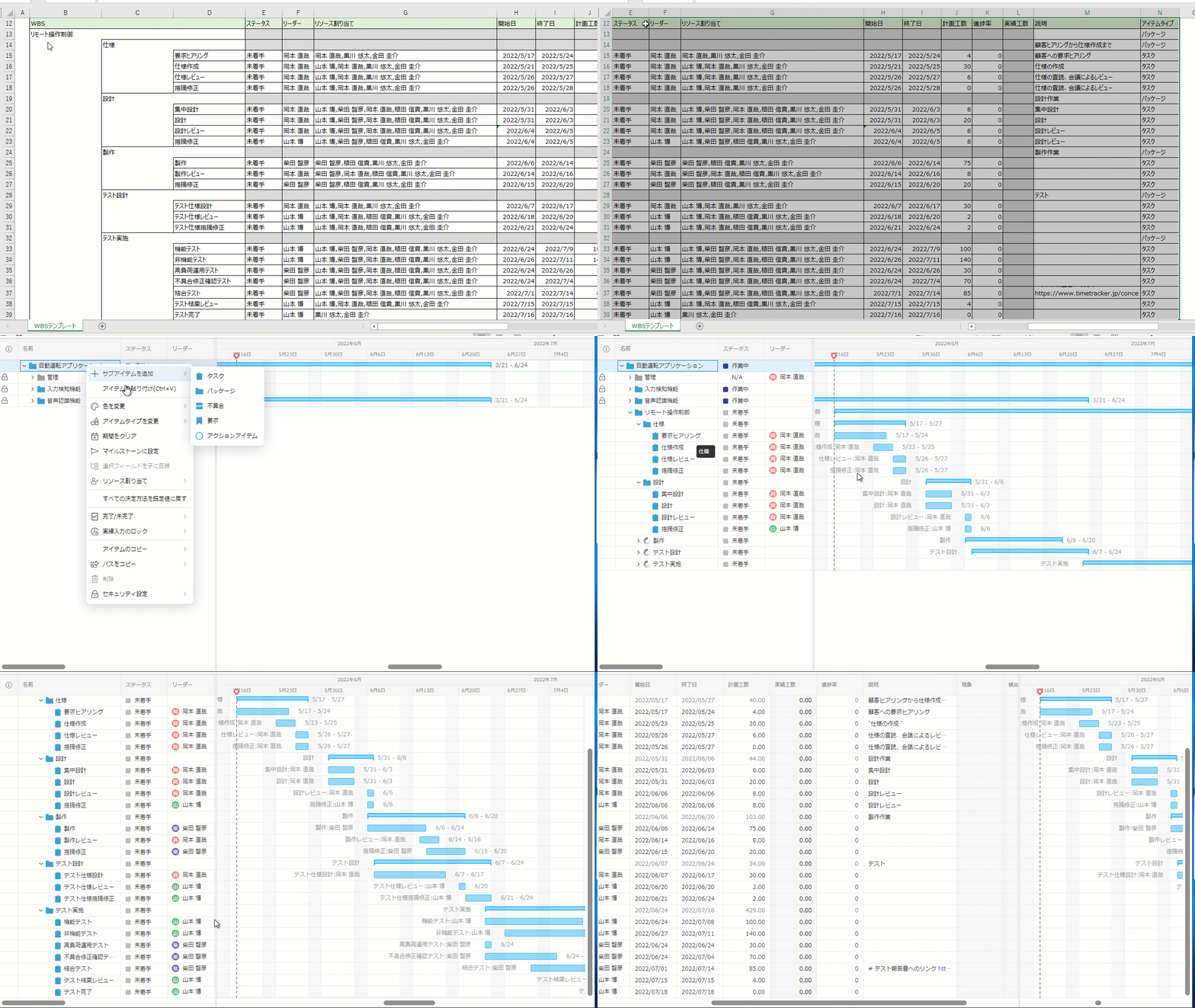
WBS created in Excel can be copied and pasted into TimeTracker RX.
Not only the name of the item but also the necessary information including the resource, schedule, effort, and explanation column can be freely selected.
Even if you were planning to do it in Excel, you can easily start managing projects using TimeTracker RX.
Of course, it does not matter if you create and import the data in Excel even after you migrate to TimeTracker RX.
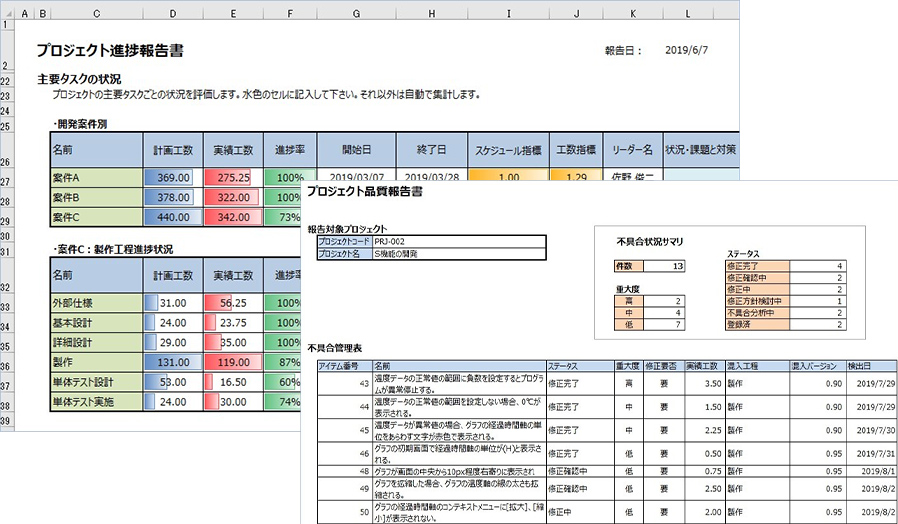
For reporting and managing other teams
Linkage with Excel forms is used for a variety of purposes. TimeTracker RX can easily create a list of control tables and reports by recording not only tasks, but also requirements and defects.
The created form can be used not only for project/team reports, but also for communication with other teams that do not use TimeTracker RX.
If you have the most recent progress or future plans filled out in Excel and then imported into TimeTracker RX, you do not need to manually refresh the schedules.
Function Details
"Proposals of Using by Issue" introduces functions that solve specific problems you may be facing — for example, if you want to make planning and progress management more efficient or avoid the hassle of preparing reports, take a look.
Please also refer to the list of TimeTracker RX functions.
Look at other features