


I want to collect actual man-hours without burden on the site

"How can we all continue to collect accurate data every day?"
For TimeTracker,Minimize the impact on Input work time at the siteWith this in mind,By taking advantage of the ideas and ingenuity unique to the workplaceI'm carefully crafted to the details.
Of course, you can easily tabulate by project-by-project or by Cross-Organization.
Speedy and stress-free Input work time
-
Input work time takes a minute
In busy work, you want to be able to enter man-hours in a short time.
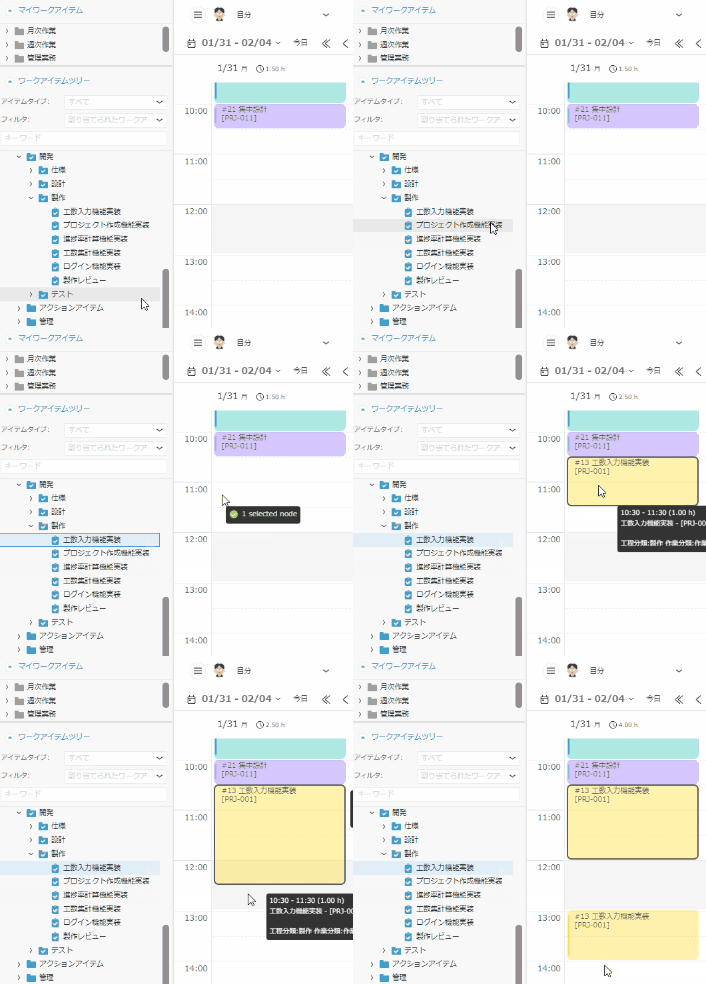
Simply drag and drop a task to enter it.So a one-day Input work time takes less than a minute.
Registering daily meetings and key tasks as shortcuts makes it easier.
Not only can you continue to do this every day,We paid attention to the accuracy of the dataThe result is this interface. -
Devices that do not create stress in input
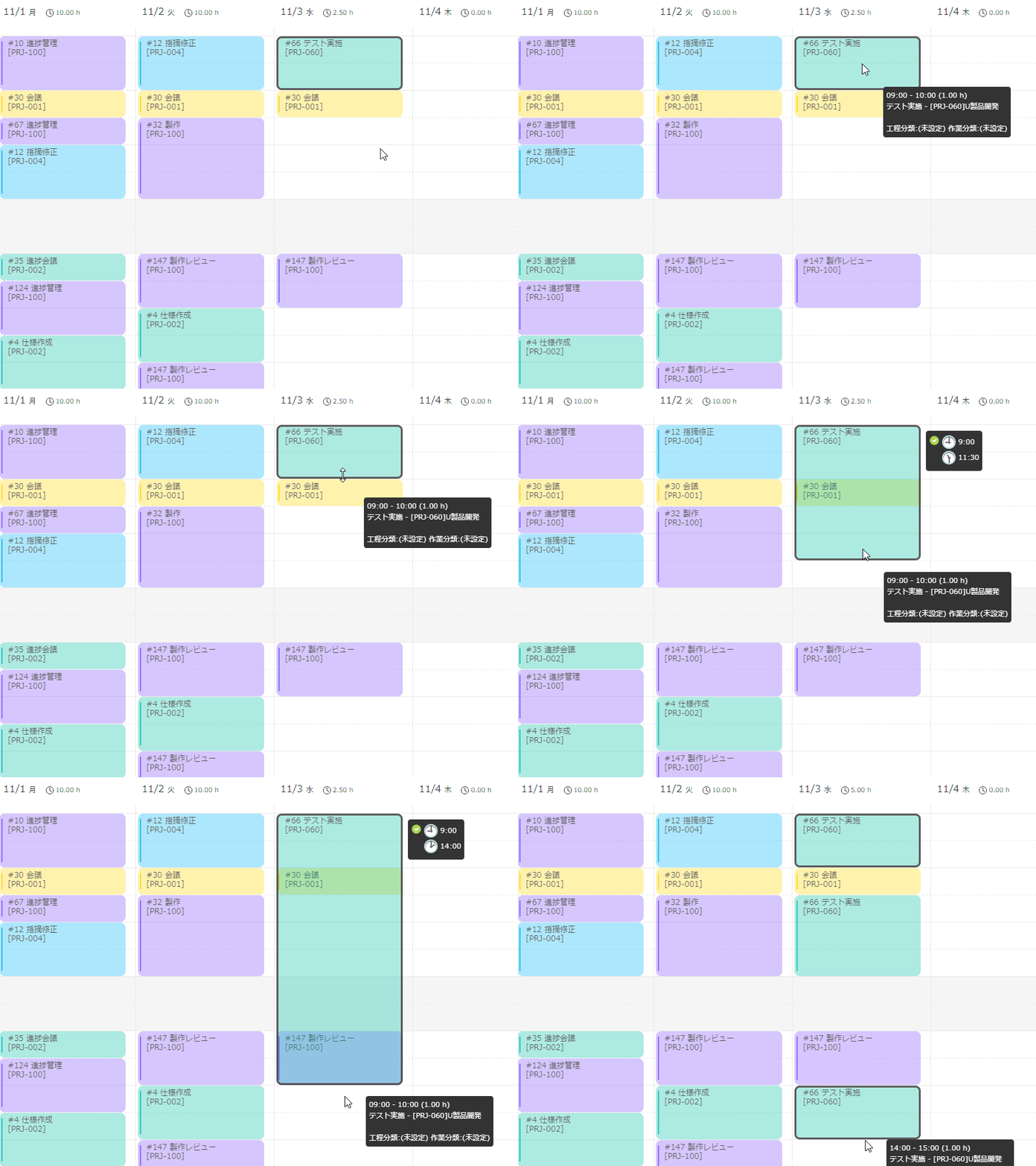
TimeTracker includes numerous features that eliminate unnecessary time-entry work. Dropped entries are automatically resized so
they do not overlap, and
setting break times automatically splits
entries around those periods. These
details make time entry stress-free. -
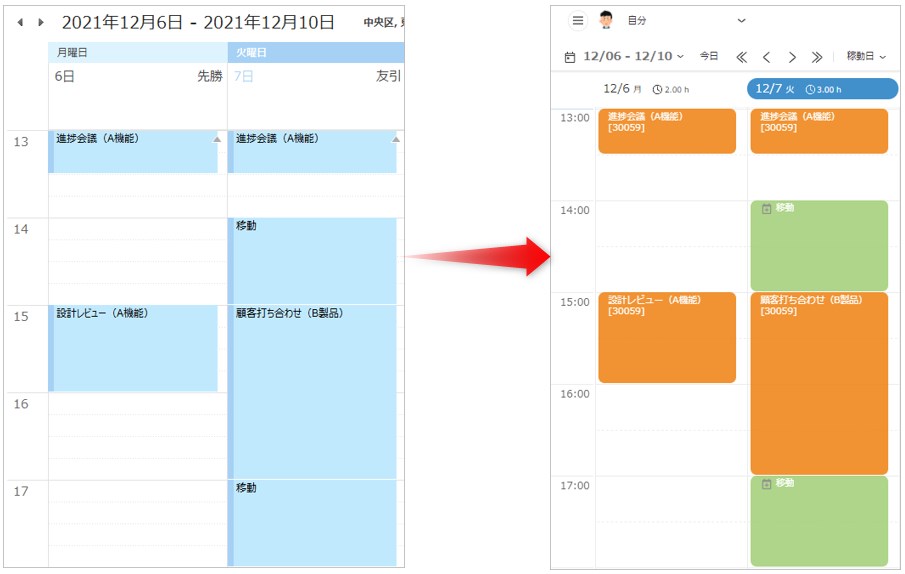
Consideration for busy people with many meetings
The busiest people often find time entry the most
difficult, especially when they attend many meetings. Appointments managed in Outlook or Google Calendar can be imported into TimeTracker with one click. No drag and drop is
required, so actual time can be recorded quickly between meetings.
Analyze quickly by aggregation and TimeTracker
-
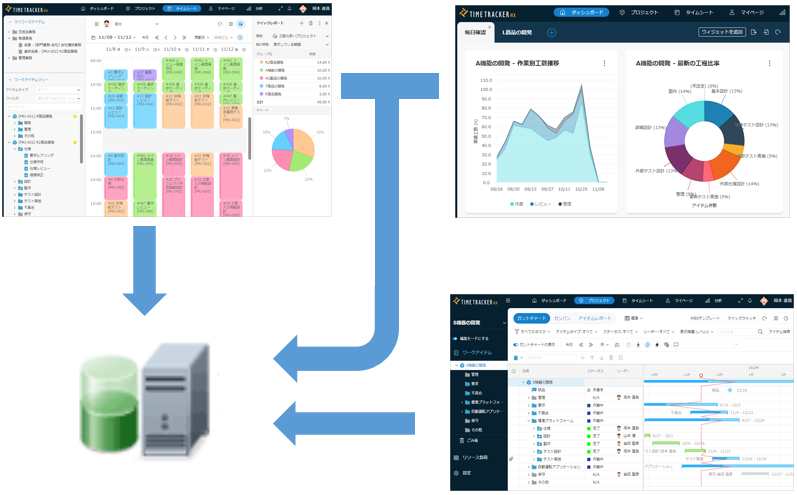
Centralized management with database
All TimeTracker effort, planning, and other data are managed centrally in a data base.
We can accommodate from 5 to 3000 people, and even projects with more than 100 people can do the following.
・Input when multiple projects are held concurrently
・Aggregation and analysis of effort across organizations and projects
*This is the result of our test data. Actually, it depends on the specifications of the server to be operated, the size of the project to be used, and the amount of data. Contact Support for details. -
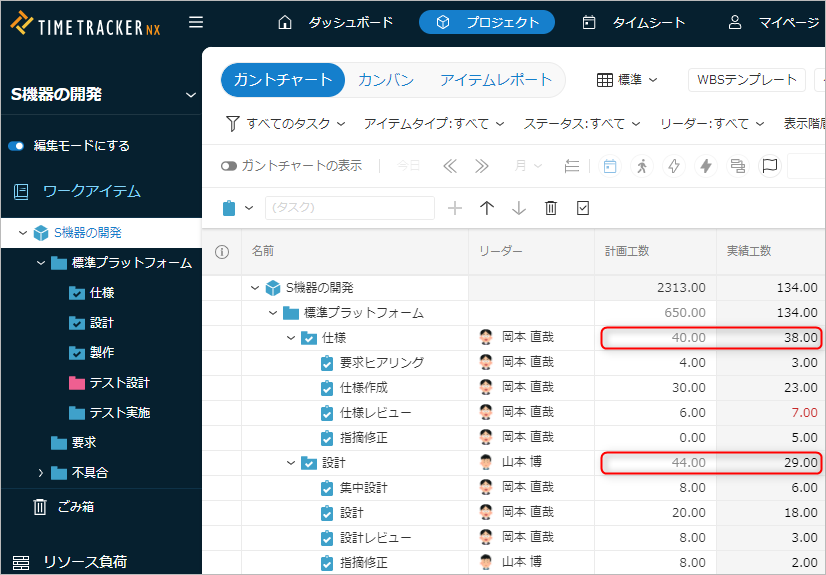
Calculating man-hours just by opening a project
Easy entry alone is not
enough if aggregation remains difficult. With TimeTracker, simply opening a project automatically aggregates the latest time
entered by each person. No manual consolidation is required, and totals are immediately available for tasks,
task groups, and the entire project. -
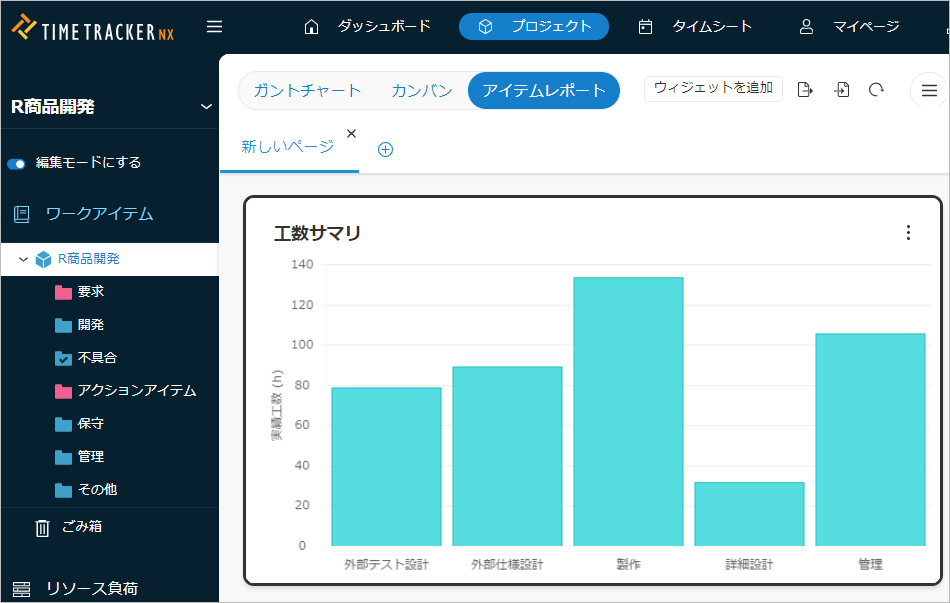
We don't need Excel to aggregate or analyze anymore
Exporting actual work time to Excel
or CSV for manual aggregation is time-consuming. TimeTracker aggregates data across projects and organizations without requiring an Excel
export, making work-time analysis and visualization straightforward. -
-
You don't have to use a Excel to do this right away
- Number of man-hours invested in each process of a project
- How many man-hours were invested by each project
- Which tasks and processes are consuming man-hours?
- Monthly Actual time trends for the organisation