


I want to know the actual cost of the project
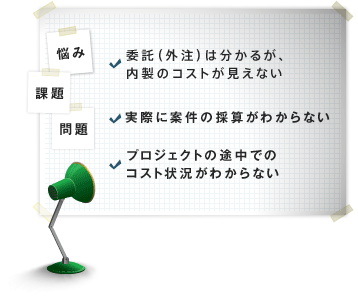
In managing costs, it is easy to grasp procurement and sales,
"How much employee man-hours are being put into the project?
It is difficult to figure out exactly what to do.
In addition, when it comes to the man-hours of other teams, I'm sure all companies are having a hard time.
If TimeTracker, the project-including other teams-actually took place.Easy to see exact costIt will be like this.
Cost management involving other teams
-
Visualization of employee costs by man-hours
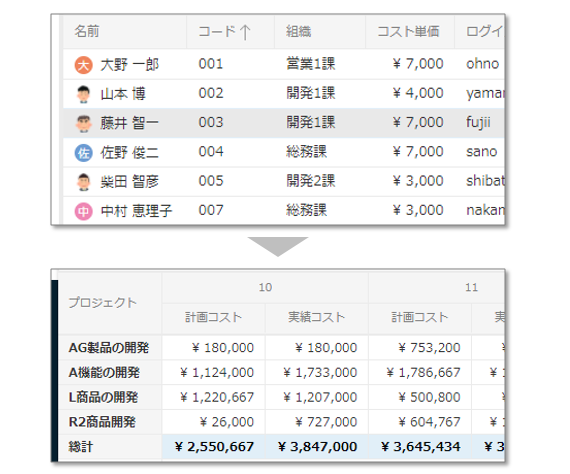
TimeTracker can set a cost-per-hour rate for each member.
At a minimum of five minutesHighly accurate Actual timeBy enteringAutomatically calculate Actual cost for each taskThis makes it easy to not only manage the cost of the project, but also to identify the cause of the cost overrun. -
Know the overall profitability including other teams
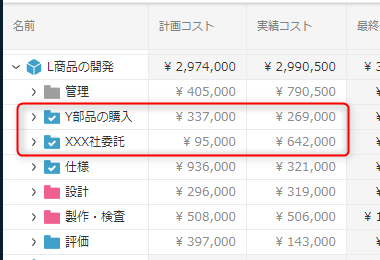
In addition to internal labor costs, TimeTracker manages
costs for other teams and purchases, providing an
accurate total cost for the entire project. Planned and actual costs can be entered for each item, bringing time, schedule, and cost management together in TimeTracker. -
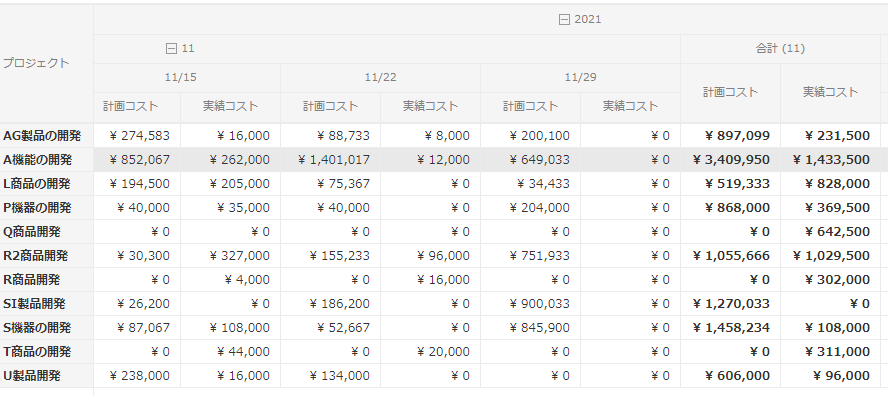
Cross-project to find out what it costs
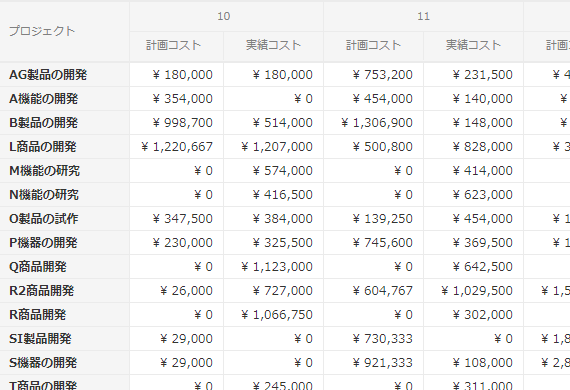
TimeTracker has the ability to manage not only a single project, but also across several projects.
By arranging the projects you want to checkCheck the cost status at onceLet's do it.
More convenient cost management
-
Check the cost transition of the project
Let's check the cost trend of the project in operation.
By looking at the trends,Will the cost be excessive if we proceed as it is?You can make a quick decision.
You just need to launch TimeTracker to see it right away, so you don't have to open the project.
To the cost situation at any timeCheck immediatelyYou can. -
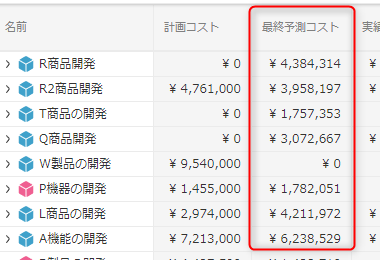
Estimate cost at completion
A project may appear to be
on budget only because progress is behind, insufficient work time has been invested, or orders to other teams are
delayed. TimeTracker forecasts cost at completion from current progress and work-time data, helping teams anticipate future costs and act early. -
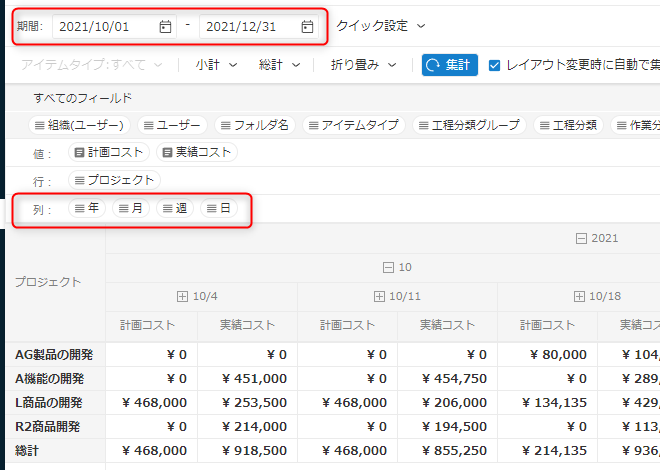
Aggregate costs over any period of time
When aggregating costs, do you want to specify the period of time and the target work in detail?
For all of the following, if TimeTrackerSimple aggregation with drag & drop operationYou can.
・Daily/monthly cost for the specified time period
・Multiple projects or specific costs within a project -
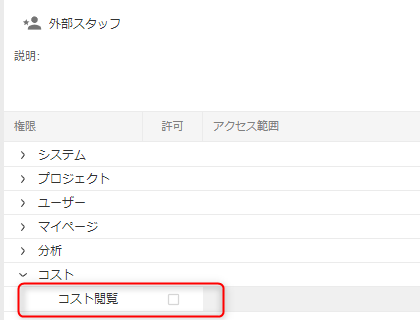
Don't worry if you don't want to show the cost
Project participants may include team members,
external partners, and managers. TimeTracker lets administrators
control access to cost and rate information for each user, while still allowing appropriate access to work-time and planning data.
Related functions
- Project planning for members of actual projects
- Visualizing data of multiple projects
- Visualizing data quickly