


What's New in TimeTracker NX 6.0
TimeTracker NX 6.0 of man-hours and project-management tools
Supports SSO. In addition, man-hours and cost analysis from the individual level to the corporate level are also realized.。
"""Because it's a tool for everyday use, it's a lot easier to do everyday work!"""Here are some new features based on the concept.
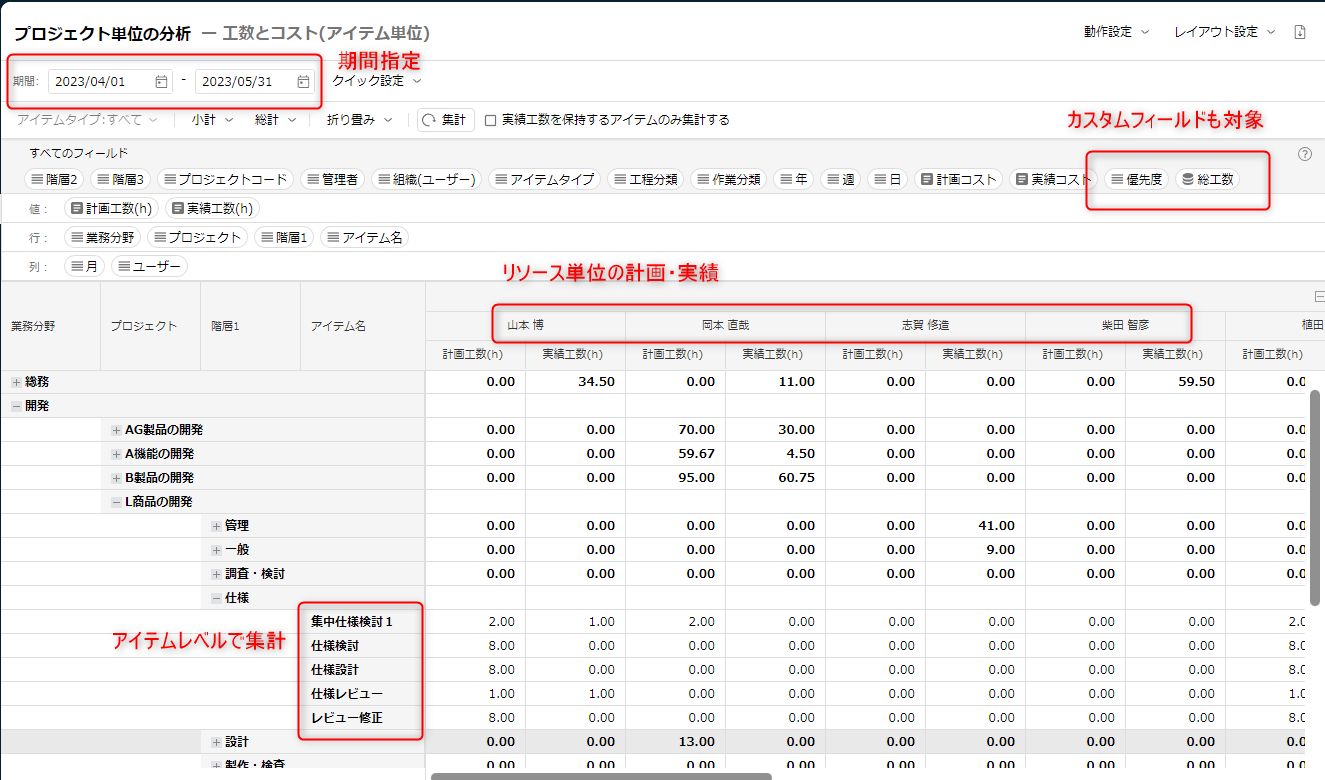
Calculate results by item and period
Enhanced pivot analysis capabilities to allow more granular analysis.
In addition to analyzing on an item-by-item basis, you can also target custom fields to analyze detailed data from your own perspective.
Without using Excel, you can analyze the following immediately:
・Monthly forecast of effort/cost (plan and results)
・Who and how much effort was put into each project
・What tasks and processes are consumed by yourself?
・Monthly Actual time trends for the organisation
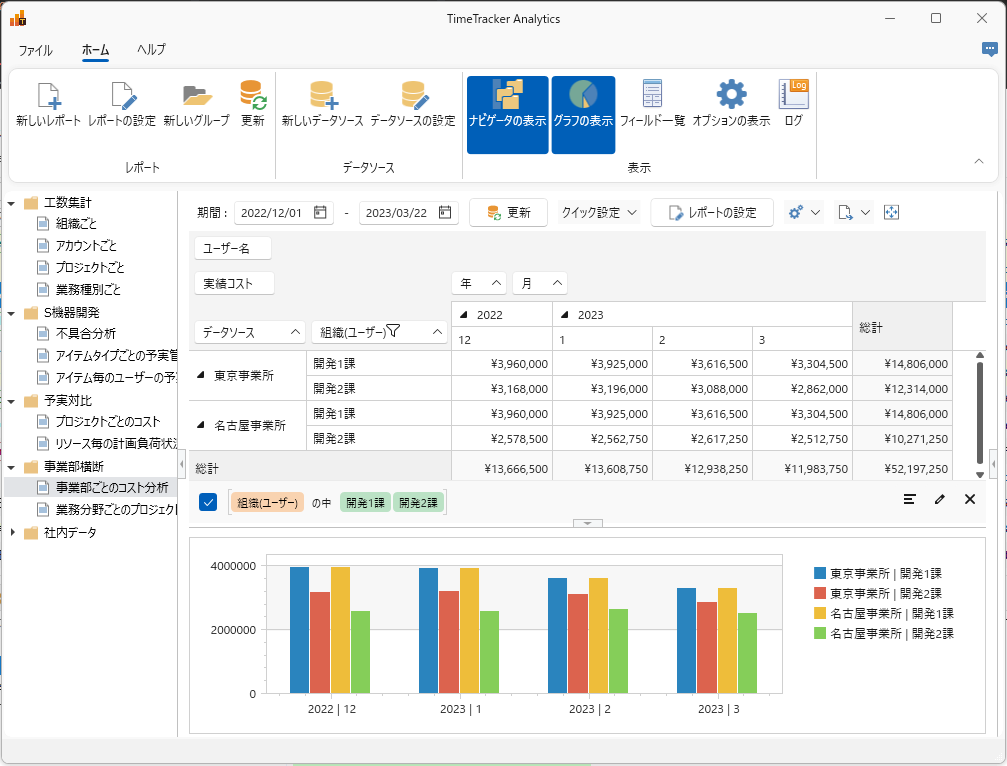
From individual to whole company, from day to year.
Analyze man-hours and costs in all units
Analyses can be performed across TimeTracker NX. Data can be aggregated not only for individuals and organizations, but also across corporate boundaries.
Use filters and graphs to analyze the aggregated results. The Filters View allows you to View only the information you need and quickly grasp data trends and patterns.
By narrowing down the analysis to the required range, problems can be discovered and improved.
Optional products: TimeTracker Analytics must be installed on every client PC.
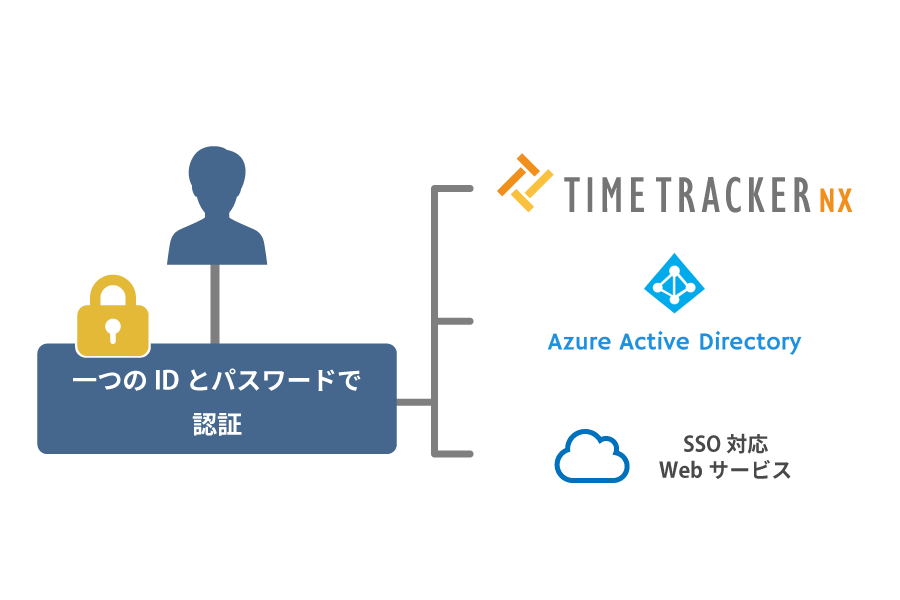
SSO makes account-management more comfortable
You can log in to TimeTracker NX with the credentials of another service (*) by using SSO (single sign-on) with SAML authorization.
It eliminates the need to manage login information for multiple systems, which improves work efficiency.
In addition, by aggregating authentication information in one place, passwords are not forgotten or leaked. Because it prevents unauthorized access and security violations, it also has advantages in security management.
It is compatible with SAML2.0.
We check the operation of Microsoft Azure AD.
-
View your own Gantt Chart with one-click
How hard can it be to find the item you're responsible for among the large number of items in your project? You can now View the items assigned to you with one-click.
View your own personal Gantt Chart and efficiently understand the work assigned to you.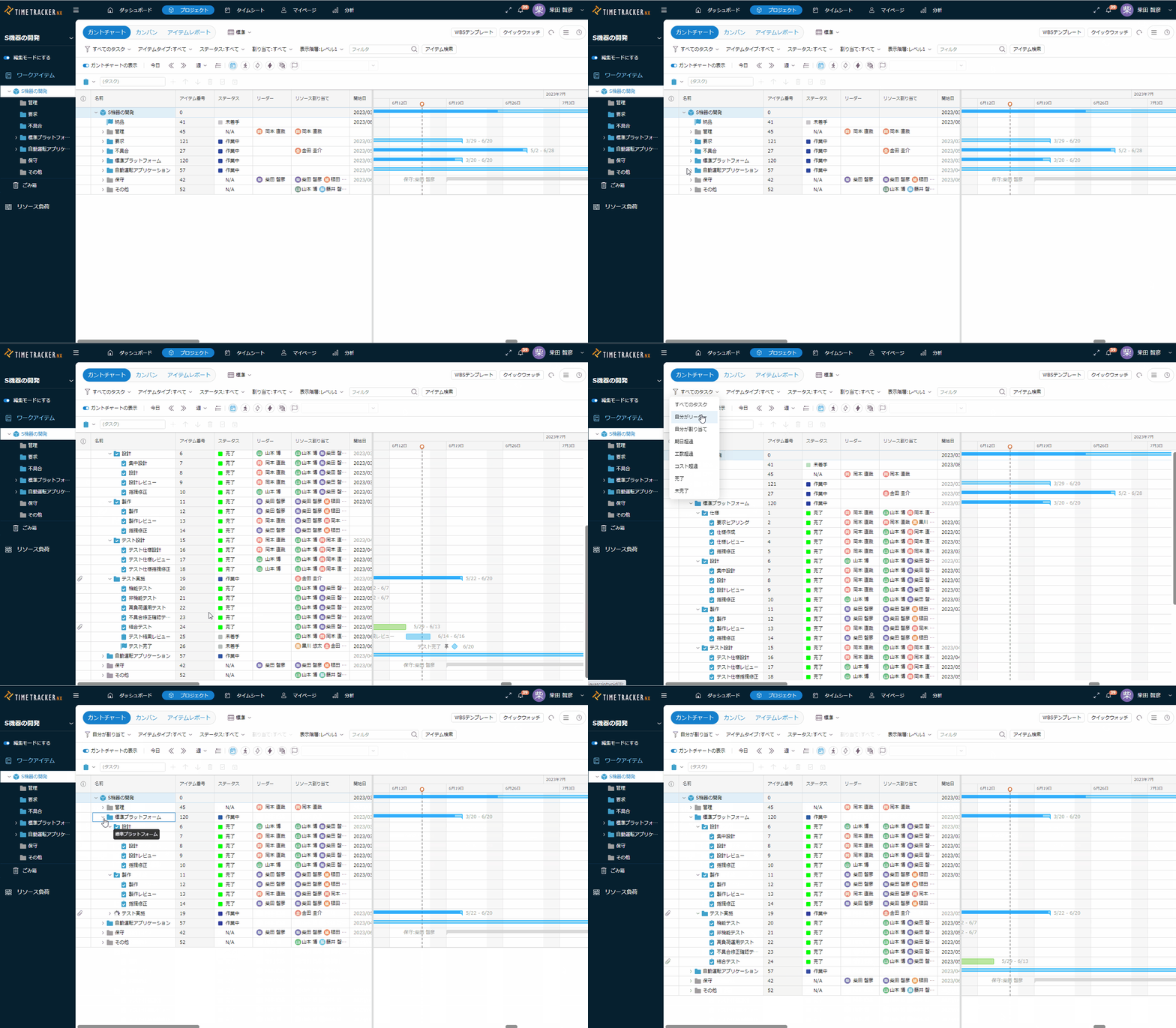
-
Find the item you want to find right away
You can now filter items that are View in the Gantt table by more than one criteria. You can also search for items by specifying their status and Item type as criteria.
"It's hard to look for the item you want to see on the gant table," and by combining the filter conditions with those in trouble, you can quickly find the item you want to look for.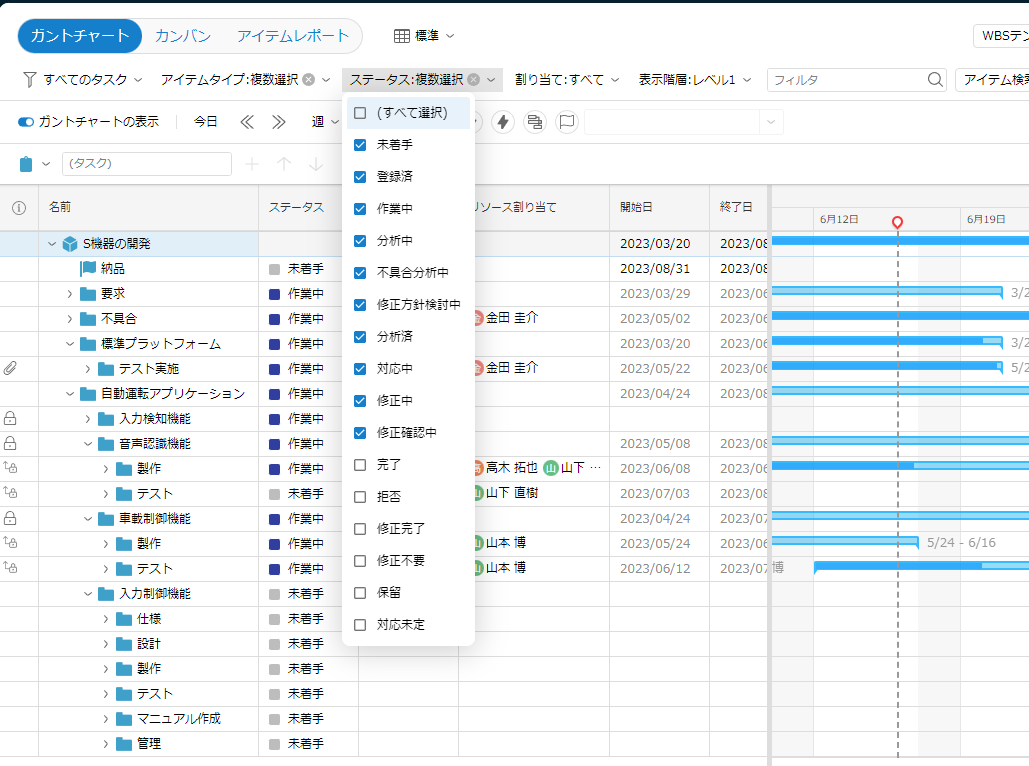
In addition to the above, stability and operability have been improved.