


What's New in TimeTracker NX 4.5
Enables management of large, distributed, and complex projects
Main features of TimeTracker NX 4.5
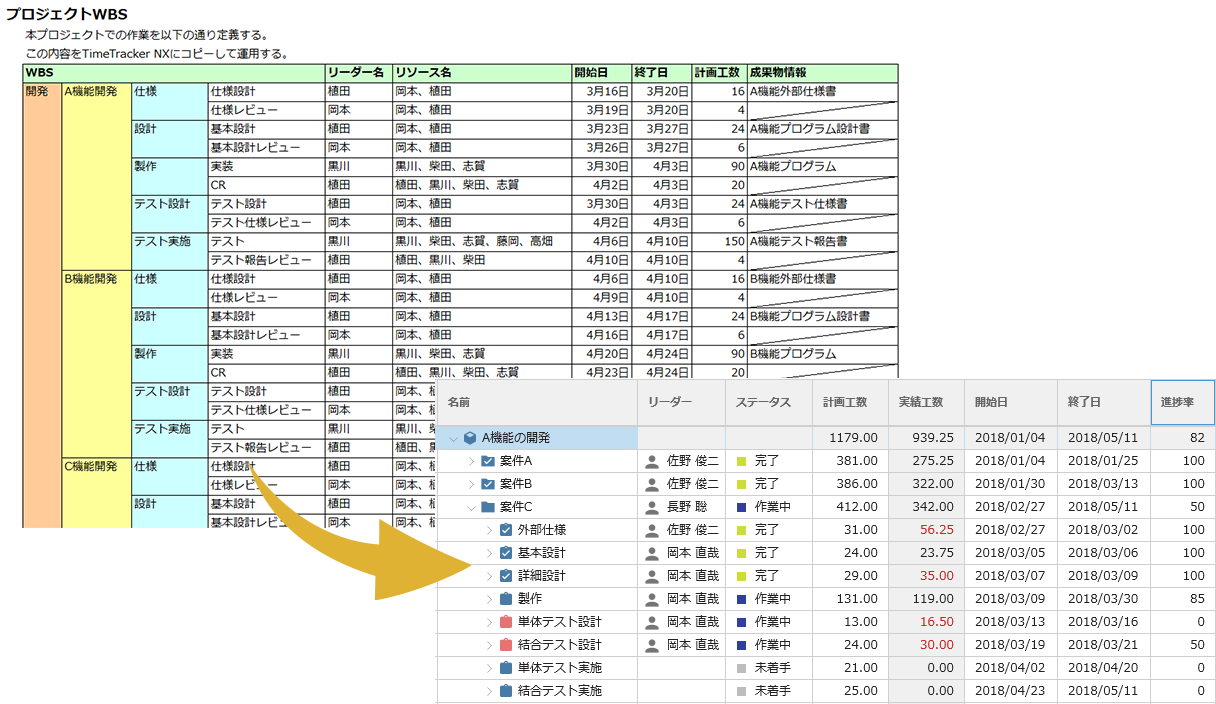
Create a WBS with just a few clicks from your everyday Excel planning document
You can easily create a WBS by copying a plan created in Excel and pasting it into a TimeTracker NX.
This allows us to efficiently formulate project plans while utilizing existing assets filled with on-site know-how. You can migrate Planned time as well as durations and members.
The transition is simple, so even those who have been struggling with project planning and progress management using Excel can start project management using TimeTracker NX right away.
With project management functions
To further strengthen
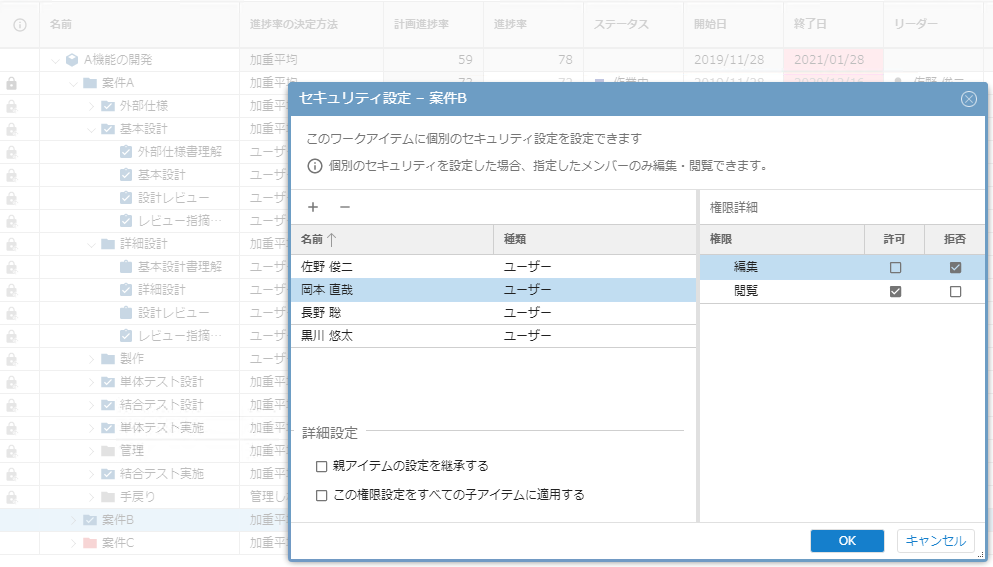
You can set viewing/editing permissions for each item.
For projects with multiple members, you may want to change the scope of editing and viewing depending on the company, department, or job title. In addition to the traditional project-based access restrictions, TimeTracker NX now allows you to set edit/view permissions on a per-work-item basis. This allows project management by setting fine-grained permissions even if the members assigned to work items have different configurations and roles. In Excel, even those who have been managed separately by referencing destination, TimeTracker NX allows centralized management of the project.
Work items can be associated with deliverables and reference information in a variety of ways
The Custom Fields feature allows you to freely preserve information, but information about work items could only be represented in text information.
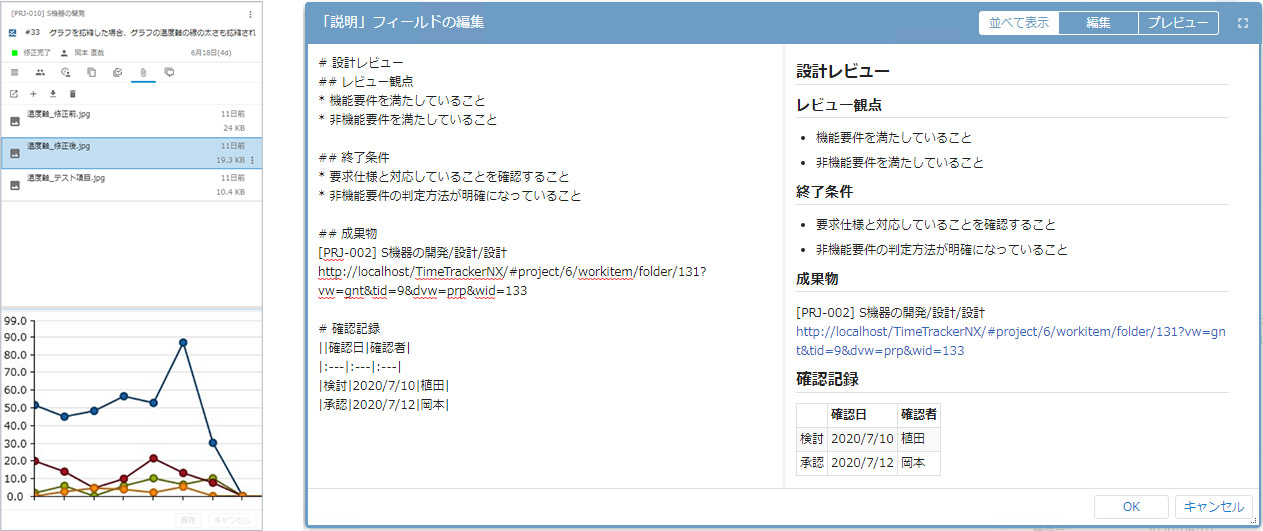
In the new TimeTracker NX, Markdown format allows you to represent headings, tables, and figures. Of course, URL representation is a hyperlink. In addition, you can attach a file.
This gives me immediate access to the deliverables and information I need for my work items. It makes sharing information with project members easier and more reliable.
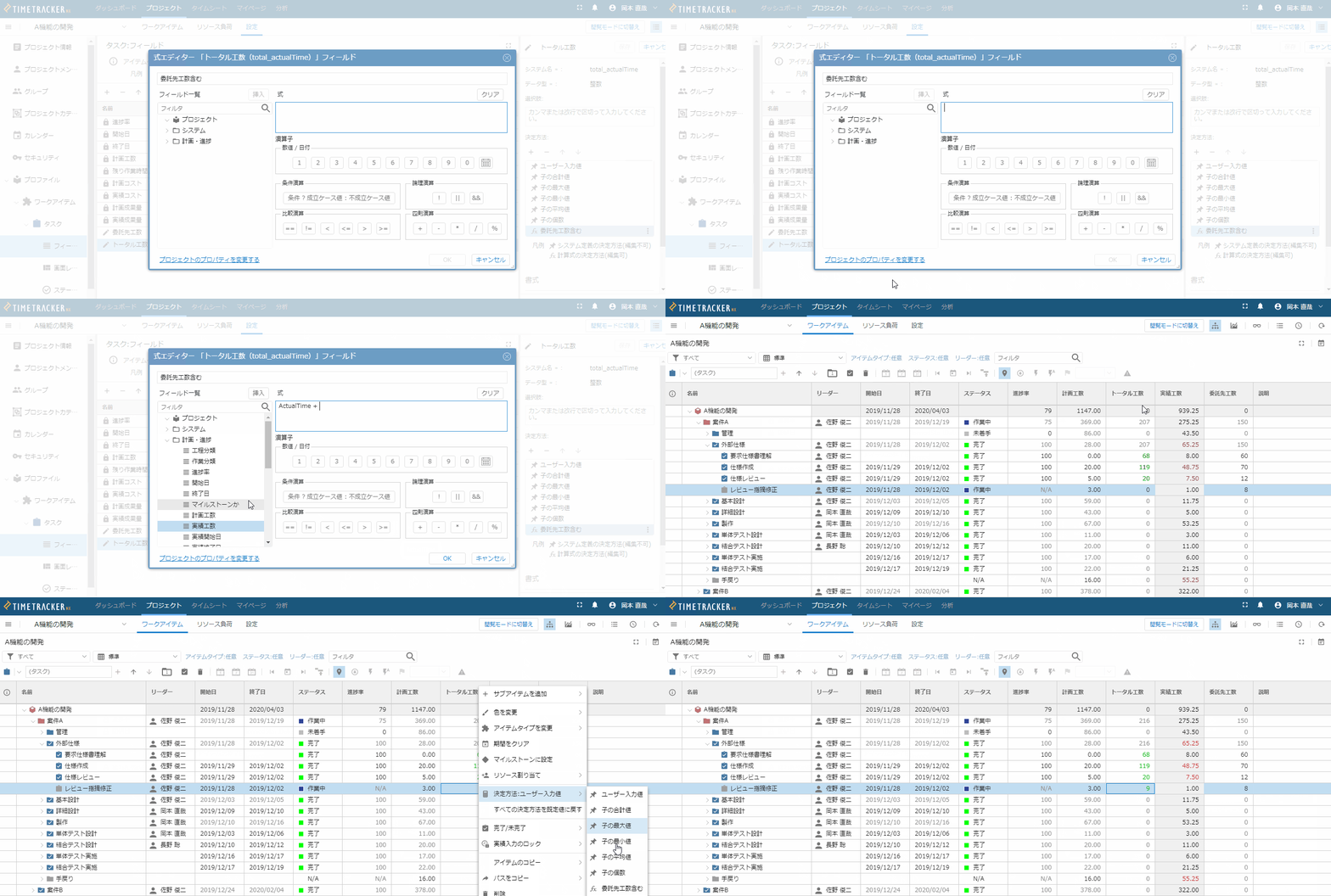
Automatic calculation of estimates and results using custom fields and formulas
As you collect achievements, you will gradually see productivity data.
Do you want to calculate your Planned time and estimates using productivity data? TimeTracker NX supports 200 custom-fields and formulas. You can calculate estimates and performance as you normally do in Excel,
It can now be done on TimeTracker NX. With intuitive editor operations, you can also calculate the overall cost from in-house production man-hours, subcontractor man-hours, and other costs.
We have also strengthened our analysis capabilities,
Easier to use
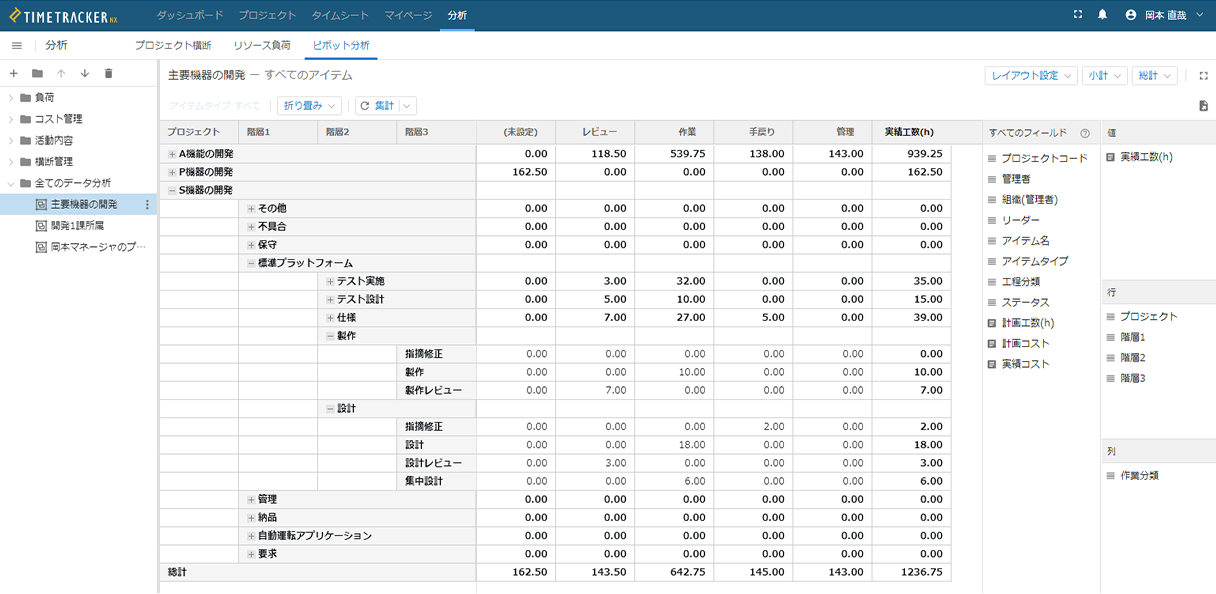
Enabling more detailed unit analysis
Enhanced pivot analysis capabilities to allow more granular analysis.
In addition to enabling analysis on a task-by-task basis, it is now possible to analyze a wider range by targeting custom fields.
It can be used for a variety of purposes, such as visualizing "items that exceeded planned costs" and "costs spent on analyzing and reworking defects" for F/B in subsequent development.