


What's New in TimeTracker NX 4.2
Web API support for system-to-system collaboration and automation of tasks
Key features of TimeTracker NX 4.2
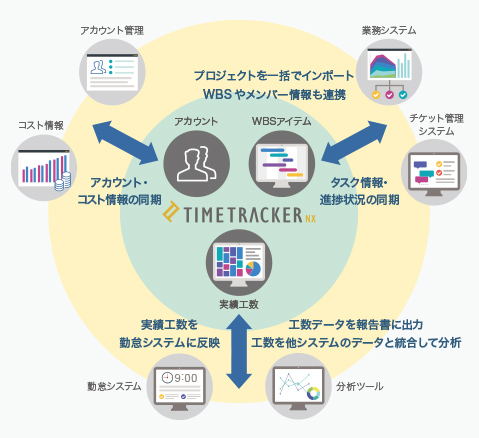
Web API inplemented for
41 Web API released
A new Web API (REST API (for supporting data linkage between systems) has been installed. As many as 41 API are available, allowing you to manipulate almost everything you use in your daily operations.
You can create TimeTracker NX projects collectively based on the business data of other administration tools, and synchronize TimeTracker NX effort and projects with the ticket management tools. Web API will continue to be expanded. Please look forward to it.
Helps were also provided to make full use of Web API. In addition to explanations of API, sample scripts are also available. Be sure to use it. TimeTracker NX Web API Help
Use of Web API
-
Inporting man-hour data to attendance system
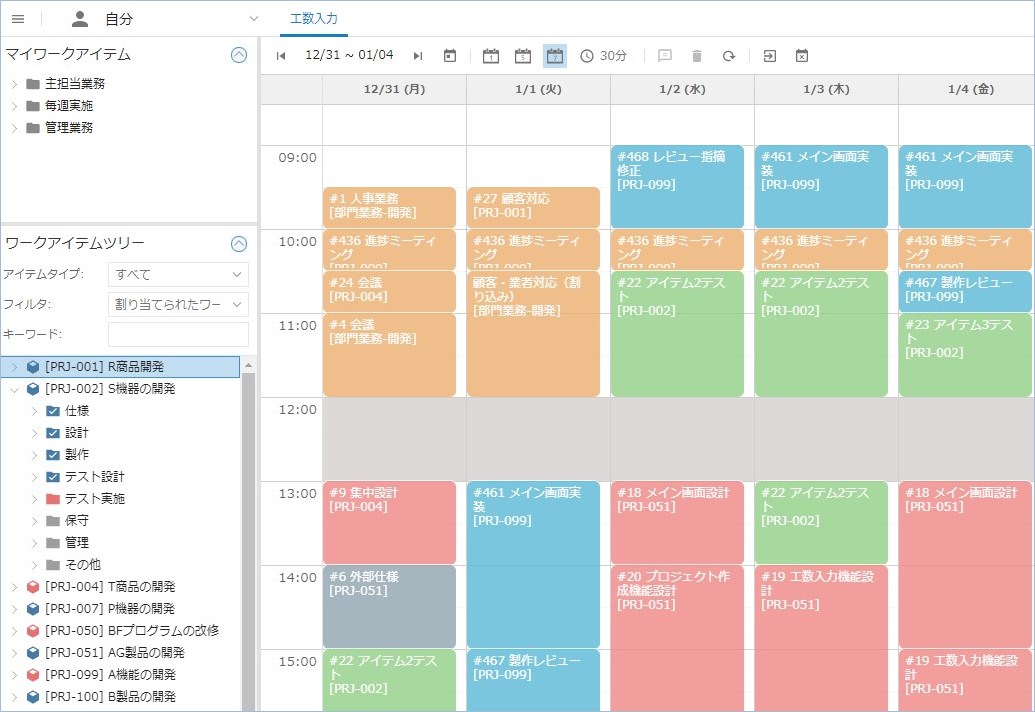
Actual time can be imported into the attendance systemand used as attendance information. It frees you from the hassle of inputting man-hours for each system.
-
Linking task data and progress status with other systems
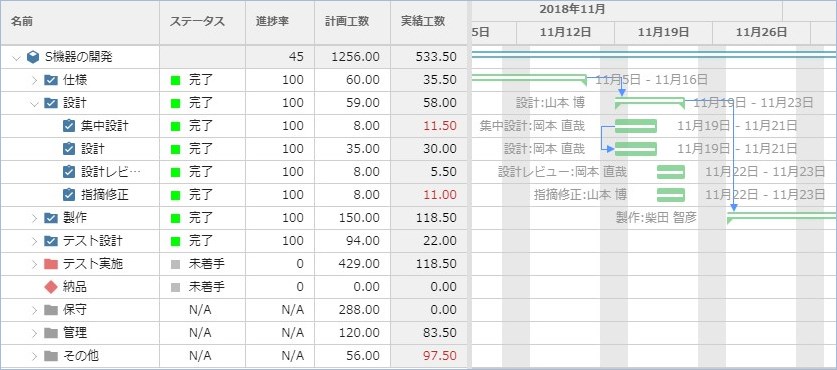
You can import projects and tasks managed by other systems into TimeTracker NX and synchronize their progress. It is possible to use the advantages of each system.
In addition to the above, it is also possible to automate data linkage and work between systems.
Version information
-
Easily copying and pasting WBS
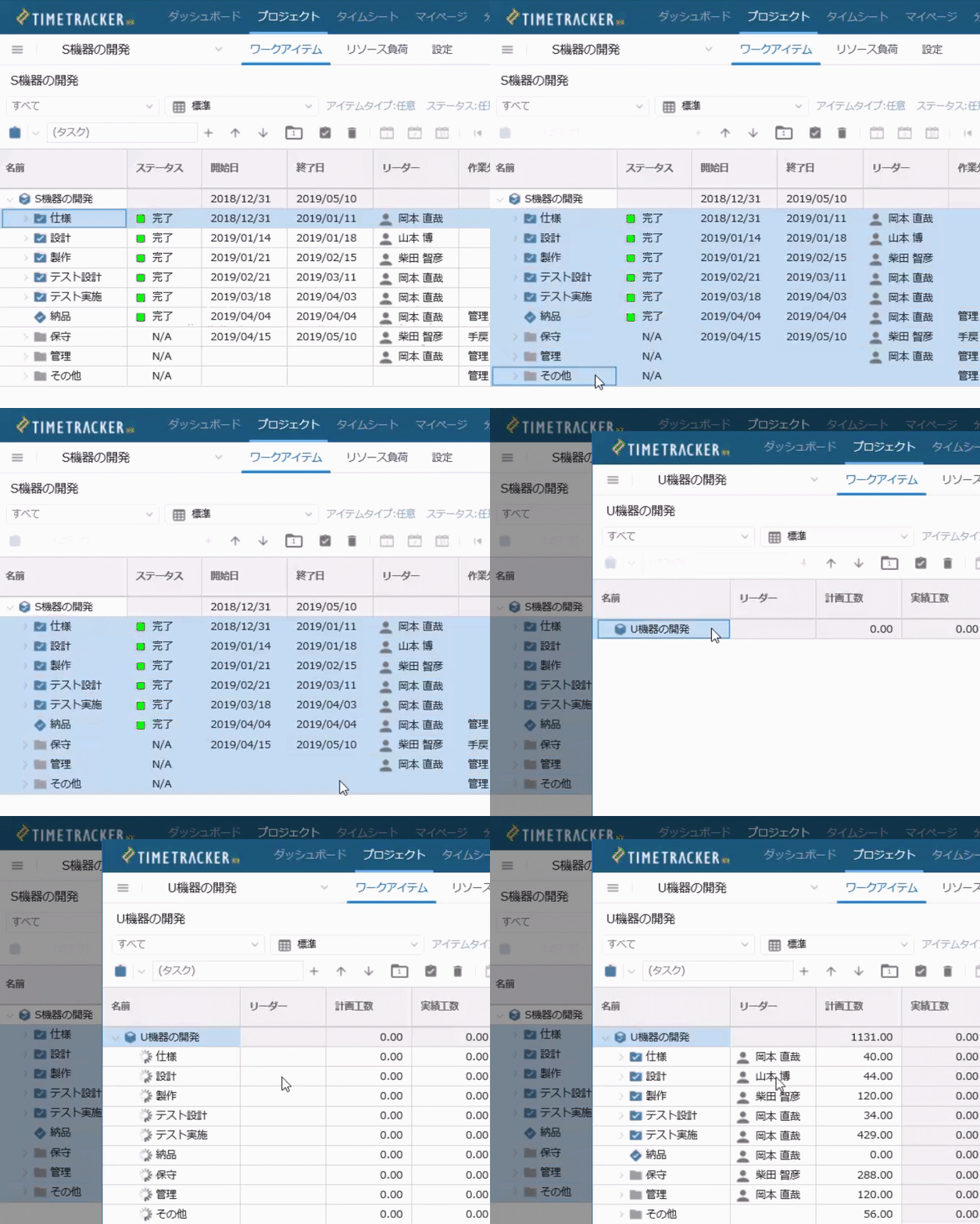
You can now easily copy-and-paste the hierarchical structure of work (WBS) and detailed information about individual work items. It also supports keyboard actions that you can use (copied with Ctrl + C and pasted with Ctrl + V), so you can operate without stress. You can copy from one project to another, as well as copy from one project to another, thus creating a WBS.
-
Quickly output task information
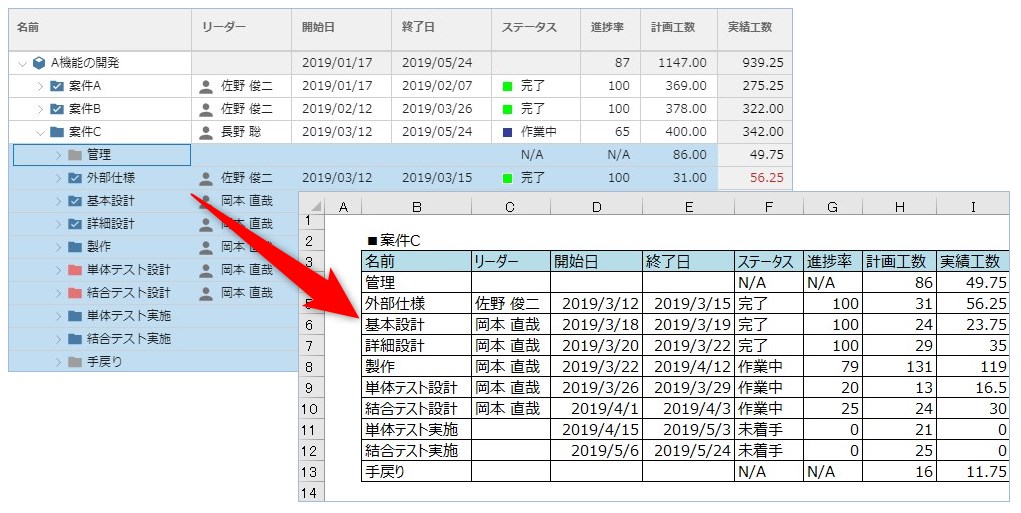
You can now copy task information in text format. The range of usage is wider, such as pasting on Excel forms such as progress reports and using them for progress reports via e-mail.
-
Batch modify field values for multiple work-items
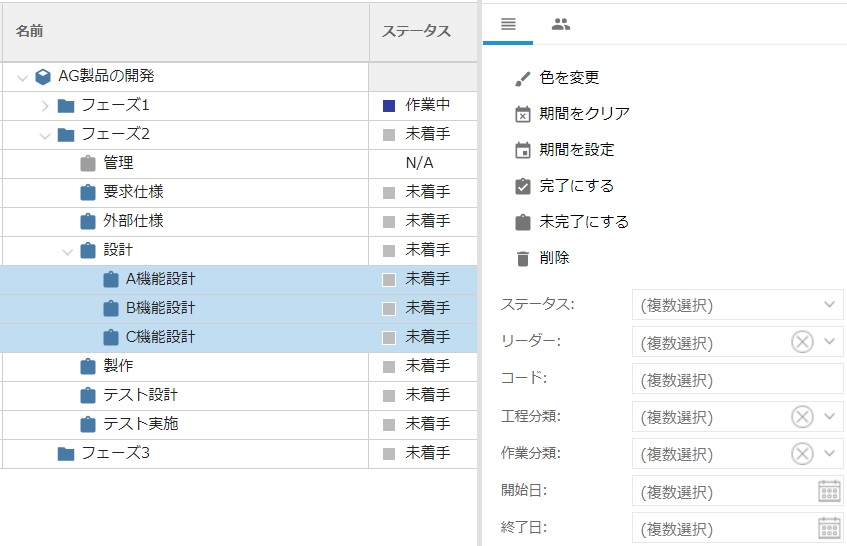
In Input work time window or the project-management window, you can select several work items and change the values of the fields at once. This frees you from the hassle of editing work items one at a time and greatly improves your work efficiency.
-
Categorize projects
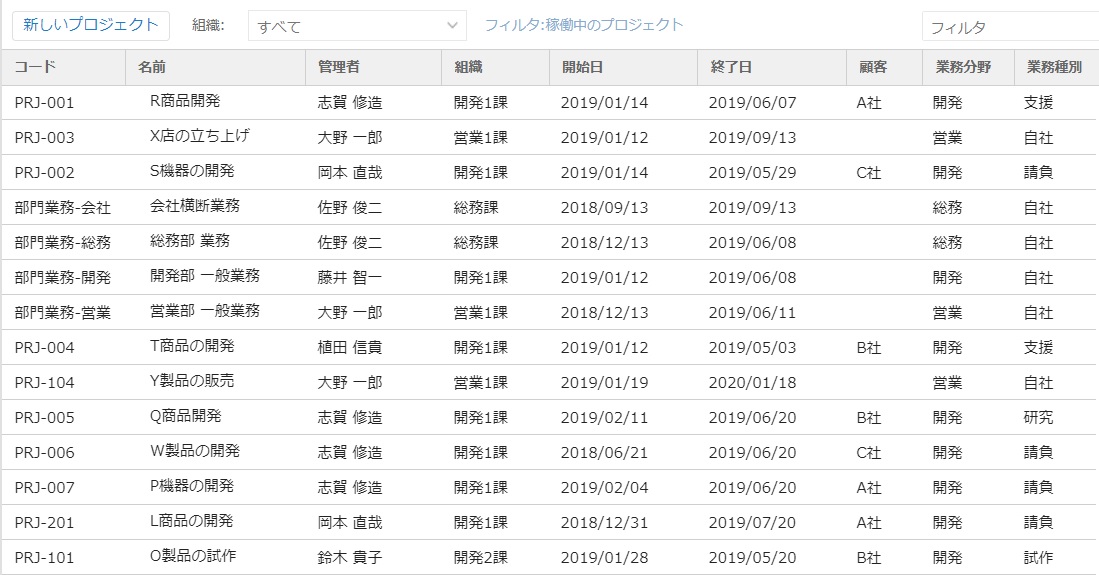
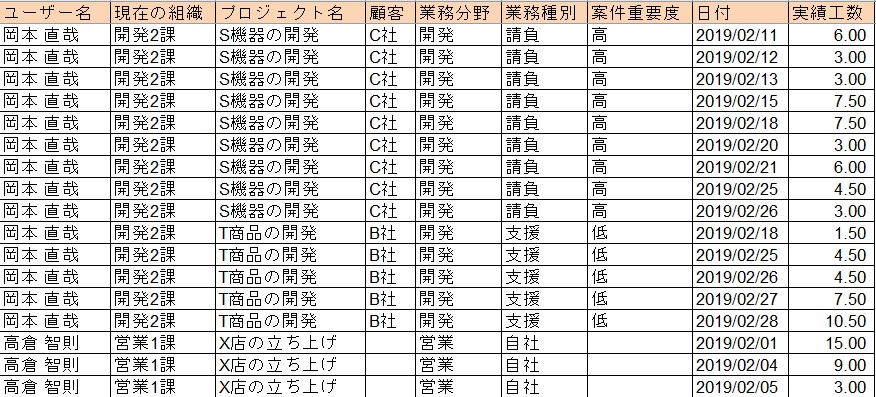
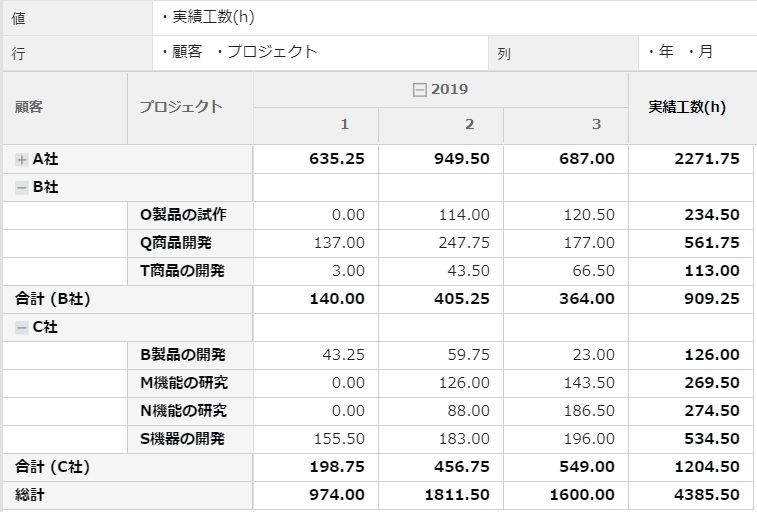
It is now possible to add classification information (project category) to projects. You can define up to 50 names, and you can freely define names such as "customer" and "business field". You can sort View in the project list by category, or organize projects by category when aggregating man-hours and costs using pivoting and Export Actual Work functions, making project administration more efficient.
-
Re-create project hierarchy with pivot analysis
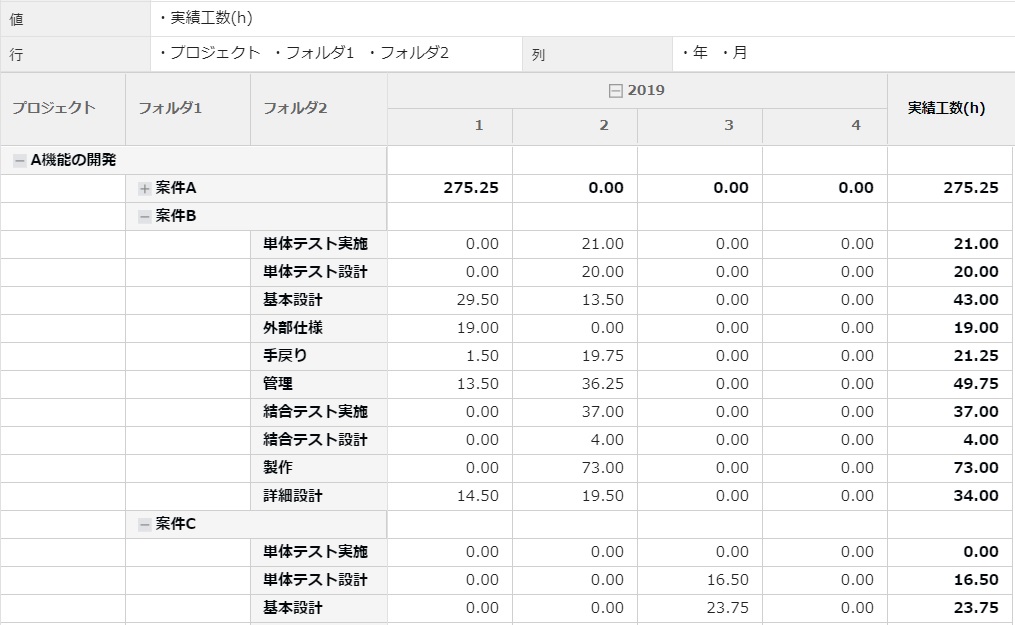
You can now View your project's WBS hierarchically in the pivot-analysis feature. As in the project edit screen, analysis can be performed at any granularity.
-
Safely stopping the system during server maintenance
You can now safely stop the system during server maintenance, such as version upgrades, server migration, or patching. Access from users can be blocked and maintenance can be performed without risk by the administrator.
Reflect customer opinions
We have responded to customer requests we have received so far.
-
Built-in View for frequently used projects
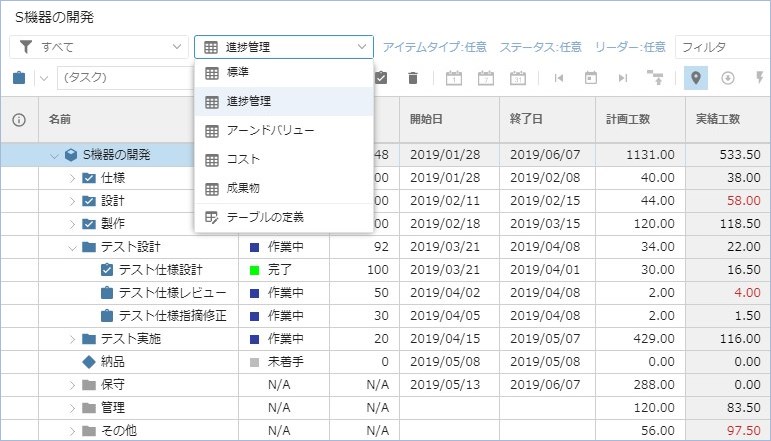
Previously, you had to predefine the configuration of the columns you wanted to View, such as cost/progress control. This time, we have defined a standard configuration that is frequently used, so you can quickly check information with the touch of a button.
-
Items to be copied can be selected using the template function.
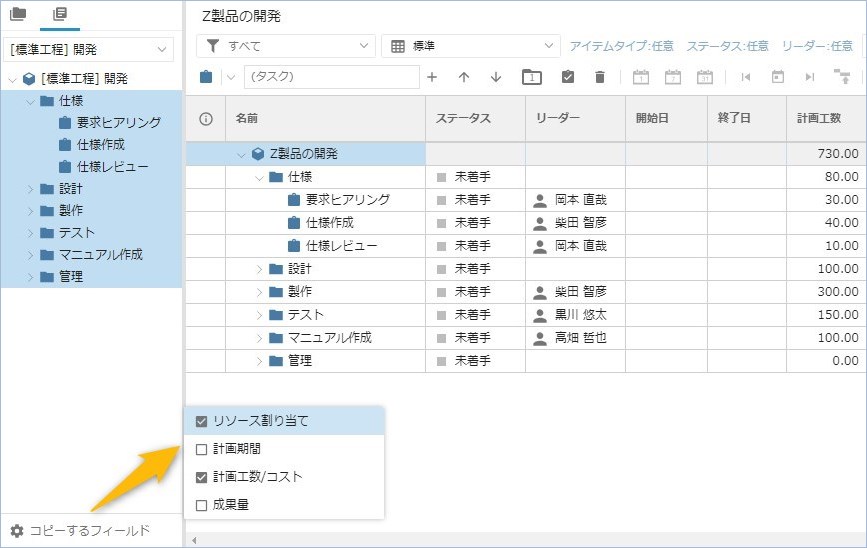
The Template feature allows you to easily copy the task structure in your project and select the fields you want to copy. You can copy only the planning period and set the person in charge individually. You can copy only resources and set the planning period and effort.
-
More than 200 improvements in operability and quality
There are more than 200 items that have improved operability and quality. The performance of each function has also been improved. We hope you will take advantage of the easier-to-use TimeTracker NX.
-
Compatible with the latest environment
We now support SQL Server 2017, the most recent version of SQL Server.