


What's New in TimeTracker NX 5.5
TimeTracker NX 5.5 of man-hours and project-management tools
On the plan and status of the work you or your team members are in charge of
1 Click to confirmNow you can.
"""Because it's a tool for everyday use, it's a lot easier to do everyday work!"""Here are some new features based on the concept.
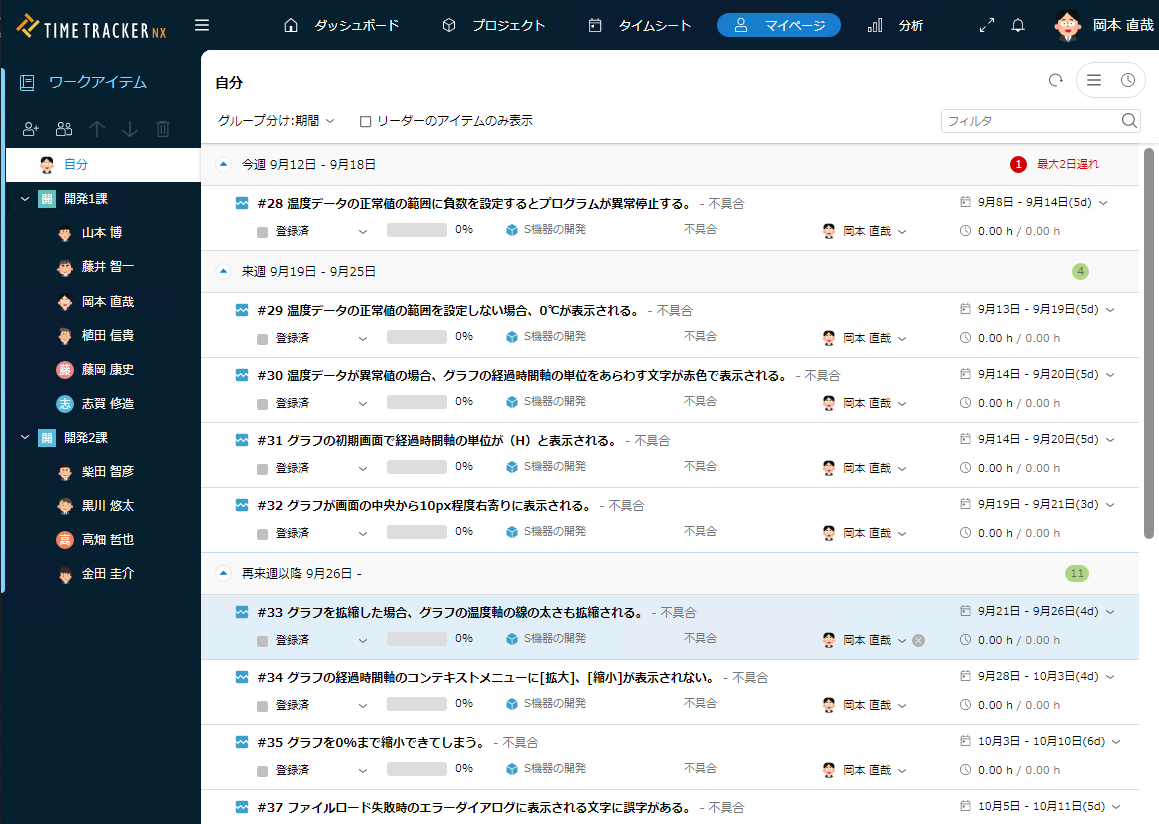
Cross-project provides a quick overview of the planning and status of the work members are responsible for.
On the My Page page, you can now View a list of items (*) assigned to you and your teammembers. Of course, it will View the assigned items across several projects. You can also filter by deadline or status.
This way, you can quickly understand what you and your team members are in charge of, and the plans and status of that job. You will be able to quickly notice how much work members are in charge of and how late they are, so you can follow up with them and adjust the division of work.
Until V5.5, only items assigned to the reader were View. In addition, V5.5 now View items that are assigned to resourceassignments.
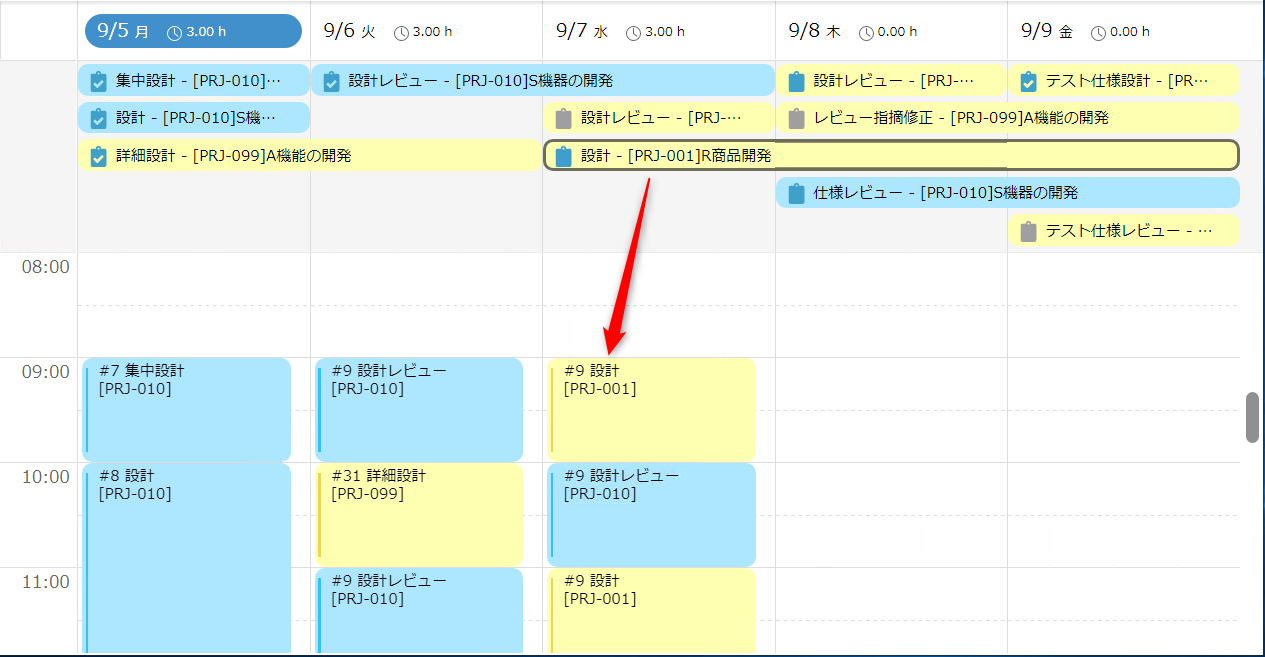
I know right away what I need to do this week
You can now View the work you need to do today/this week in the timesheet window where you enter your performance for the day.
You will immediately know not only what you have done, but also what work you need to do this week.
After the work, just drag and drop.
You will be able to approach your work with an awareness of not only your achievements but also your plans.
-
See member items at a glance
You can View only the items that are assigned to the memberspecified by Gantt Chart. This way, you can see on Gantt Chart how they are planning and progressing with their work.
For example, check the plan of the work assigned to members from the perspective of "whether many jobs are assigned to the same period of time," and if necessary, spread out the assignments and periods of time to make adjustments to a viable plan.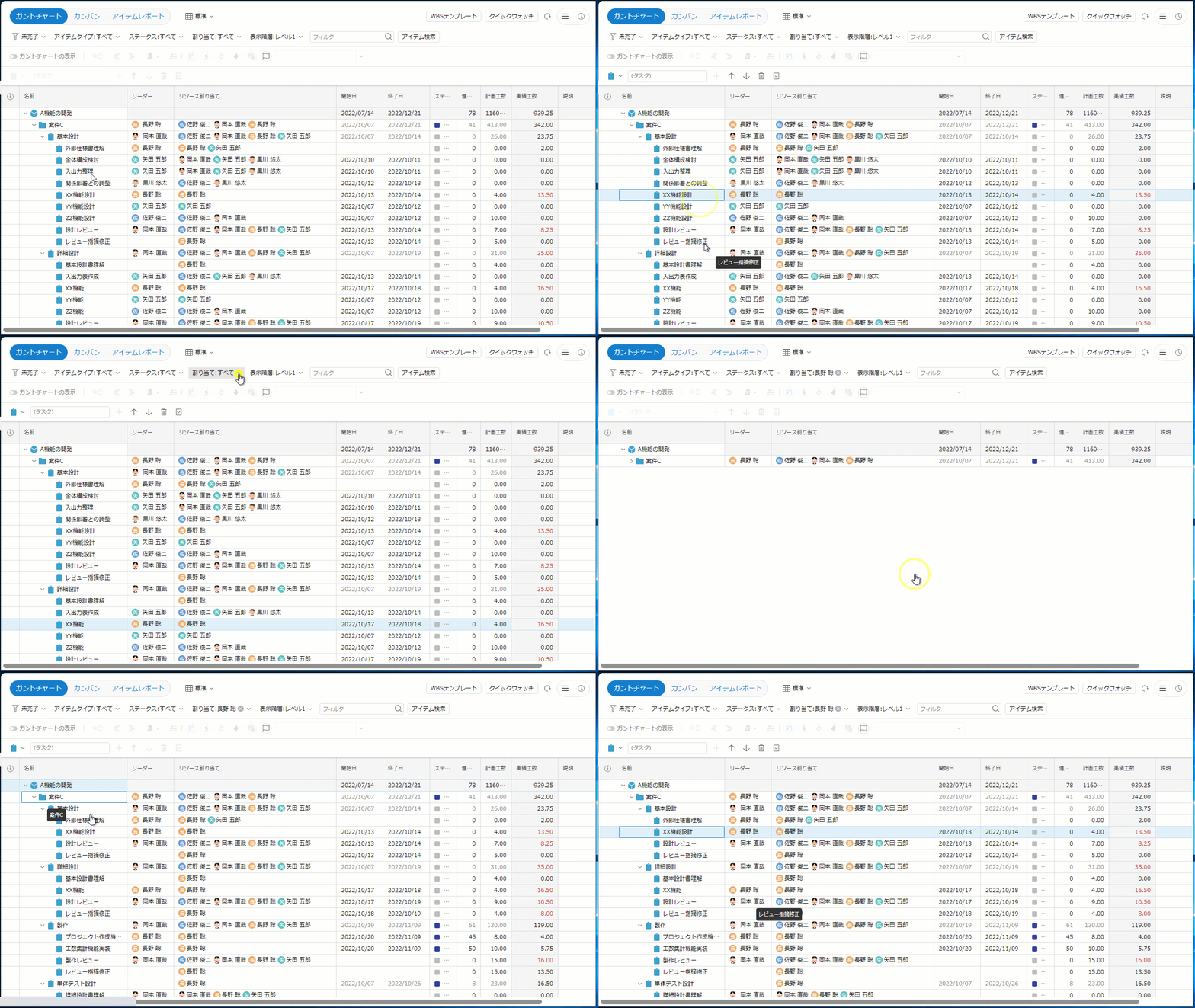
-
Quickly find out what you could or could not do this week
The QuickReport View color-coded items in the 'Event Area' so that you can quickly see when you have or have not been able to use your time to do the work you need to do this week. You will be able to look back at your work because you will know how many man-hours you are using for the work you are currently assigned.
In addition, if all team members are aware of the work they need to do now and put their man-hours into that work, the work that each member is in charge of will progress systematically and the progress of the team will also progress.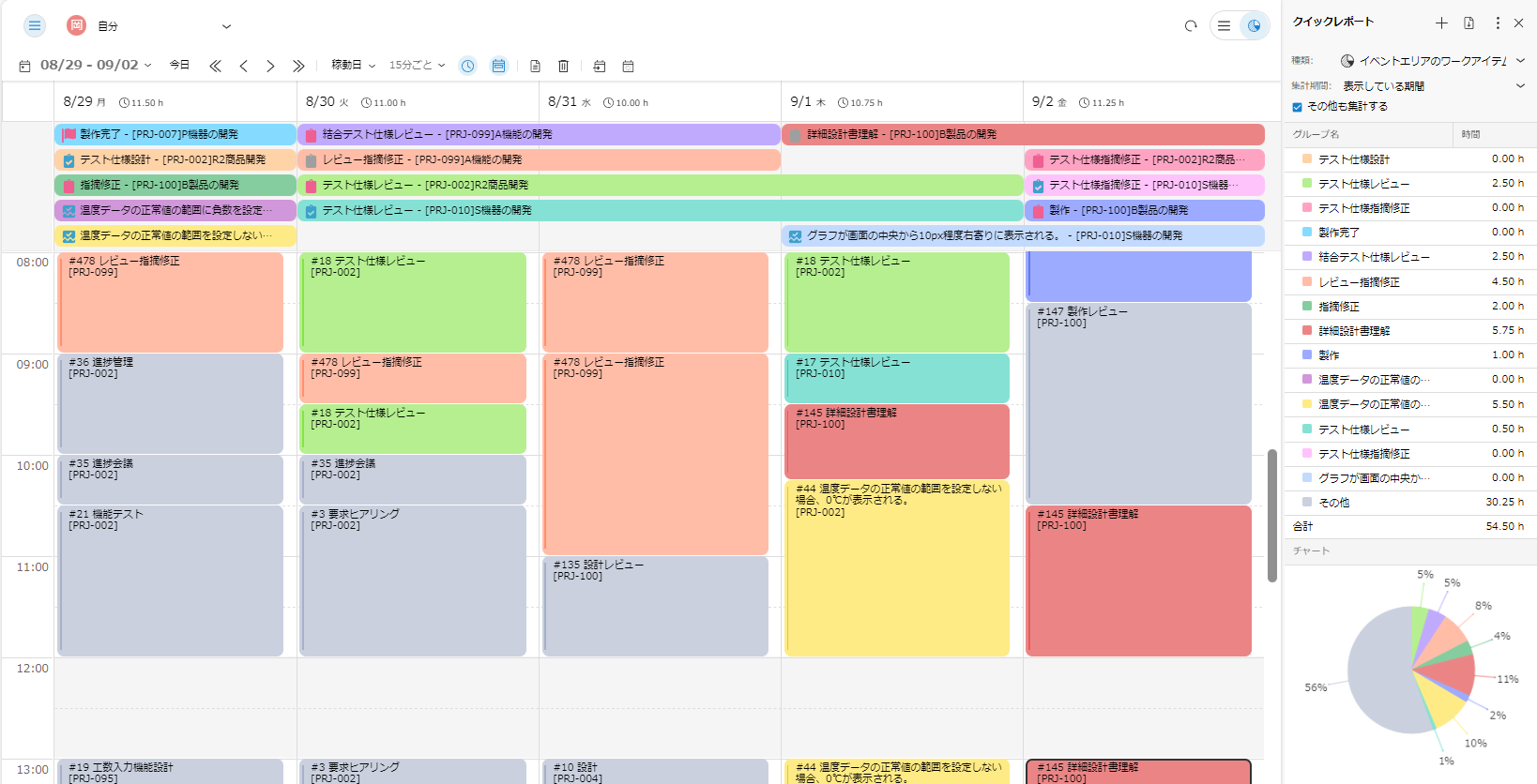
-
Scheduling more comfortable
Improved the operability of Gantt Chart. It now responds to detailed drag operations with the mouse. You will be able to schedule more as intended.
It also improved View rate of Gantt Chart. Work item trees expand and View faster.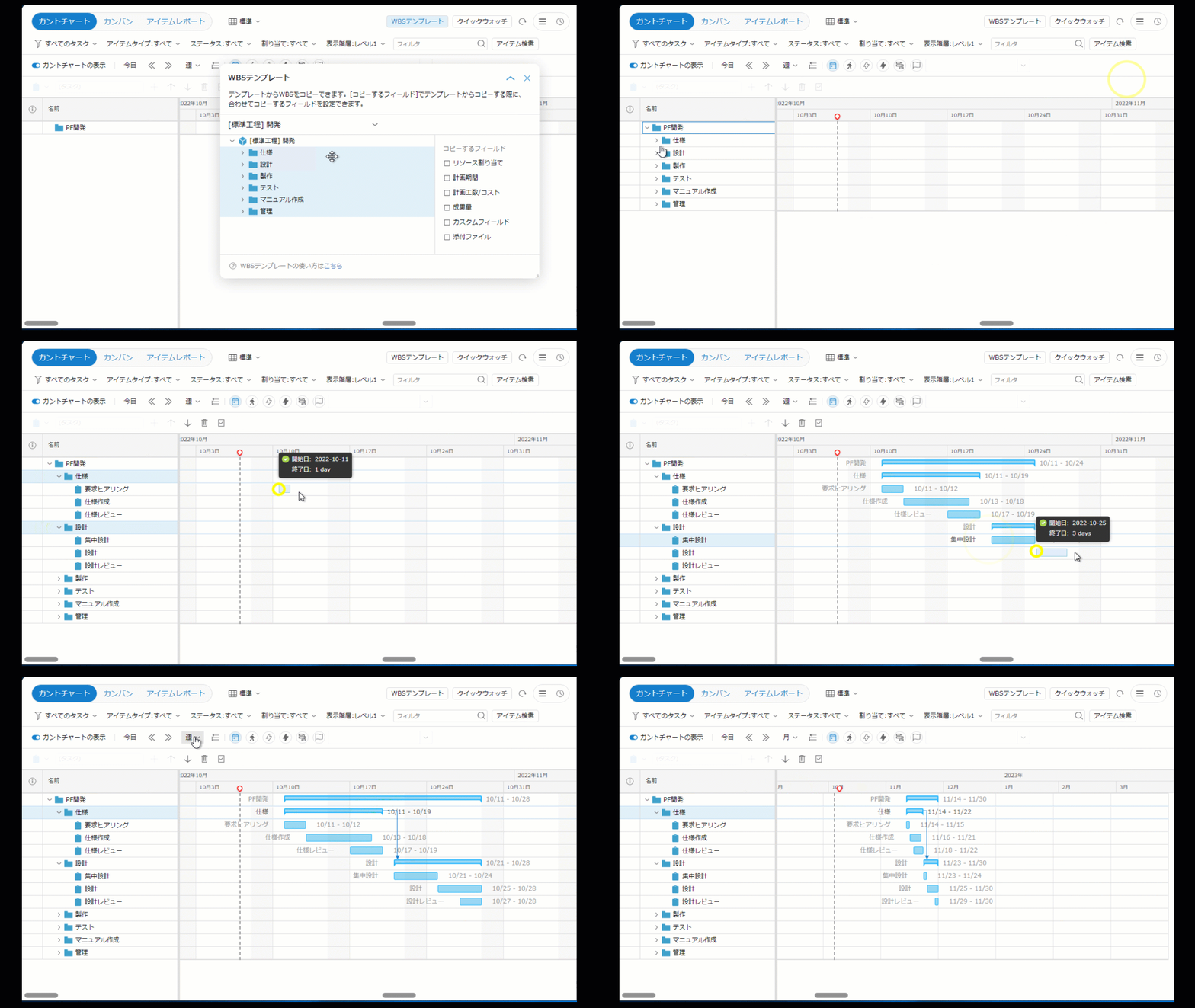
-
Improvements in response to user requests
Several other improvements were made.
・We have highlighted the hues of the achievements entered in the timesheet.
・When duplicating an item with an attached file, the attached file is also duplicated.
・You can exclude "Others" from the aggregation in the Quick Report.
Because it is a tool that is used every day, we have worked to improve its operability. We will continue to make improvements. We look forward to hearing your impressions and requests.