


What's New in TimeTracker NX 4.3
Issues and problems can now be managed.
To general project activity management tools.
Key features of TimeTracker NX 4.3
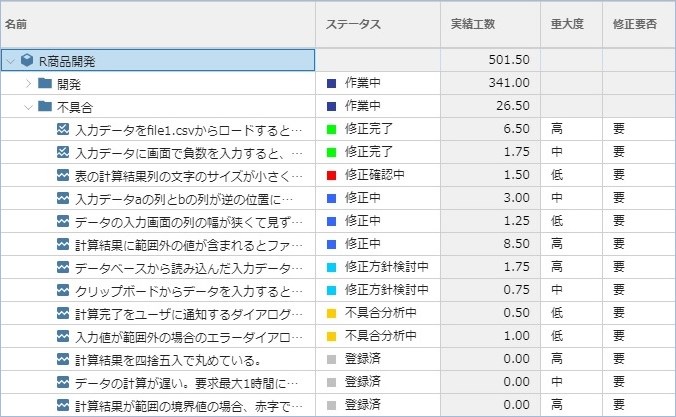
Issues and defects can be managed
In addition to the existing 'tasks' and 'packages', any Item type can now be added to the work items that make up the project. You can manage it like a ticket by setting fields and statuses according to the content of the project, such as "issues," "problems," and "requests. By integrating issue management and defect management with TimeTracker NX's high-precision Time Management, it has evolved into a management tool for all project-related activities.
See defect management use cases
Easier to use timesheets
The timesheets we use in our daily Input work time have gone even further.
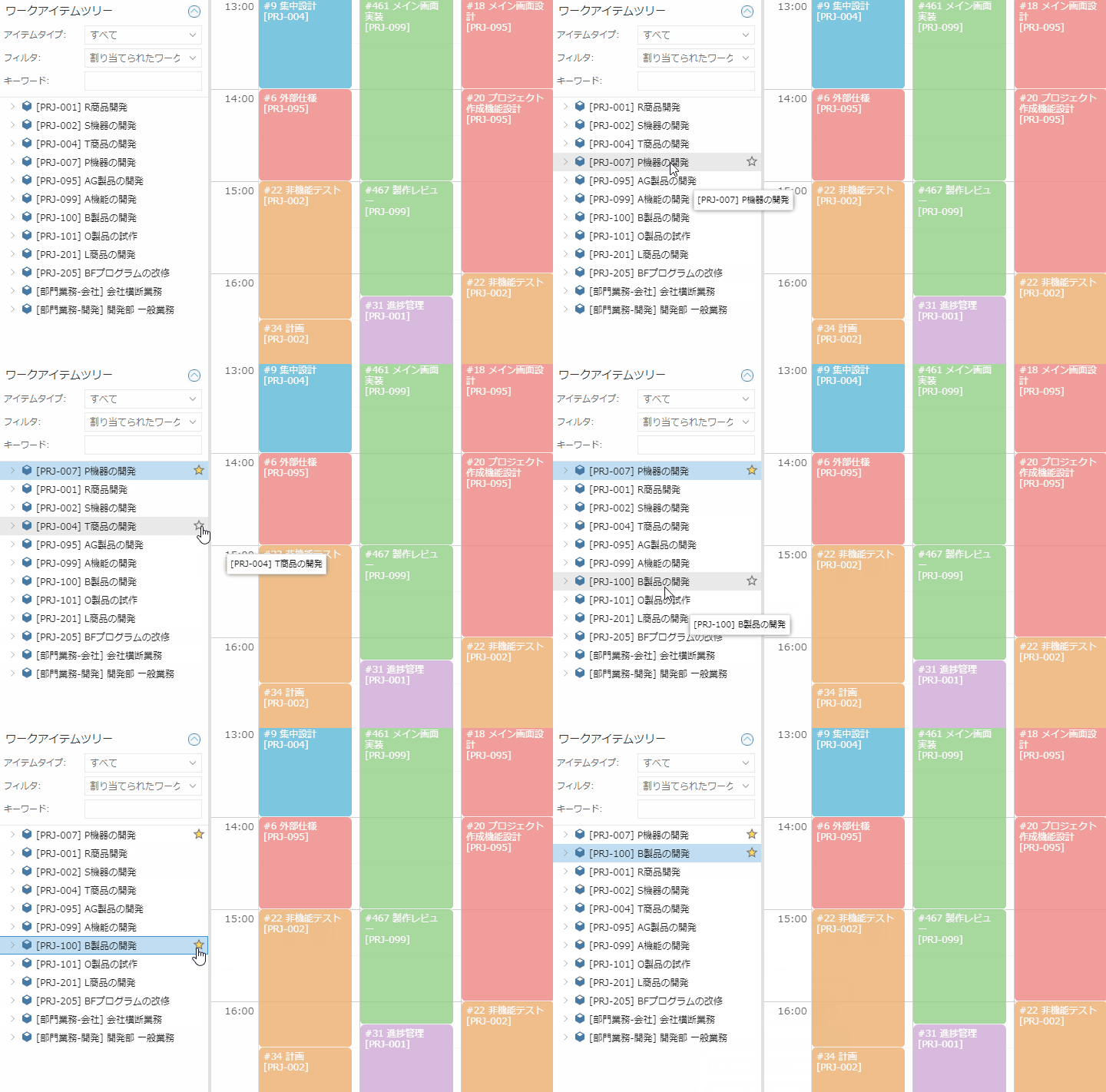
View a particular project up in the item tree
In the item tree used for Input work time, you can designate frequently used projects as "favorites" and View them at the top of the tree. By registering projects that you work on every day as favorites, you can quickly find the project you want to work on and make your daily operations even more comfortable.
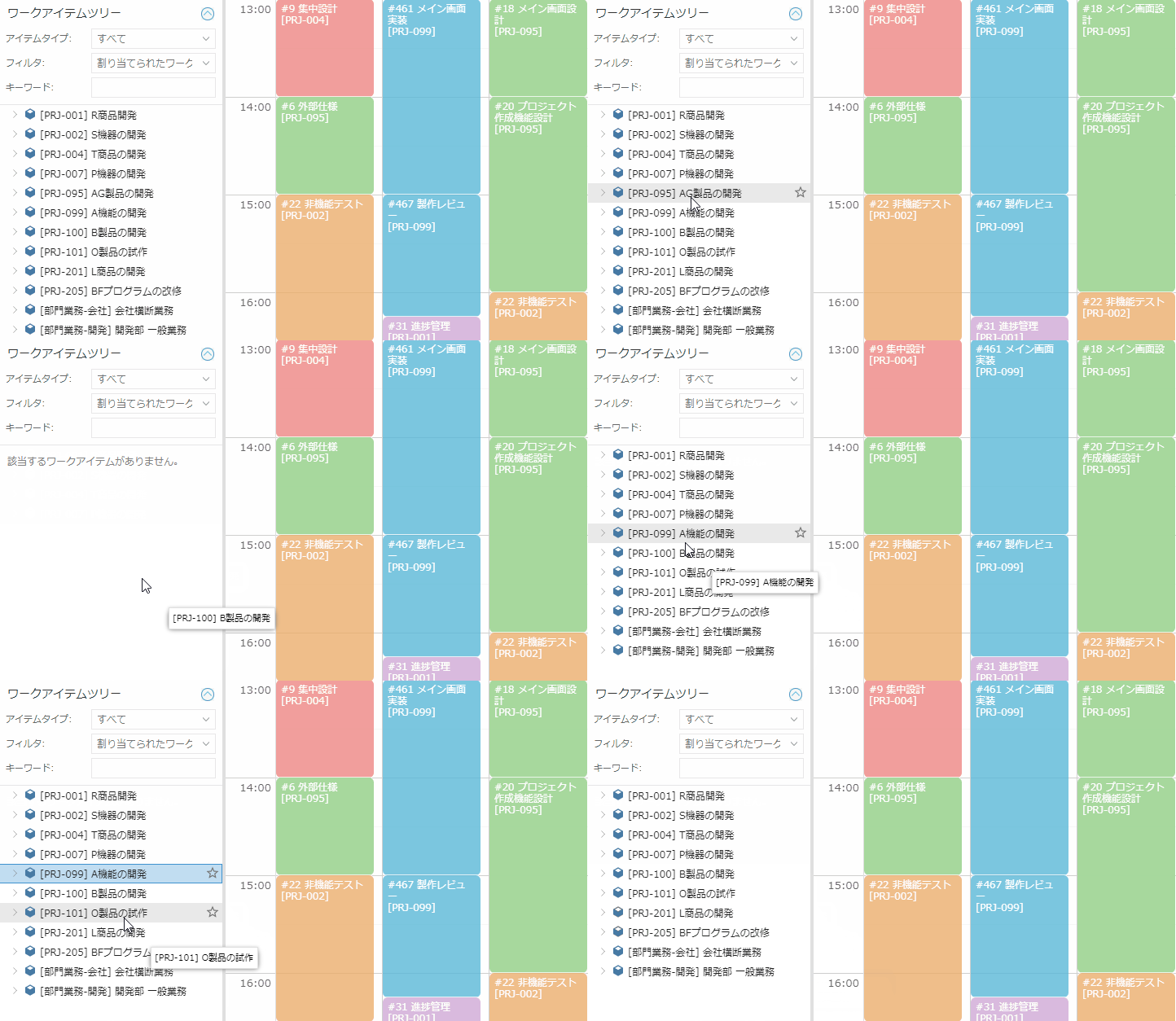
View a particular project in the Item Tree
You can now also View or hide projectson the item tree. If you don't plan on doing anything in the near future, you can keep the tree concise and make your Input work time more efficient by leaving it out of View.
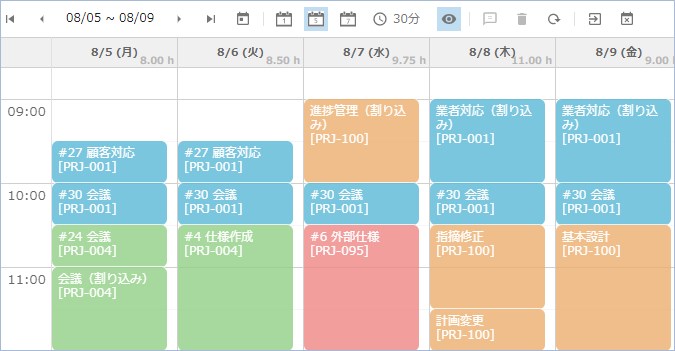
View daily Actual time
Input work time window now View the sum of your daily Actual time. You can easily check your daily work hours and use it for small attendance management.
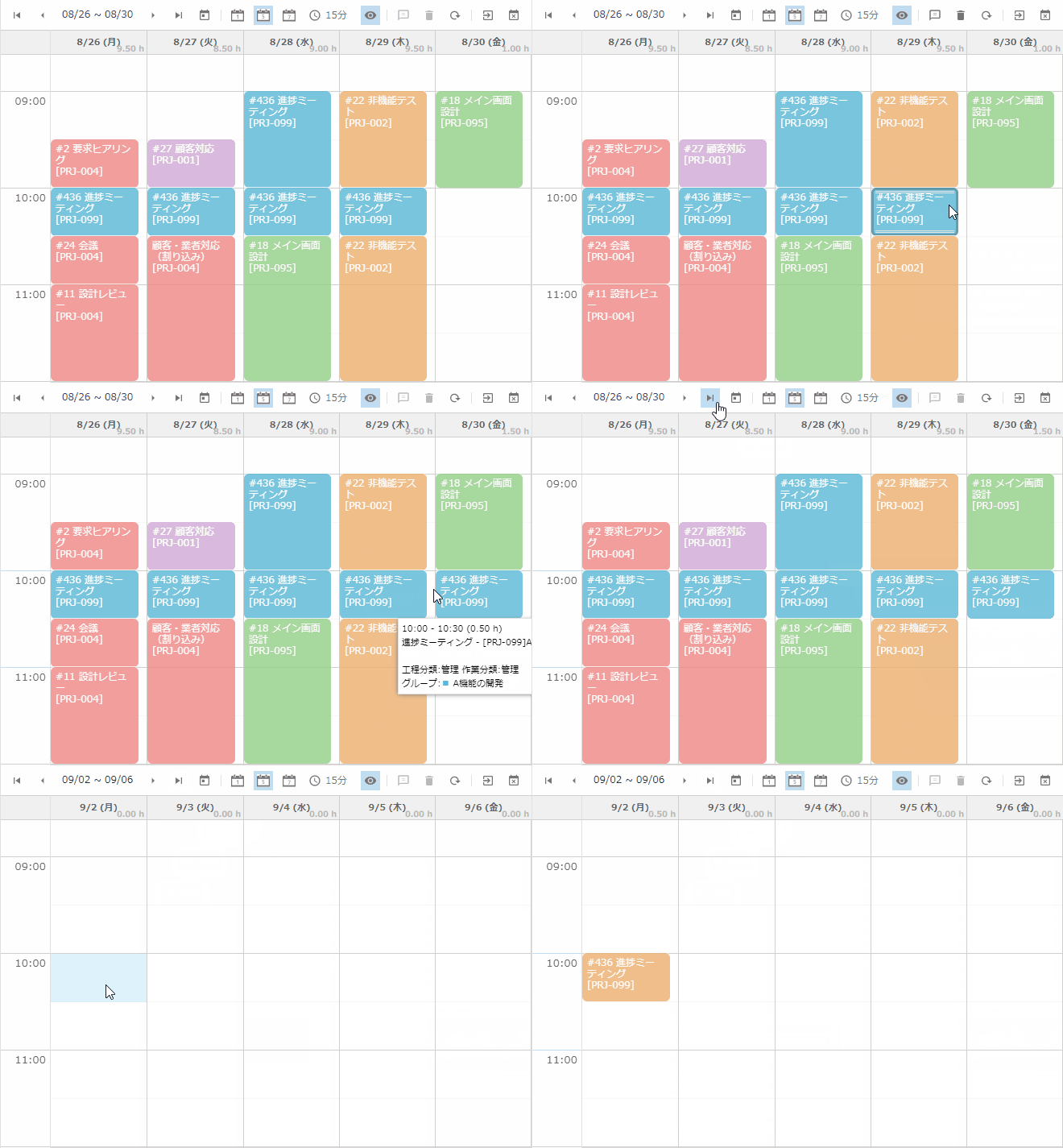
Easily copying and pasting Actual time
Actual time can now be copied and pasted using a simple keyboard-based procedure. With Ctrl + C (Copy) and Ctrl + V (Paste), you are familiar with Windows, you can easily add a track record of the same item. This has also enabled the copying of performance over a week, which has received many requests.
Reflect customer opinions
We have also responded to the daily requests we receive from our users.
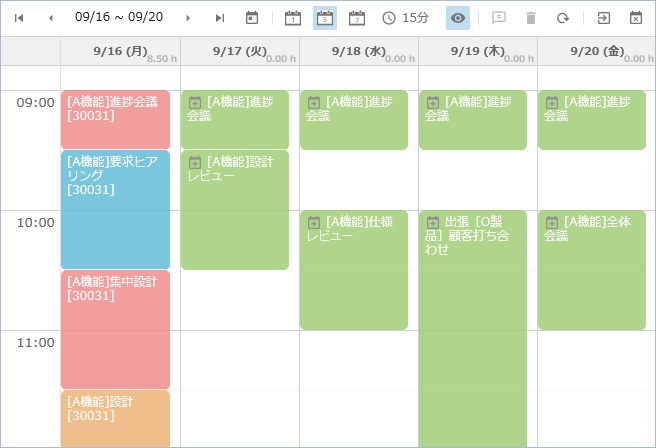
Importing events supports Office 365 / Google calendering
The schedule import function is popular among many users because it allows you to easily import scheduler schedule information. In response to requests, we have added Office 365(Exchange Online and Google Calendar as supported applications in addition to the existing Outlook, Notes, Cybozu. This feature will be available to even more users.
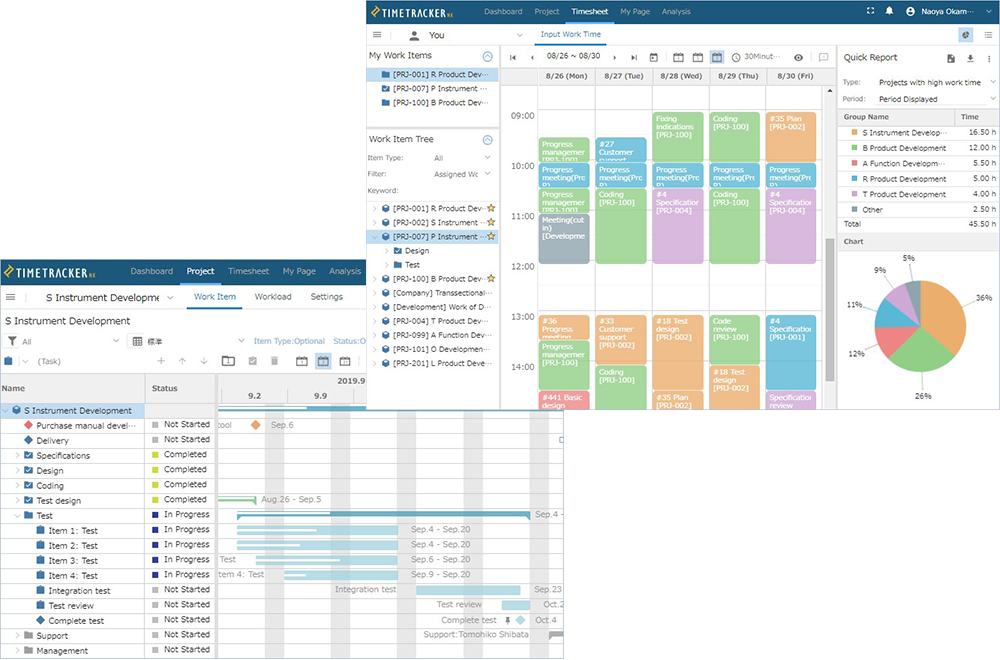
Supports english-language View
We have added an English interface, which has been requested by many users. You can change View of the on-screen menus/messages between Japanese/English. This will make it stress-free for users at overseas bases.
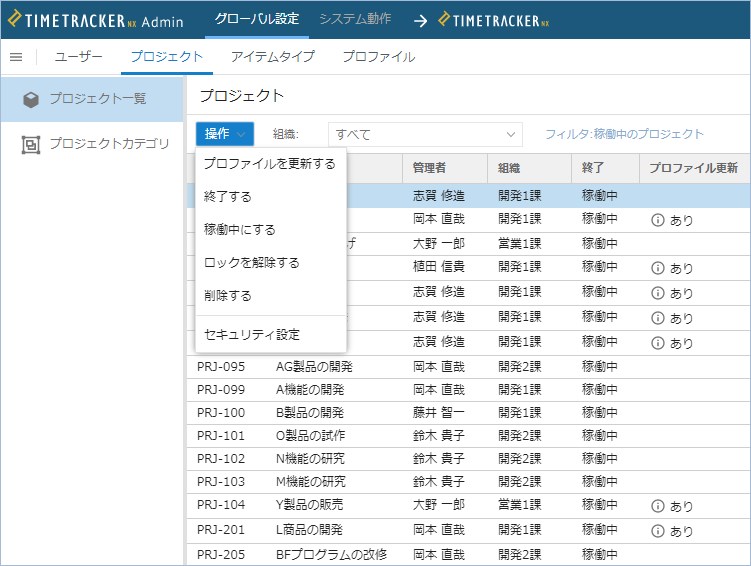
Reflect Profile Updates in the Project
Profiles that allow you to define status/fields, Process category・Time entry category, and other settings at once are even easier to use. When a profile is updated on the system, the update can now be reflected in the project referencing that profile.
It supports process standardization in companies and departments by easily reflecting changes in profiles that can be used as standard processes in profiles.
-
Keyword filter enhancement
The keyword filtering feature, which can be filtered by any keyword, is even easier to use in the timesheet worksheet used in Input work time. Filters on AND criteria with more than one keyword are now supported.
-
Improving the security of Workload
Workload can be viewed in the Analytics window or in the Project window, but you can now set access permissions for each. Security is improved by allowing you to restrict access to only the required members according to the functionality.
-
Added Export Actual Work export items
Added package code (folder code) to output items for Export Actual Work function that can output Actual time data in Excel and CSV formats.
-
Supports the latest operating environment
The most recent version of Windows Server 2019 is now supported for server OS.