


What's New in TimeTracker NX 4.0
More user-friendly and comfortable.
On man-hours and projects
Management and visualization,
And improvement activities
I will support you.Revamped as a Web application
A long-awaited new-version TimeTracker NX.
Main features of TimeTracker NX
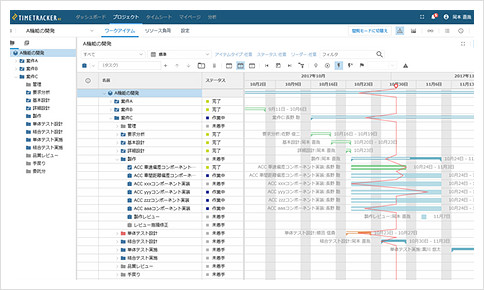
Exceed the desktop version
Comfortable and rich interface
As a Web application, it has unparalleled ease of use and high-speed response. Gantt Chart can be edited easily by dragging and dropping. It also provides instant planning and progress View for large projects with more than 10000 tasks in the new architecture. Can be used without stress.
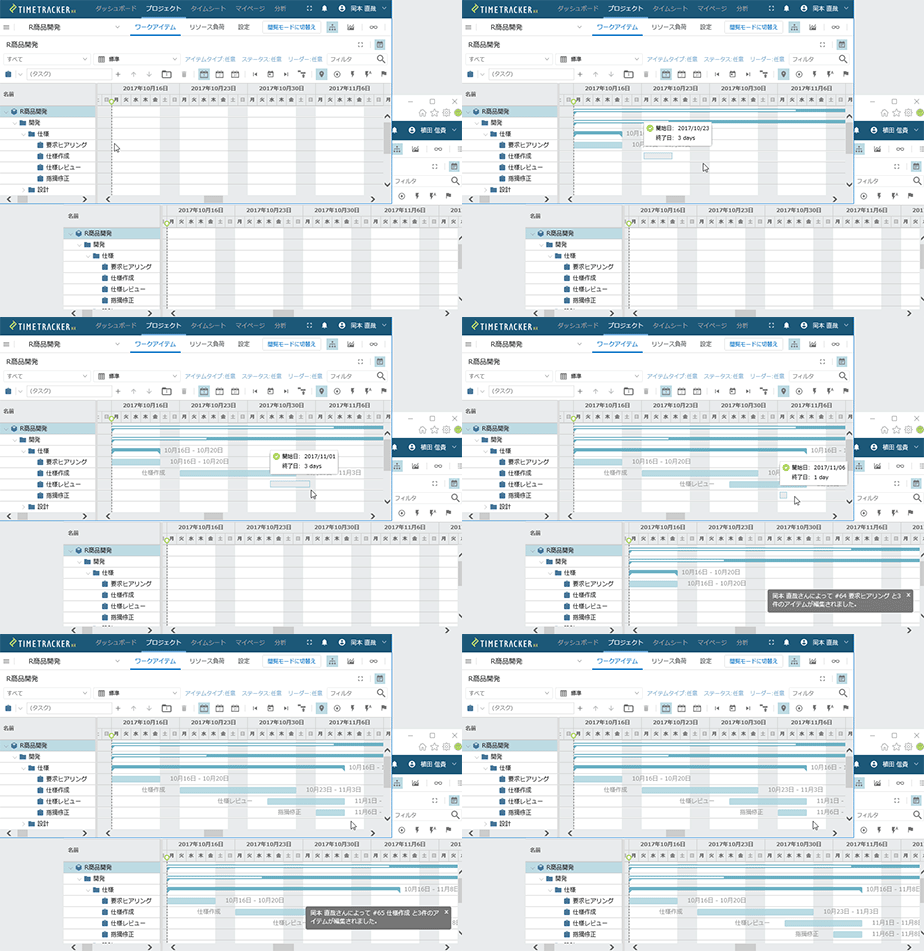
Collaborative editing of Gantt Chart in real time
Real-time data updating enables multi-user collaborative editing of Gantt Chart. The edited results are immediately reflected on the screens of other members so that you can share the latest information.
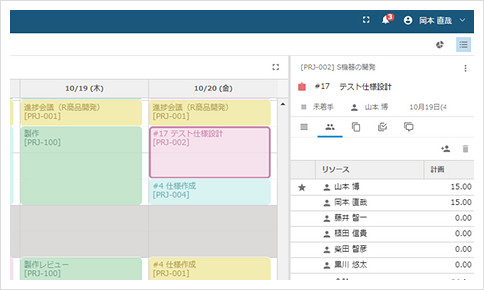
Combining Input work time and project-editing
You can now integrate Time Management with project-management and operate seamlessly. You can refresh the planning of tasks on Input work time window or enter the effort on the project-management window. You can perform the necessary work without changing the screen.
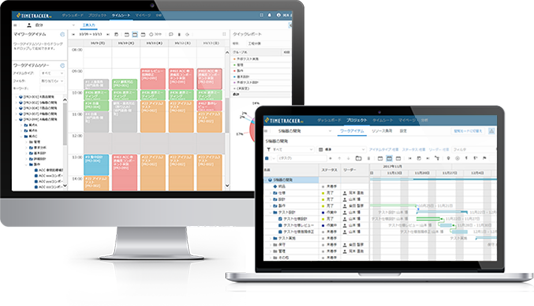
It can be used with the desktop version,
Data automatically linked
The change from the traditional TimeTracker FX (desktop version) to Web version changes the way you use it and confuses you. If you have any of those concerns, don't worry. You can use both Web and desktops together, and your files are synced immediately. You can "migrate to Web version in stages while continuing to use it as before.
Reflecting the opinions of many people
We have responded to many of the requests we received so far. For example, the company responds to careful security management, and manages costs with higher accuracy, reflecting the history of member cost per unit. It also supports critical paths and supports full-scale project management. New functions will continue to be realized. Please expect.
What's new in Time Management
-
Actual time subdivided by Process category・Time entry category
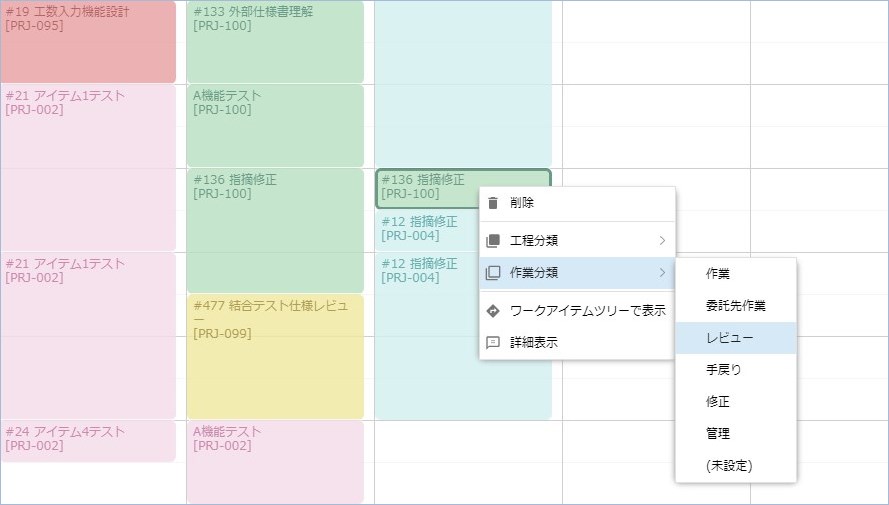
Actual time can be tagged for detailed Time Management while keeping WBS simple. Even if there is only one task, it can be tagged with a Process category such as "Designing" and a Time entry category such as "Reviewing", and the man-hours can be aggregated in units of that task.
-
Cost management using high-precision man-hour data
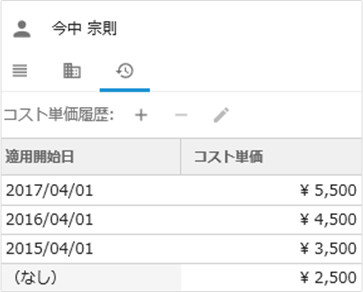
More accurate project cost management using man-hour data. Actual cost will be aggregated in real time, taking into account the unit price for each period of time.
New features in project planning
-
Identifying Critical Tasks in the Critical Path
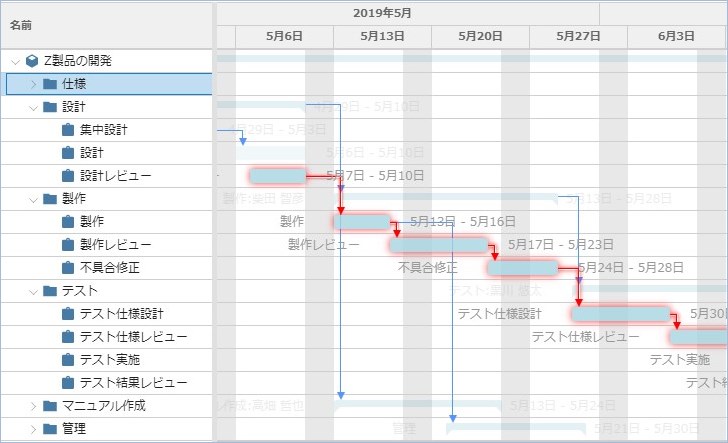
A critical path is a sequence of tasks where a delay in progress is directly related to a delay in a project. The work in this path is important for progress management.
In Gantt Chart, highlight View corresponding to this critical path with one-click. You can easily understand the tasks that are at risk in progress management. -
Assign a person in charge by group
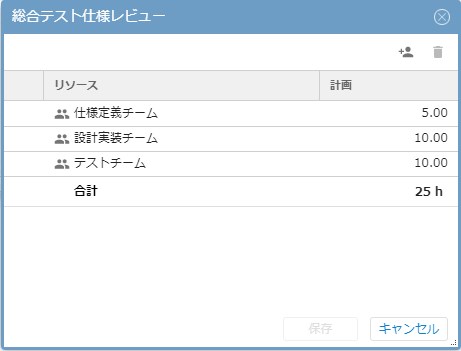
If you have a large Cross-Organization or a large number of people, the task-assignments tend to be complicated. You can now assign groups such as "support team," "test team," "designer," and "audience" to tasks at once.
New features for project progress management
-
Simple progress management with status
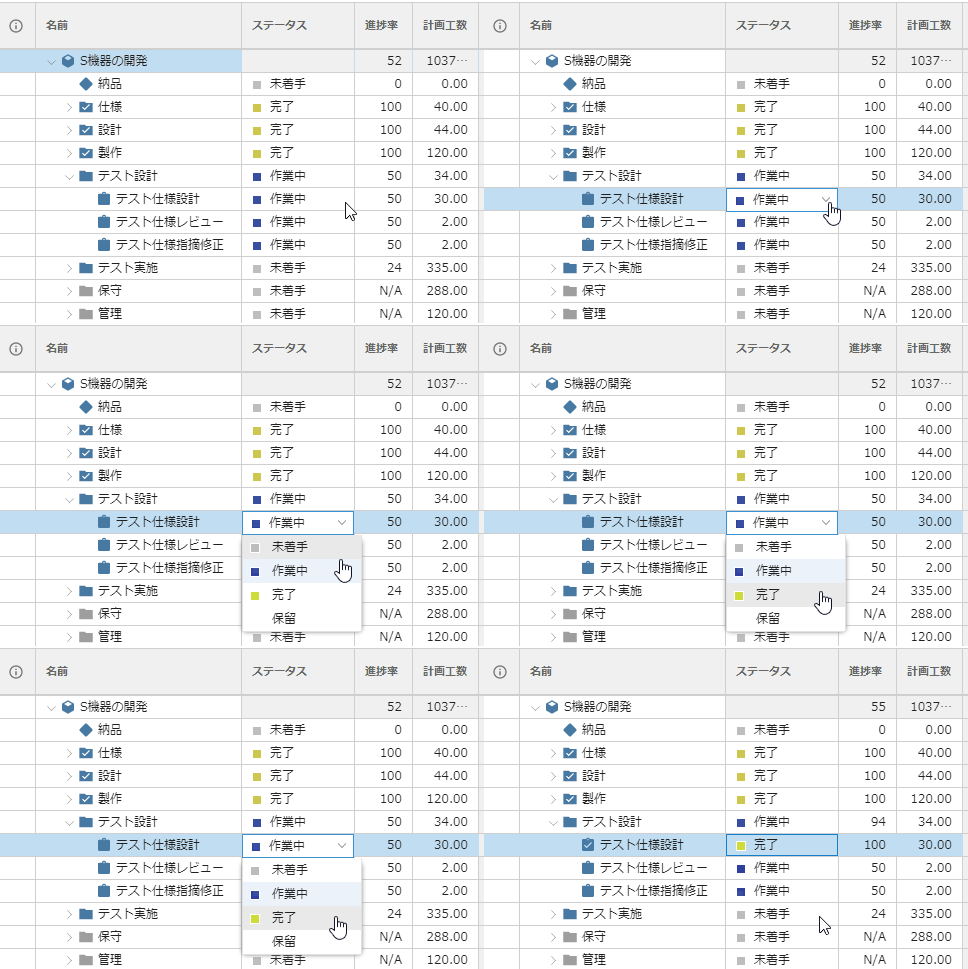
In some cases, it may be difficult to manage what has been completed by using only a value such as "70%" as the task progress rate. You can use the status to clarify each stage of progress, such as "not started," "reviewed," or "completed." In addition, by associating the status with the progress rate, you can perform simple and quantitative progress management.
-
Manage ToDo without omission
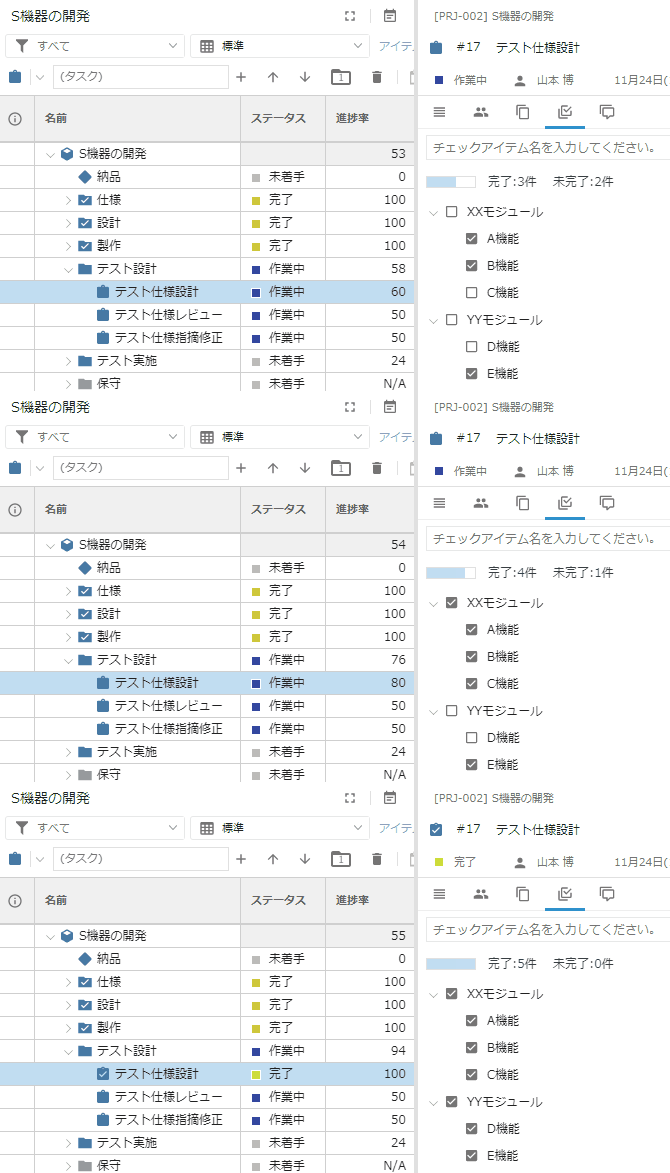
Registers detailed tasks in a task as check items and manages them like a ToDo listing. Task progress is tied to the completion status of the check item, so you can manage the progress of the task only by managing ToDo listing.
-
Real-time sharing of work reports with comments
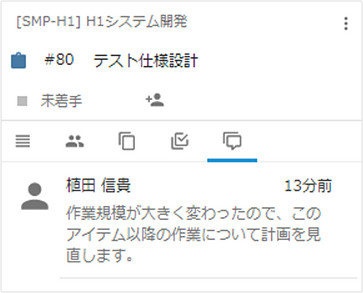
Each member can post comments on the task, such as progress and suggestions. Not only can managers check the contents of daily reports, but they can also be used to easily share information among members. You will be notified if there are any comments, so you won't forget to read them.
-
Immediately notify of any changes to the task in charge
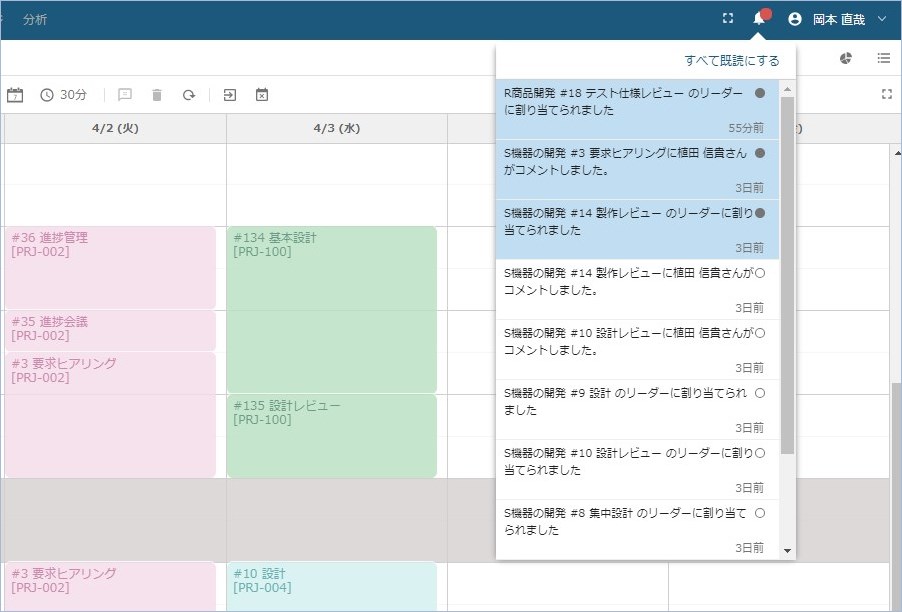
If there are changes in a project that are relevant to you, you don't want to be able to notice them easily. View an on-screen notification that a task to which you are related has been commented on, or that you have been set as the leader of a task. Don't miss important changes.
-
List your tasks in priority order
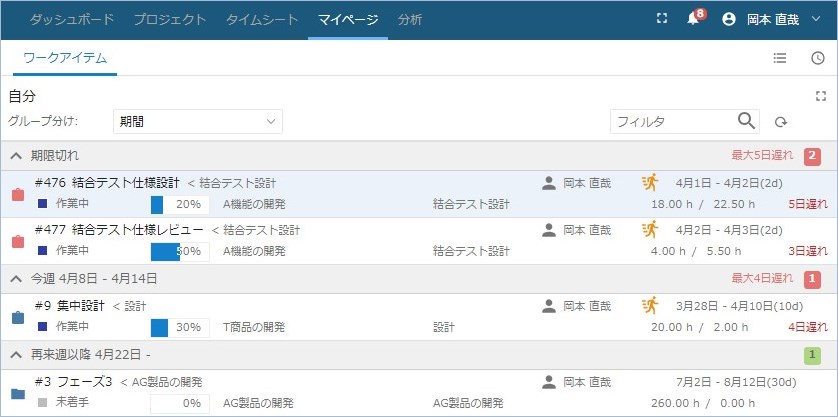
View a cross-project list of your responsibilities. You can check them in order of close due date or status, which helps you prioritize your work and detect problems early.
-
Quickly identify tasks that require attention
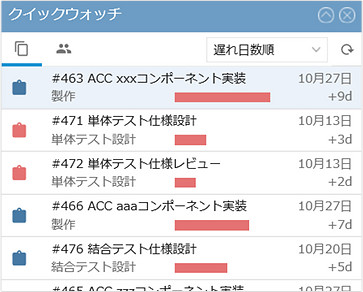
A View of people who are behind or behind on their work. You can easily check the project status, which was difficult to see with just the task tree (WBS), such as which high-risk tasks are involved.
-
Check past inazuma lines at any time
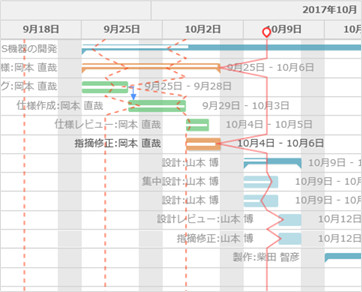
Automatically saves inazuma lines that visually show the progress and delay on Gantt Chart. By comparing the progress with that of past points in time, it is easy to grasp the points of change that are difficult to evaluate based on the current situation alone.
-
Auto save change history of plan
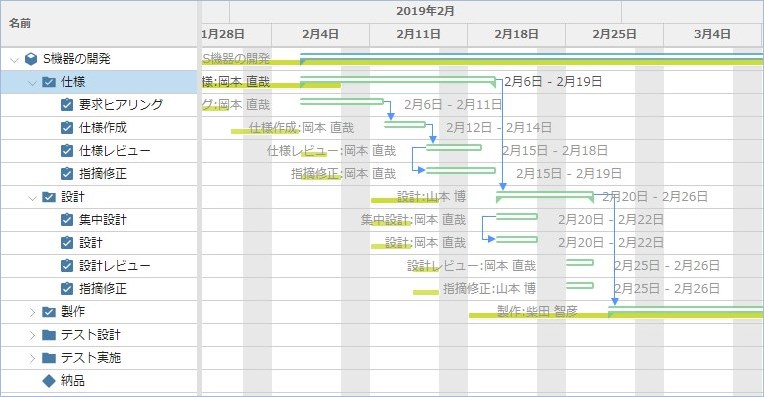
It is important to manage the initial plan and any changes that have been made since a specific point in time when you are working on a project plan that is gradually detailed or reviewed on a daily basis.
The plan changes are automatically saved so that you can compare the plan contents at any point in time with the current status.
New features in Cross-project administration
-
View multi-project Gantt Chart side by side
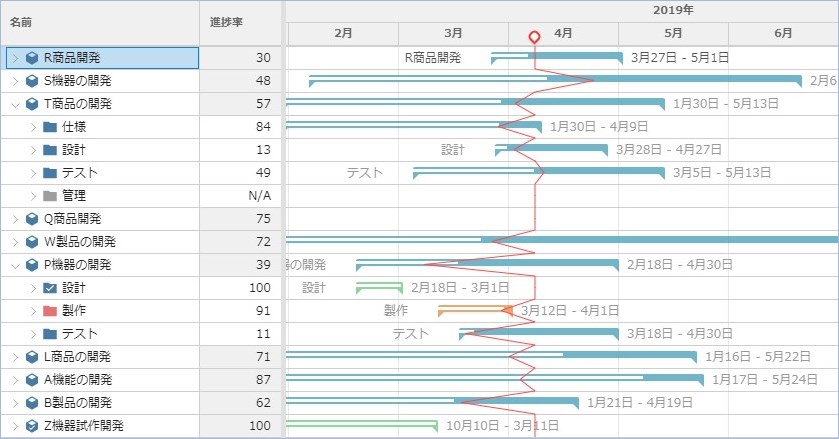
View the status of severalprojects in one Gantt Chart. You can visualize the entire process at once with Cross-project inazuma line. You can define the combination of projects you want to check as a view, so you can quickly check the problem project with one click.
-
Immediately check the load status of members
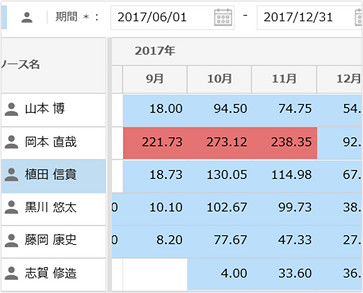
View the individual Planned time or Actual time to see how they are working. This is useful for checking the load of members across projects and organizations.
New Visualization Features
-
Monitor Task Status
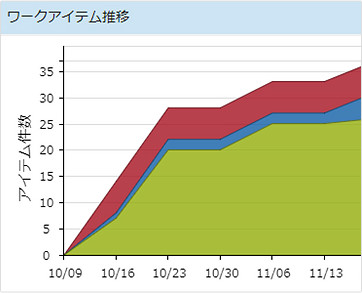
Automatically manages historical changes in the remaining tasks of a project. You can see the trend of not increasing or delaying tasks that have not yet been completed. You can view the status of a task in two widgets: Item Summary, which charts it from different perspectives, and Item Transition, which shows a chart with a time series.
-
Monitor the man-hour status
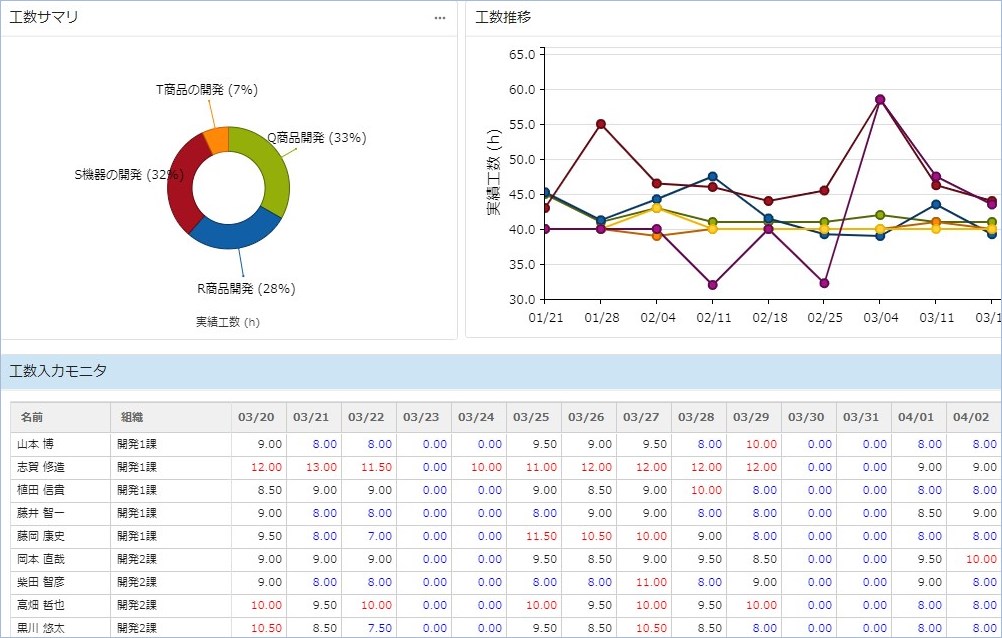
When starting a day's work, first check the man-hour data before starting the work.
There are three widgets available: Time entry summary, which graphs effort from various perspectives; Time entry transition, which shows time-series graphs; and Time entry monitor, which View daily and weekly effort data in tabular form.
New features for management and scalability
-
Secure operation with advanced security management
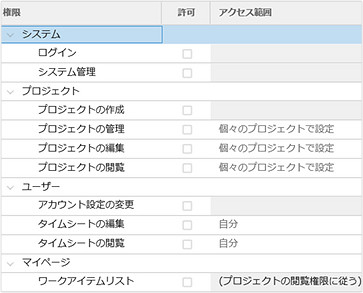
Available functions are controlled by organization and user. Secure operation of "can be viewed only by the manager or above" and "can be edited only by the user in the department or department." Individual projects can also give members access if necessary, so that they can operate safely in the field.