


Project planning
A workplace-oriented project management tool that is easy
to use because it adapts to real-world needs.
Field issues

Ease of use
- ・The site is accustomed to the ease of use of Excel and will not be able to use it unless it is as easy or easier to use as it is.
- ・The project plan is managed by Excel, but updating the plan and reflecting the results are troublesome.
- ・The larger the project, the slower and more difficult to manage
Mismatch between the site and the function
- ・The planning function of the tool does not match the actual situation of the site, and the site must match the tool.
Divergence between Input work time and project-planning
- ・The members do not understand the details of the project plan because it is troublesome to check the project plan.
Column
There is no single right way to manage a project; teams adapt their methods to their work and circumstances. Here, we share expertise DENSO CREATE has gained through nearly 20 years of providing project management tools.
Features
Features That Support Project Planning: Make workplace-level issues visible.
Flexible planning that can be adapted to the site
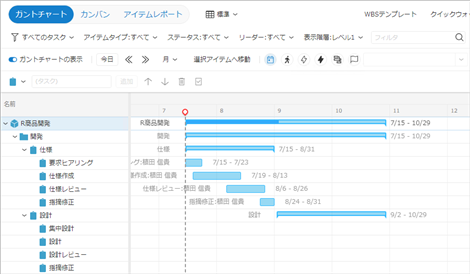
You can start with a rough plan and refine it step by step.
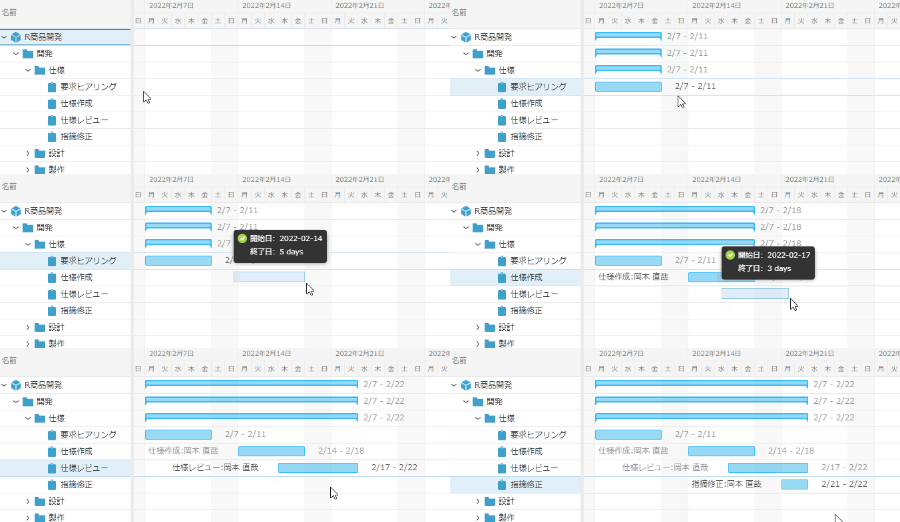
Simple dragging of the schedule settings
Overwhelmingly ease of use
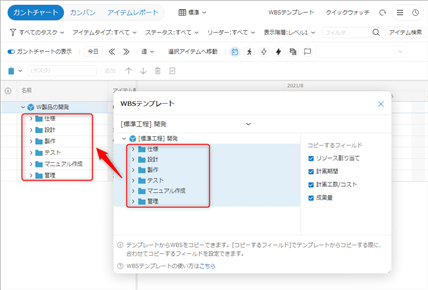
You can start a project by copying from a template
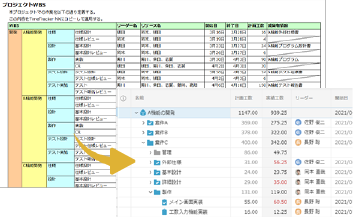
WBS can be reflected in one minute from the "site Excel planning document"
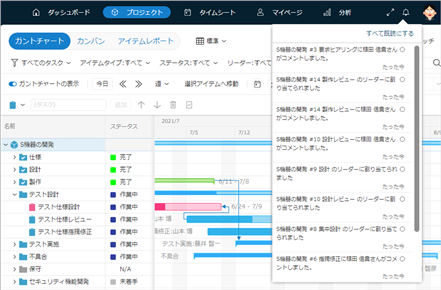
Reflect plans and results in projects in real time
Integration of work time input and project management
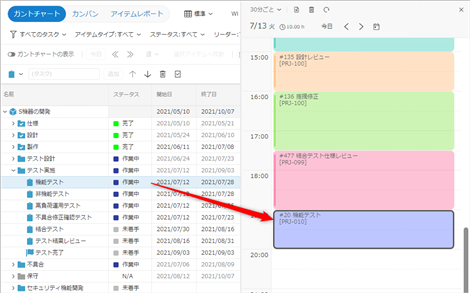
Directly enter your effort while checking the project plan